
Website
We want every stay to feel like home. If something is wrong when you arrive (you can't get in, the place doesn't match the listing, it isn't clean or safe), tell your host first and then tell us in writing within 12 hours of check-in. That is the time we have to step in while you are still there.
How to report a problem
Here's a step-by-step guide:
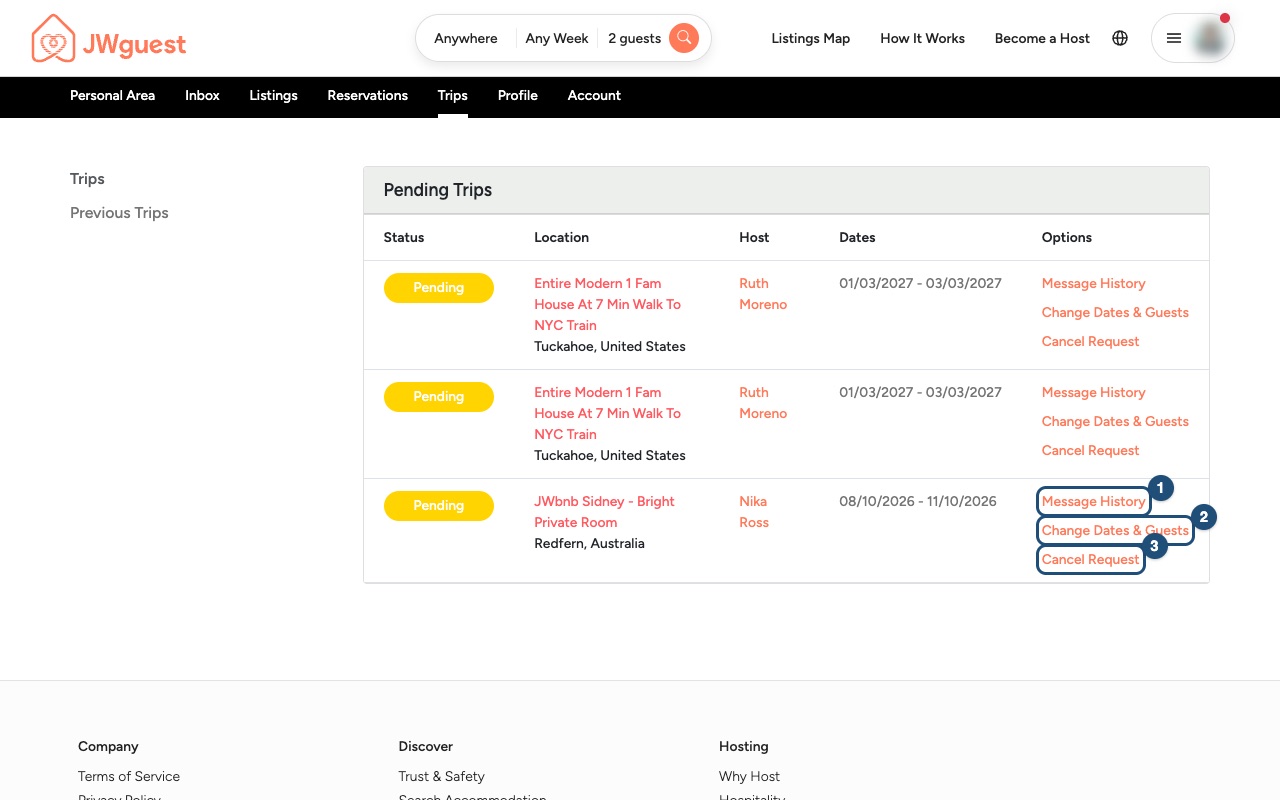
1. Contact your host: Go to Trips and click Message History (1) next to your reservation. Explain the problem calmly and give your host a chance to fix it. Many issues (a code that doesn't work, hot water, a missing towel) are solved in minutes.
2. Take photos or videos: If the problem remains, document it. Photos with the time they were taken help us understand what happened.
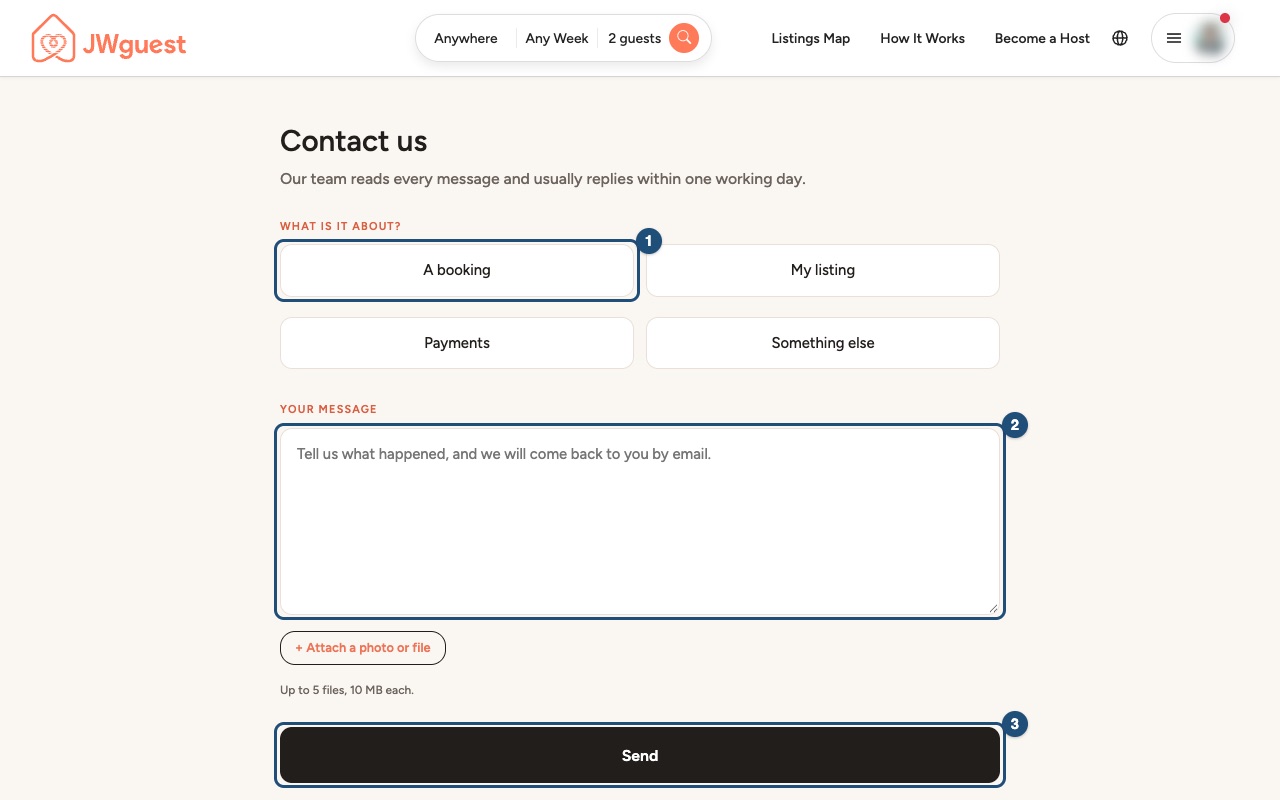
3. Write to JWguest Support within 12 hours of check-in: Open Contact us, choose A booking (1), describe what happened in the message box (2), attach your photos and click Send (3). You can also write to [email protected]. Please include your reservation code.
What we can help with
Our Guest Refund Policy covers problems with the accommodation or the host:
- you can't get in because the host did not give you the keys, the code or the check-in information;
- the listing is very different from its description (size, type of room, amenities that don't work, location);
- the place is not clean or safe, has no clean bedding or towels, or has pests that were not mentioned.
It does not cover problems that have nothing to do with the accommodation, such as delayed or missed flights, transport strikes, illness, visas or weather. For those, the host's cancellation policy applies, and we recommend your own travel insurance.
What happens next
Our team reads every message and usually replies within one working day. We will contact you and the host, and we may ask for more information. Depending on the situation, we may help you find another place to stay or refund part or all of what you paid through JWguest. The Service Fee is not refundable.
Related articles: Cancel your booking · If your Host cancels your booking
Mobile browser
We want every stay to feel like home. If something is wrong when you arrive (you can't get in, the place doesn't match the listing, it isn't clean or safe), tell your host first and then tell us in writing within 12 hours of check-in. That is the time we have to step in while you are still there.
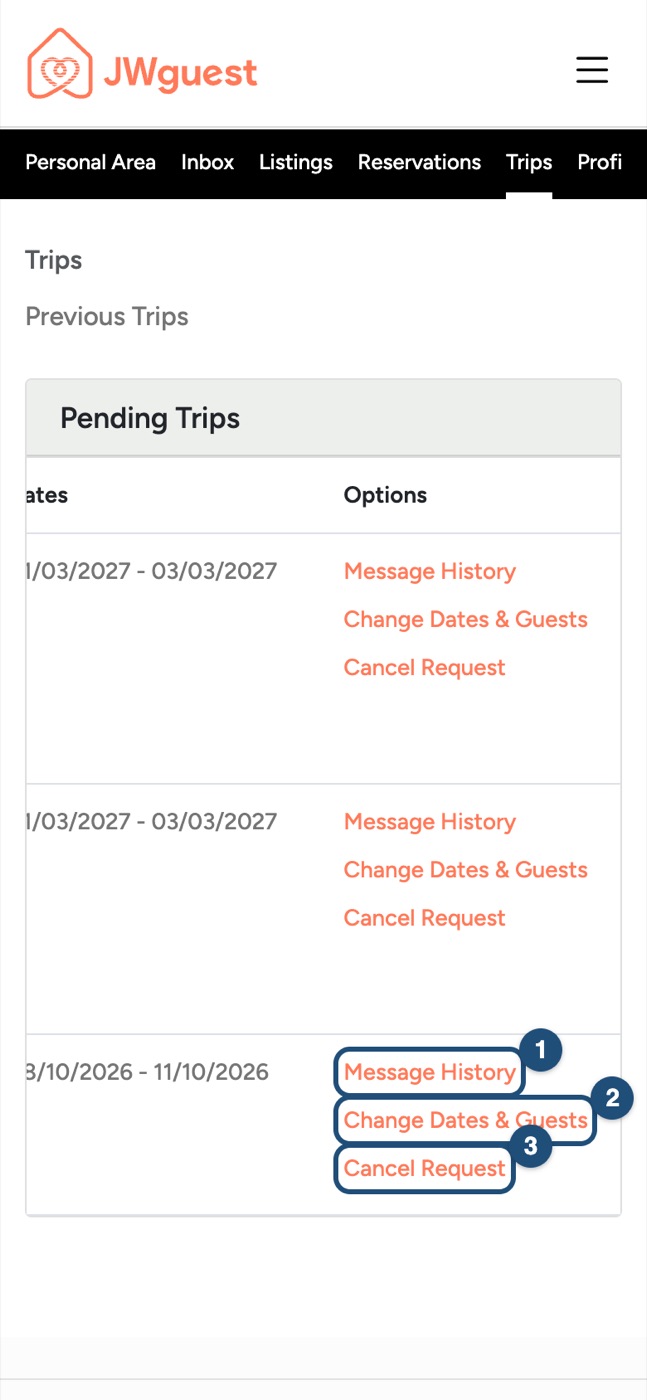
1. Contact your host: Tap the menu, then Trips in the black bar under the logo. The table of your trips is wider than the screen: swipe it to the left to see the Options column, then tap Message History (1).
2. Take photos or videos with your phone. Keep them: you can attach them to your message.
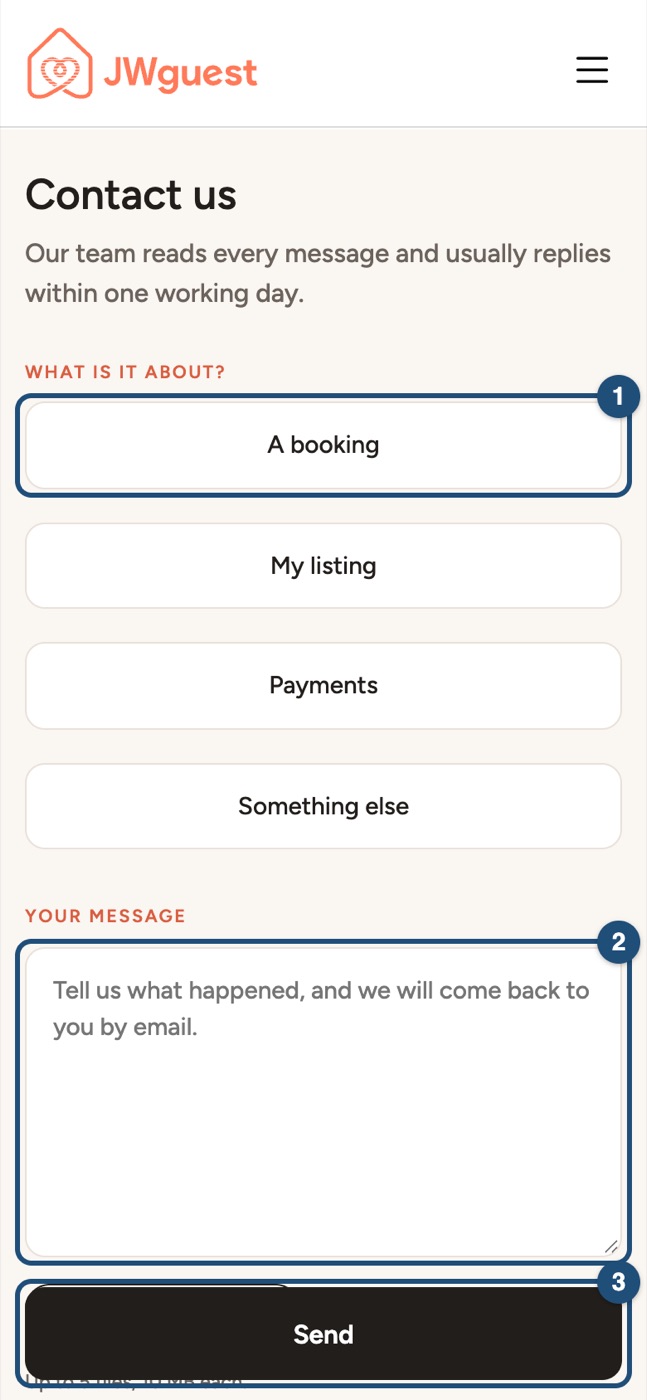
3. Write to JWguest Support within 12 hours of check-in: Open Contact us (also at the bottom of every page), tap A booking (1), write what happened (2), tap + Attach a photo or file to add your photos (up to 5 files, 10 MB each) and tap Send (3).
What we can help with
Our Guest Refund Policy covers problems with the accommodation or the host:
- you can't get in because the host did not give you the keys, the code or the check-in information;
- the listing is very different from its description (size, type of room, amenities that don't work, location);
- the place is not clean or safe, has no clean bedding or towels, or has pests that were not mentioned.
It does not cover problems that have nothing to do with the accommodation, such as delayed or missed flights, transport strikes, illness, visas or weather. For those, the host's cancellation policy applies, and we recommend your own travel insurance.
What happens next
Our team reads every message and usually replies within one working day. We will contact you and the host, and we may ask for more information. Depending on the situation, we may help you find another place to stay or refund part or all of what you paid through JWguest. The Service Fee is not refundable.
Related articles: Cancel your booking · If your Host cancels your booking