
Website
Found a few homes you like? Save them to a wishlist to compare them later, and share them with the people travelling with you.
Save and share a home
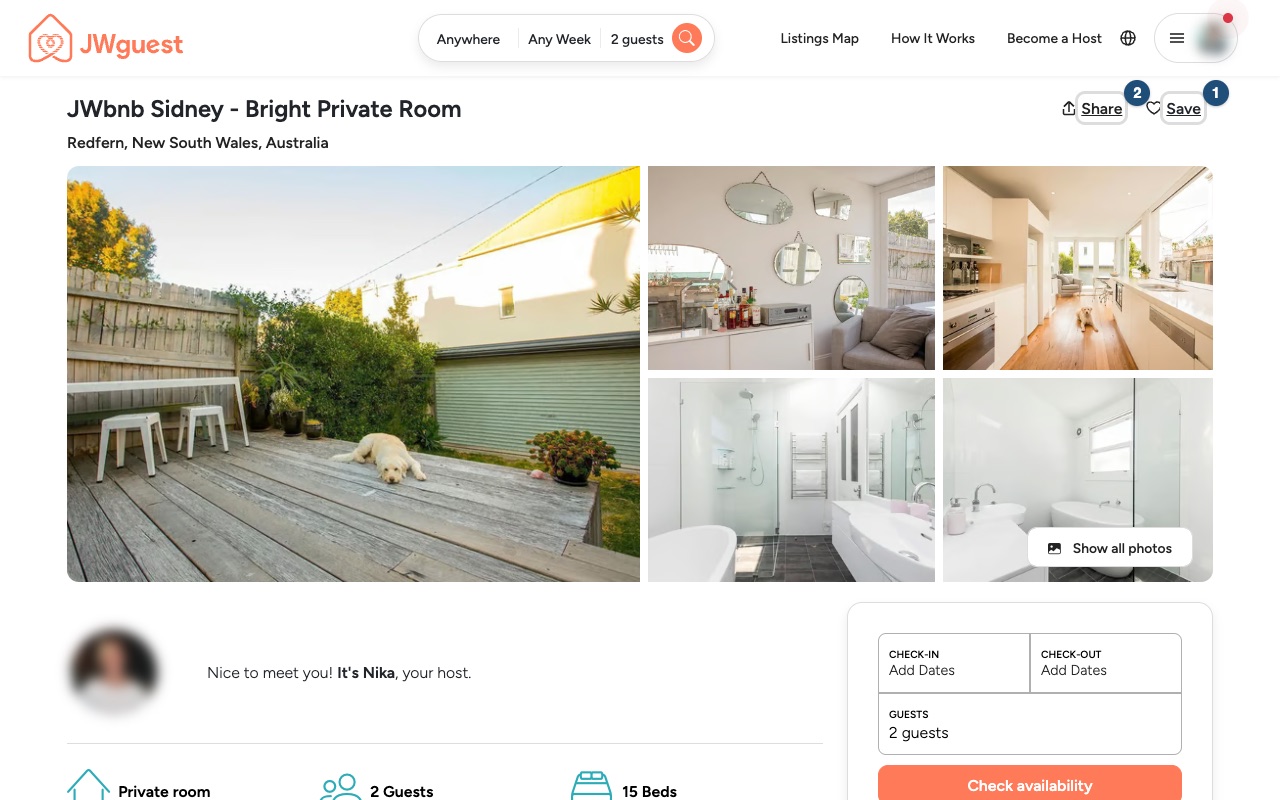
Click Save (1) on a listing to add it to a wishlist, and Share (2) to send it to the people travelling with you.
Group homes for one trip
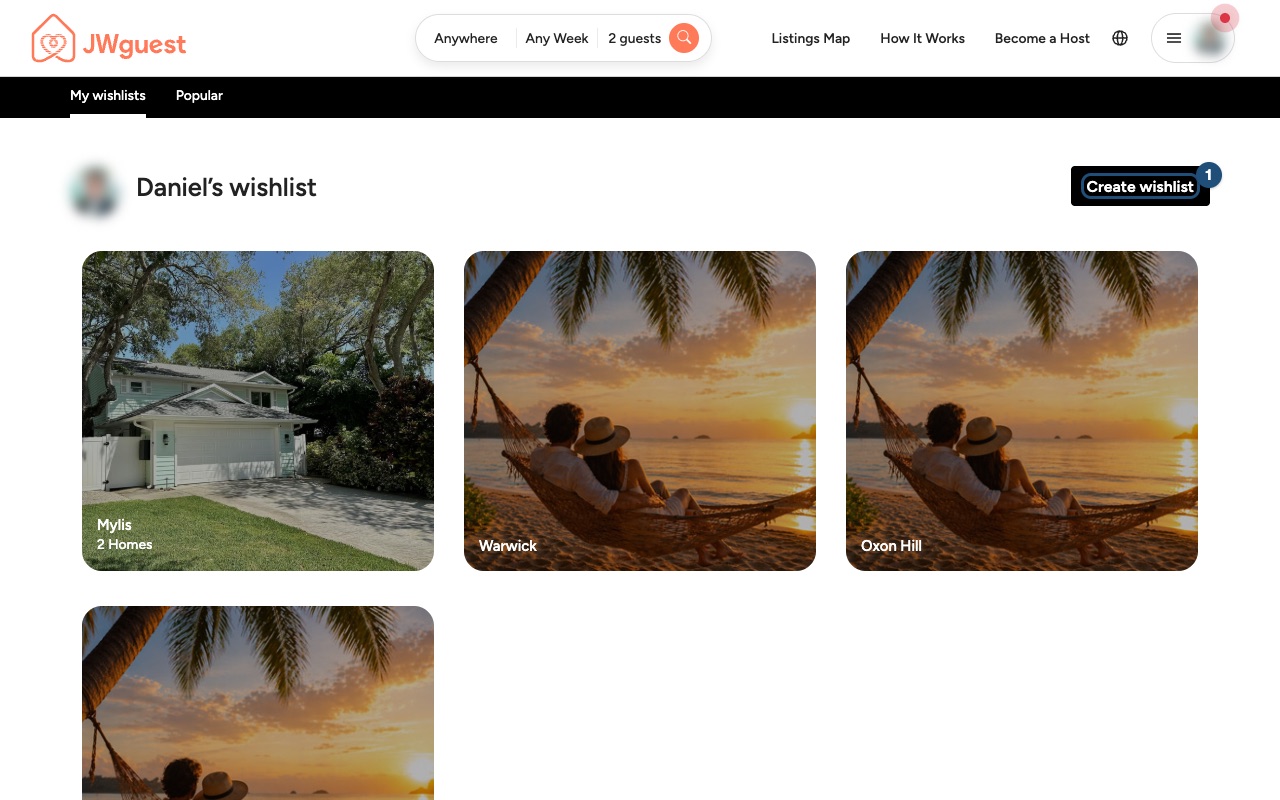
Open My wishlists and click Create wishlist (1). To find My wishlists, open the menu (three lines, top right) and click Wishlist.
Before you book, check the price breakdown, the cancellation policy and the house rules of each home, and ask the host anything that is not clear. See Contact a host before you book.
Related articles: Find a stay near an assembly, convention or Bethel · How to search · Contact a host before you book
Mobile browser
Found a few homes you like? Save them to a wishlist to compare them later, and share them with the people travelling with you.
Save and share a home
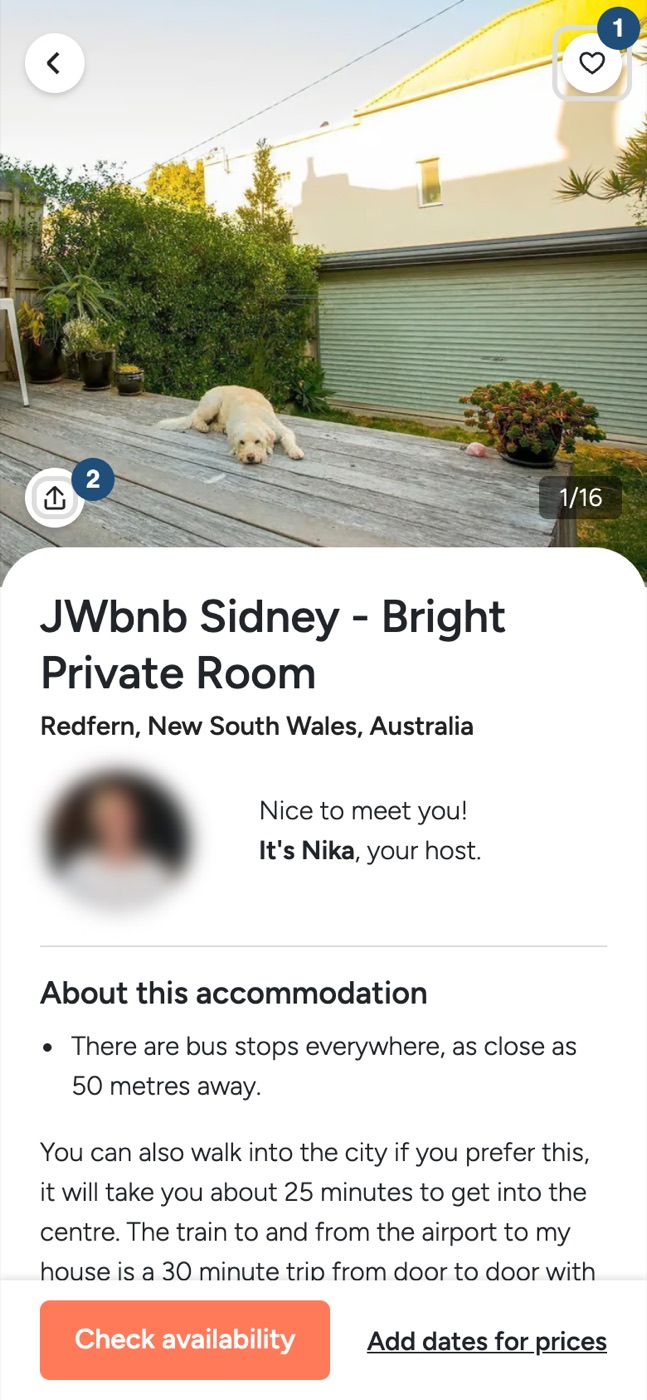
Tap Save (1) on a listing, or Share (2) to send it to the people travelling with you.
Group homes for one trip
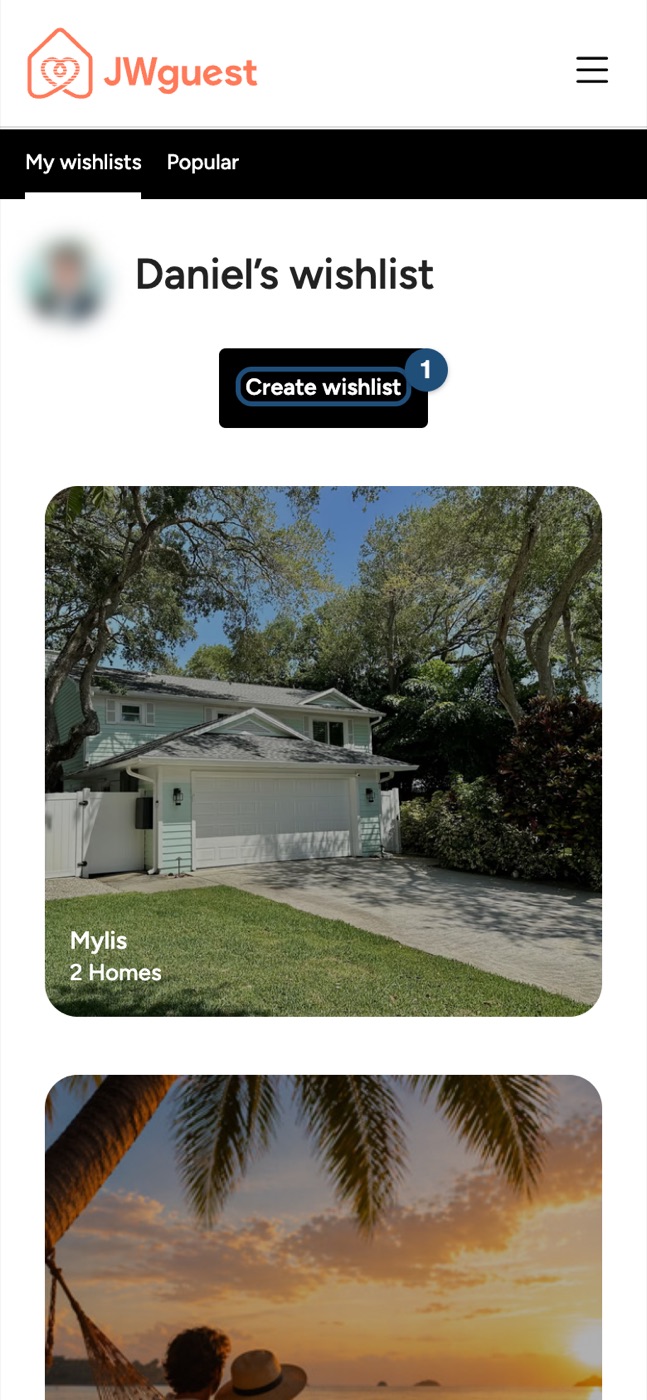
Open My wishlists and tap Create wishlist (1). To find My wishlists, open the menu (three lines, top right) and tap Wishlist.
Before you book, check the price breakdown, the cancellation policy and the house rules of each home, and ask the host anything that is not clear. See Contact a host before you book.
Related articles: Find a stay near an assembly, convention or Bethel · How to search · Contact a host before you book
iOS app
Found a few homes you like? Save them to a wishlist to compare them later, and share them with the people travelling with you.
Save and share a home
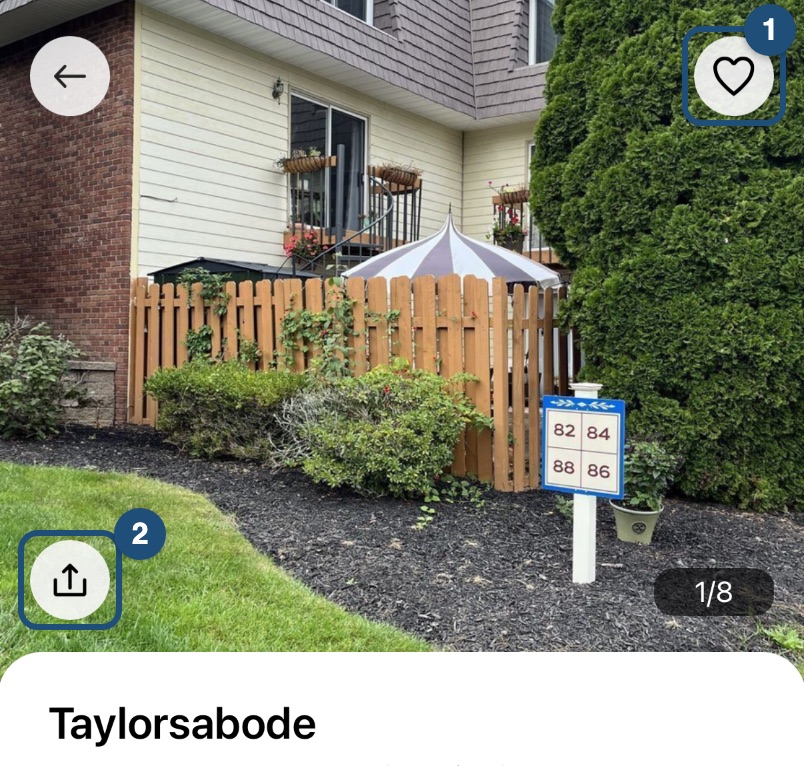
On a listing, tap the heart (1) to save it, or the share button (2) to send it to the people travelling with you.
Group homes for one trip
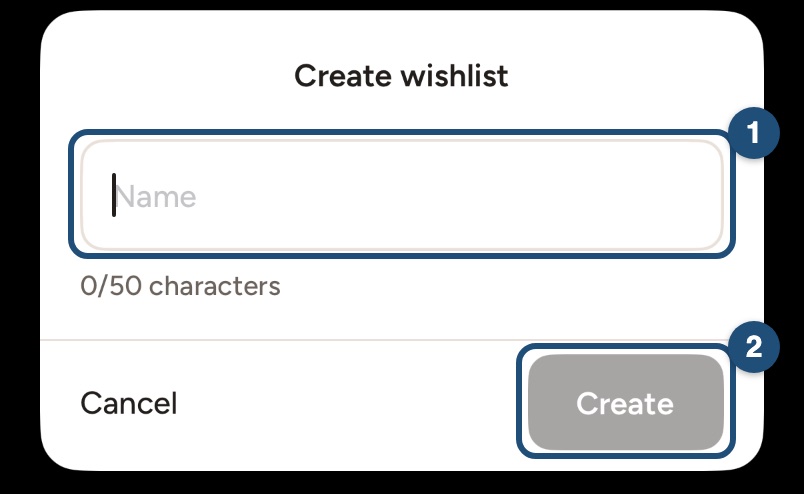
The first time you tap the heart, give your wishlist a name (1) and tap Create (2). Your lists are under Saved in the bar at the bottom.
Before you book, check the price breakdown, the cancellation policy and the house rules of each home, and ask the host anything that is not clear. See Contact a host before you book.
Related articles: Find a stay near an assembly, convention or Bethel · How to search · Contact a host before you book
Android app
Found a few homes you like? Save them to a wishlist to compare them later, and share them with the people travelling with you.
Save and share a home
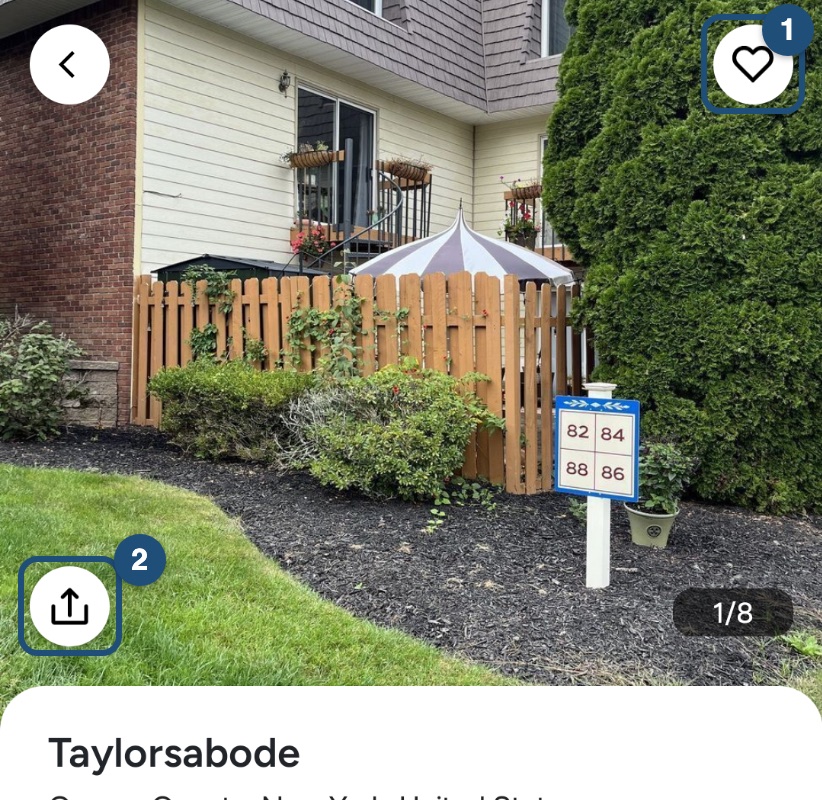
On a listing, tap the heart (1) to save it, or the share button (2) to send it to the people travelling with you.
Group homes for one trip
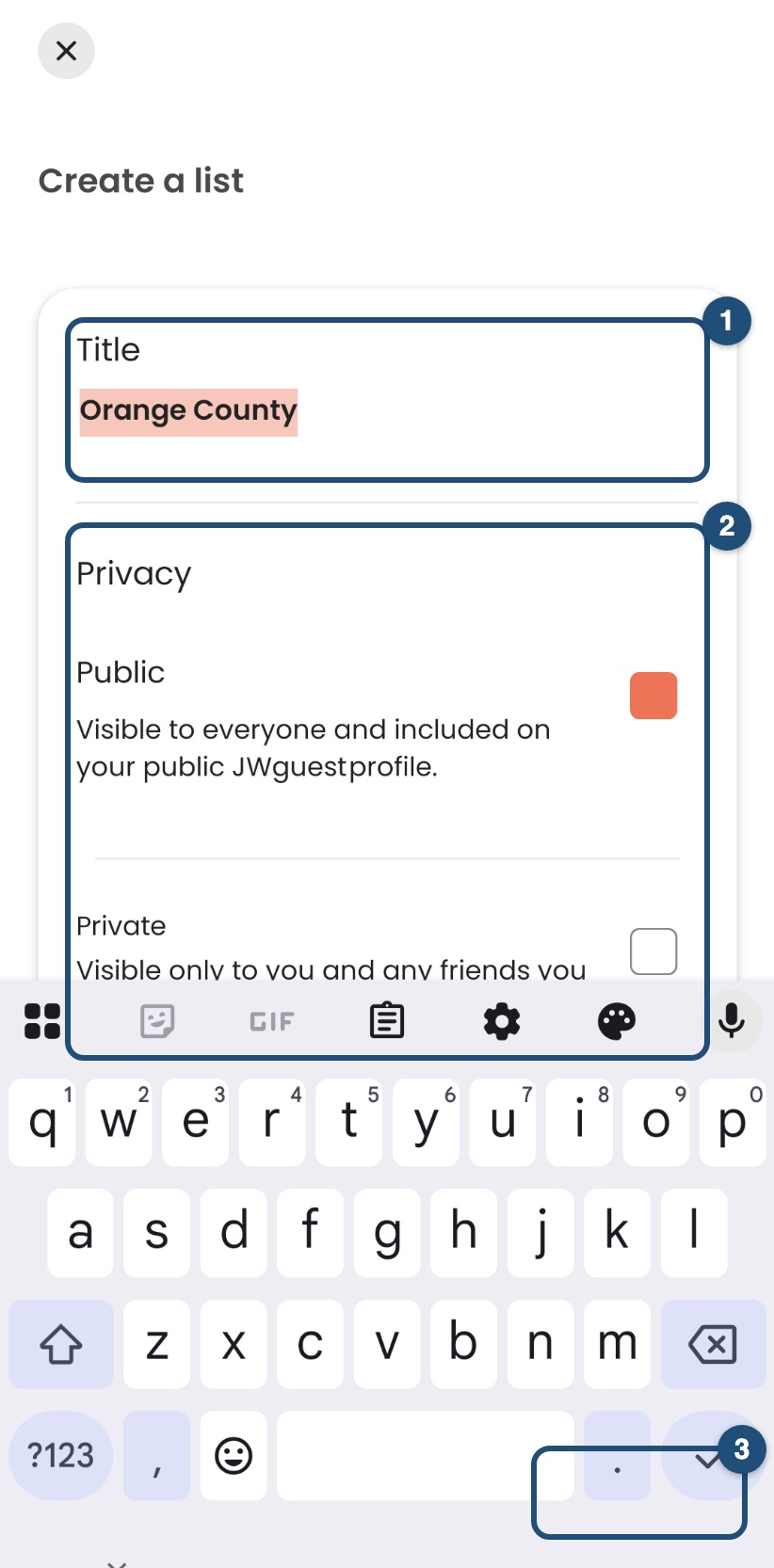
The first time you tap the heart, give your list a Title (1), choose Public or Private (2) and tap Create (3). Your lists are under Save in the bar at the bottom.
Before you book, check the price breakdown, the cancellation policy and the house rules of each home, and ask the host anything that is not clear. See Contact a host before you book.
Related articles: Find a stay near an assembly, convention or Bethel · How to search · Contact a host before you book