
Website
Every confirmed booking has a receipt: the booking code, the dates and the home, and what you paid line by line. You can view it at any time and download it as a PDF, for your own records or to show to whoever covers your travel costs.
Find your receipt
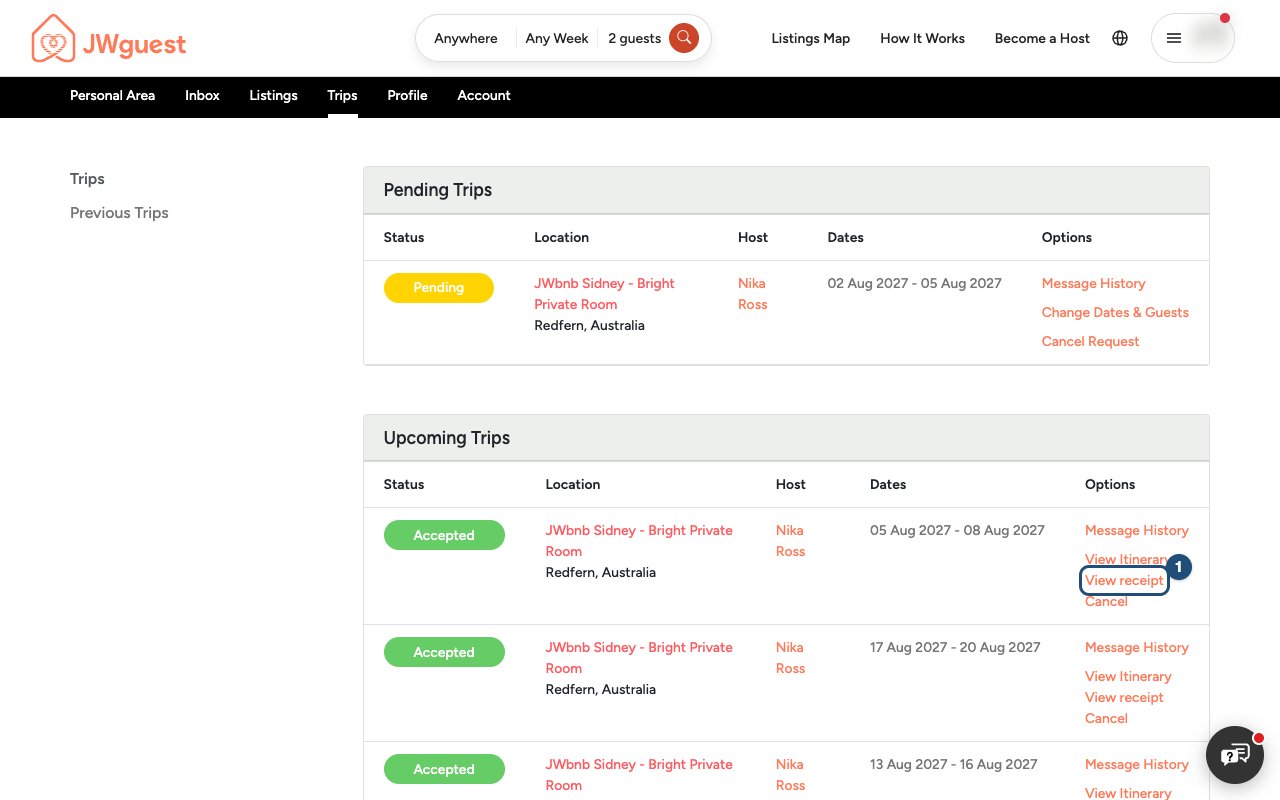
- Go to Trips: in the Personal Area bar, click Trips.
- Click View receipt (1) next to the booking. On the page of a trip you also find it under the reservation code, and Detailed receipt under the total.
What it shows
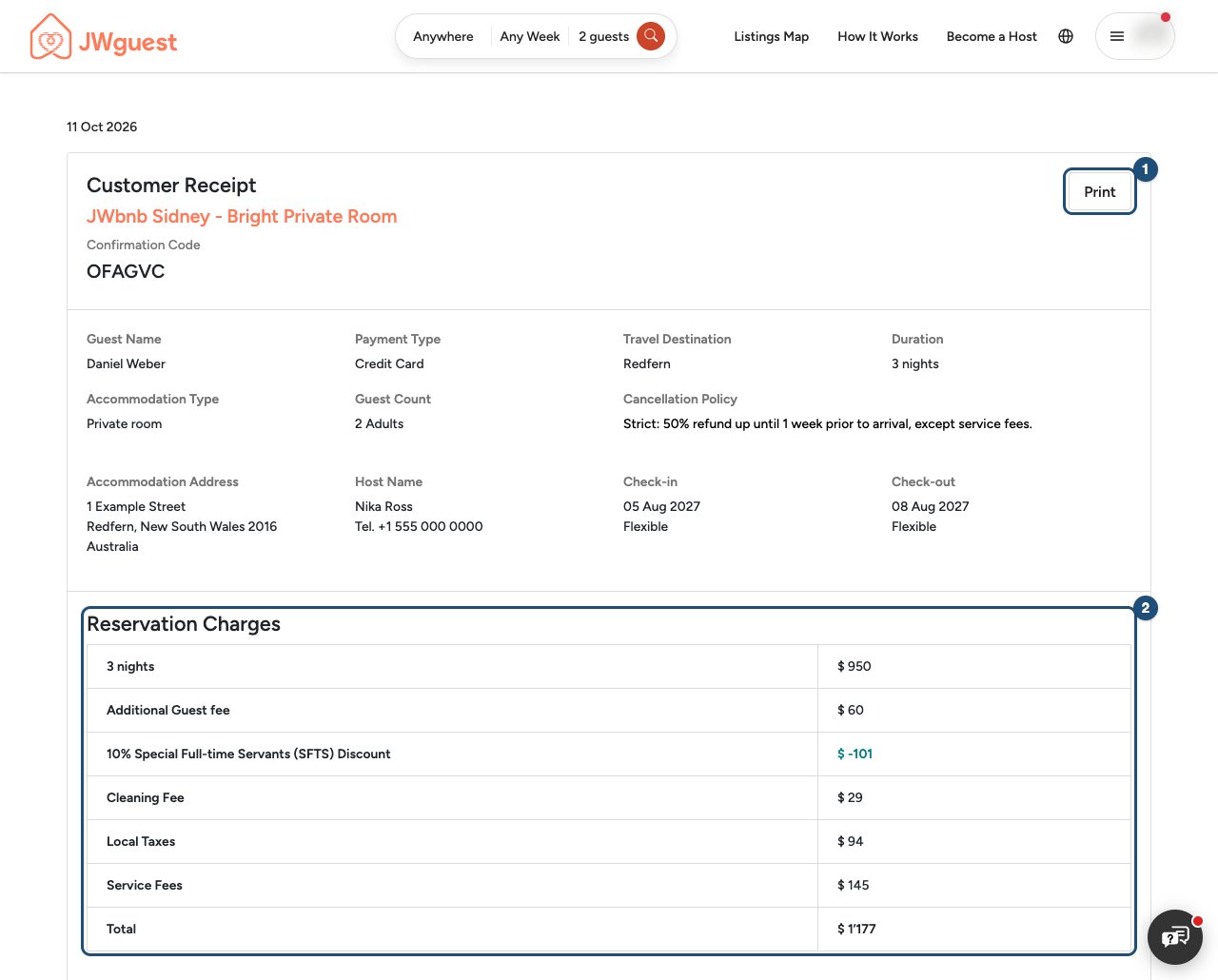
The receipt lists the confirmation code, the home and its address, your host, the dates, the number of guests and the cancellation policy. Under Reservation Charges (2) you see the nights and their price, any additional-guest fee, discounts, the cleaning fee, local taxes, the service fee and the total. If you pay in two parts, both payments are shown. Amounts are in the currency of your booking.
Download or print it
Click Print (1) at the top of the receipt: it downloads the receipt as a PDF file, which you can save, print or send.
A receipt is available once your booking is confirmed. A request still waiting for the host has none yet.
For hosts
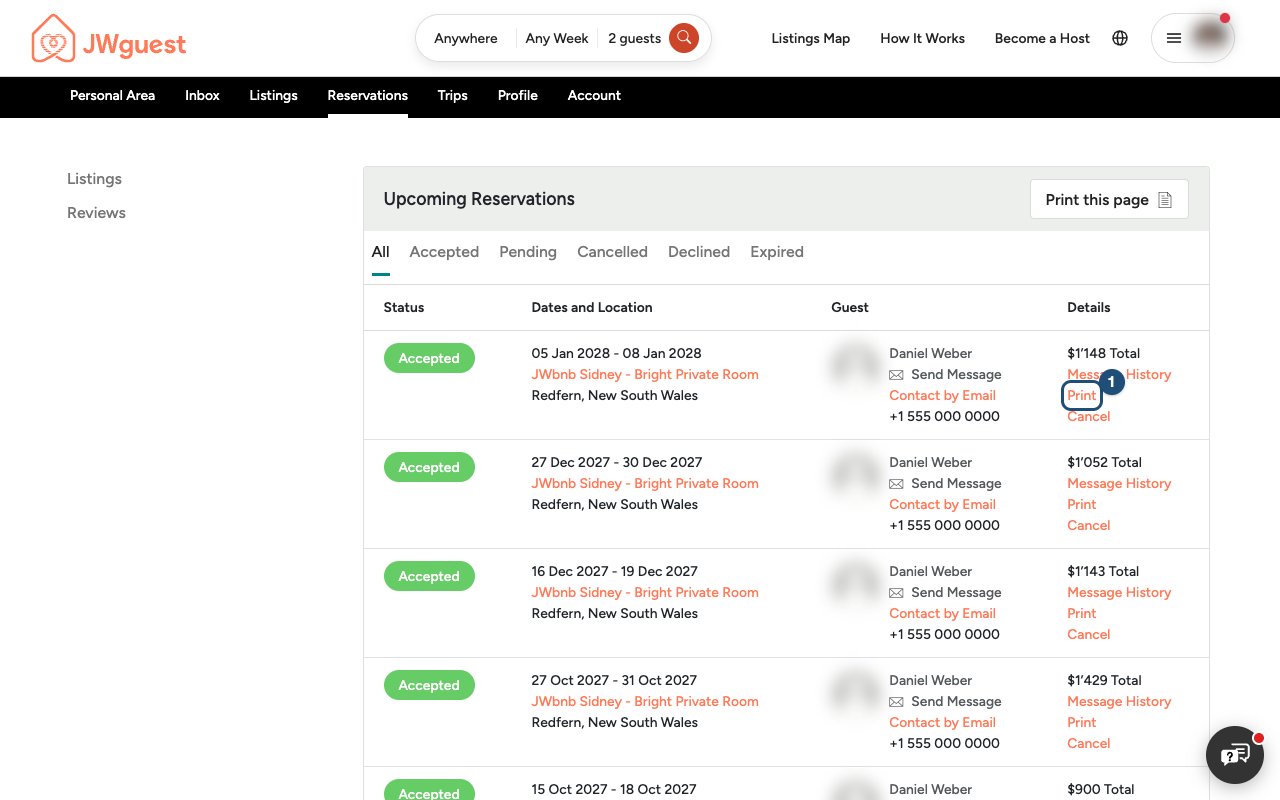
Hosts have a receipt for each confirmed booking too, with the guest's charges and your payout. In the Personal Area bar, click Reservations and then Print (1) next to the booking; on the Booking Receipt page, Print downloads the PDF.
Related articles: What is in your price breakdown? · When will I pay for my booking? · Service fee for guests
Mobile browser
Every confirmed booking has a receipt: the booking code, the dates and the home, and what you paid line by line. You can view it at any time and download it as a PDF.
Find your receipt
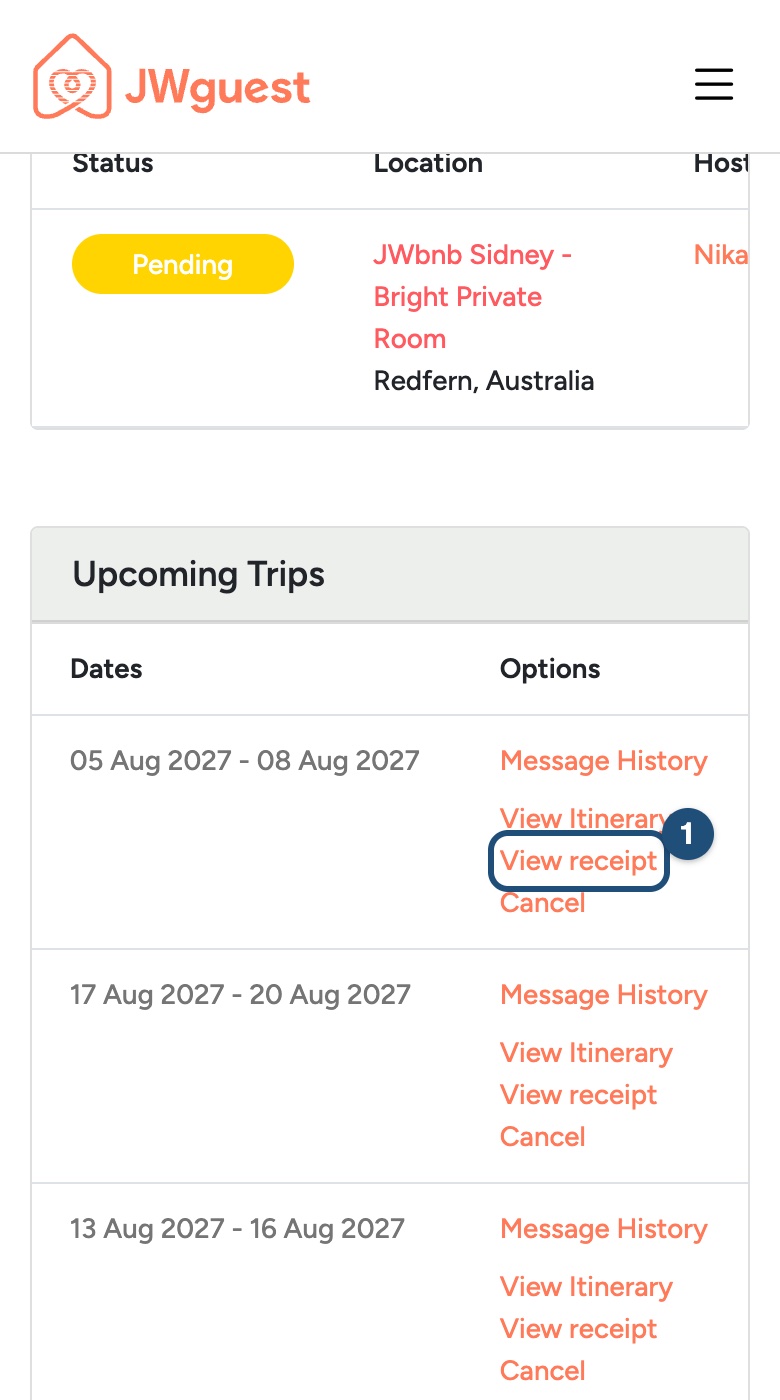
- Go to Trips: tap Trips in the black Personal Area bar.
- Tap View receipt (1) next to the booking (swipe the table left if you don't see it).
What it shows, and how to save it
The receipt lists the confirmation code, the home, your host, the dates and guests, and under Reservation Charges every amount you paid: nights, fees, discounts, local taxes, service fee and total, in the currency of your booking. Tap Print at the top to download it as a PDF.
A receipt is available once your booking is confirmed.
For hosts
Tap Reservations in the Personal Area bar, then Print next to a confirmed booking. The Booking Receipt shows the guest's charges and your payout; Print downloads it as a PDF.
Related articles: What is in your price breakdown? · When will I pay for my booking?
iOS app
Every confirmed booking has a booking confirmation with what you paid line by line. In the app you can download it as a PDF and save, print or send it.
Download your booking confirmation
- Open your trip: tap Trips in the bar at the bottom and tap the booking.
- Tap Download booking confirmation (1), under the confirmation code.
- Choose what to do with it: the share sheet opens, with Save to Files, Print, Mail and your other apps.
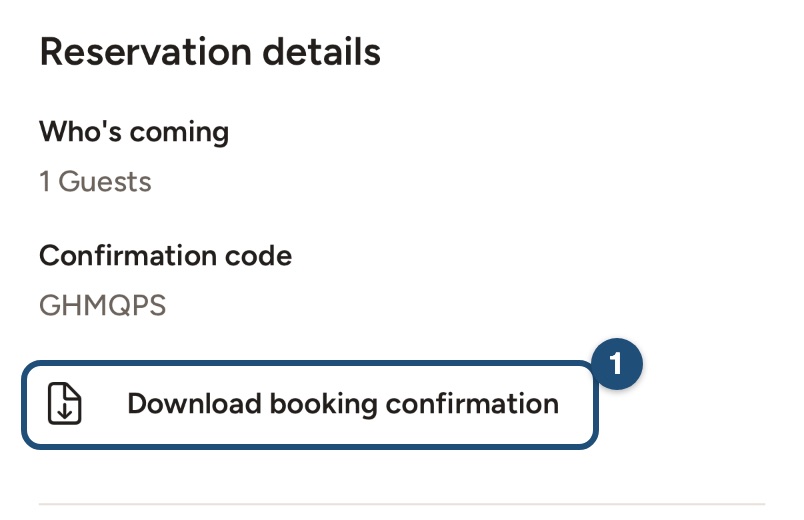
The confirmation shows the booking code, the home, the dates and guests, and every amount: nights, fees, discounts, local taxes, service fee and total, in the currency of your booking. It is available once your booking is confirmed.
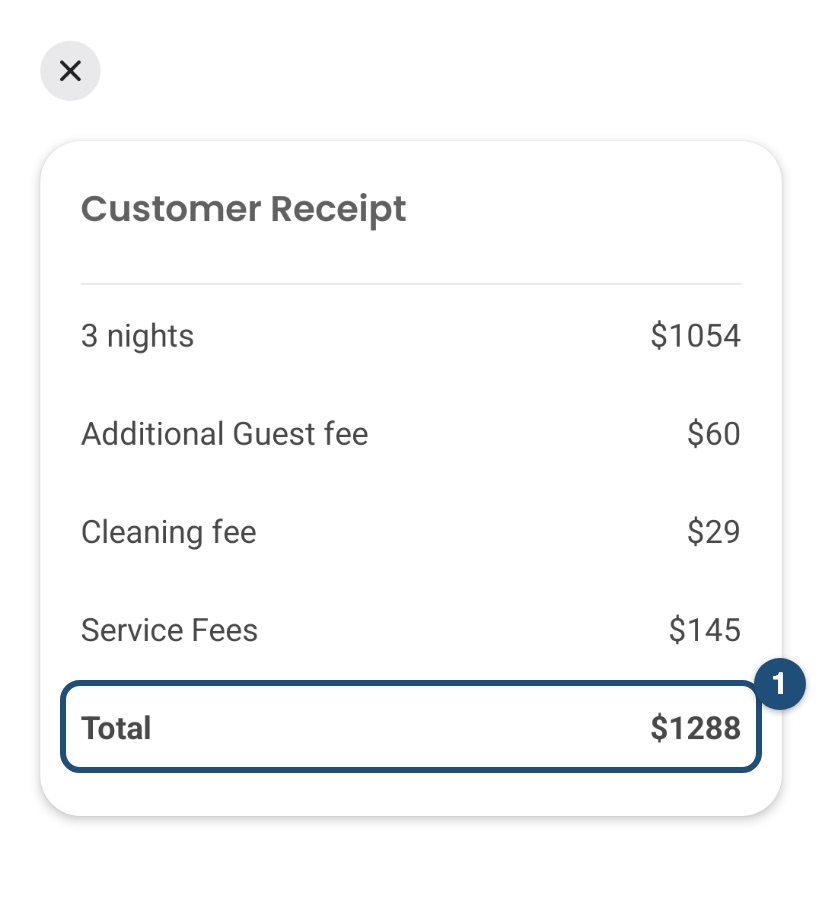
The price details of a trip also open the Customer Receipt screen; the share icon at its top right sends it as well.
For hosts
Open the booking from Reservations and tap Download booking confirmation: your copy shows the guest's charges and your payout.
Related articles: What is in your price breakdown? · When will I pay for my booking?
Android app
Every confirmed booking has a receipt with what you paid line by line. In the app you can see it on screen; to download it as a PDF, use the website.
See your receipt
- Open your trip: tap Trips in the bar at the bottom and tap the booking.
- Tap Price Breakdown (1).
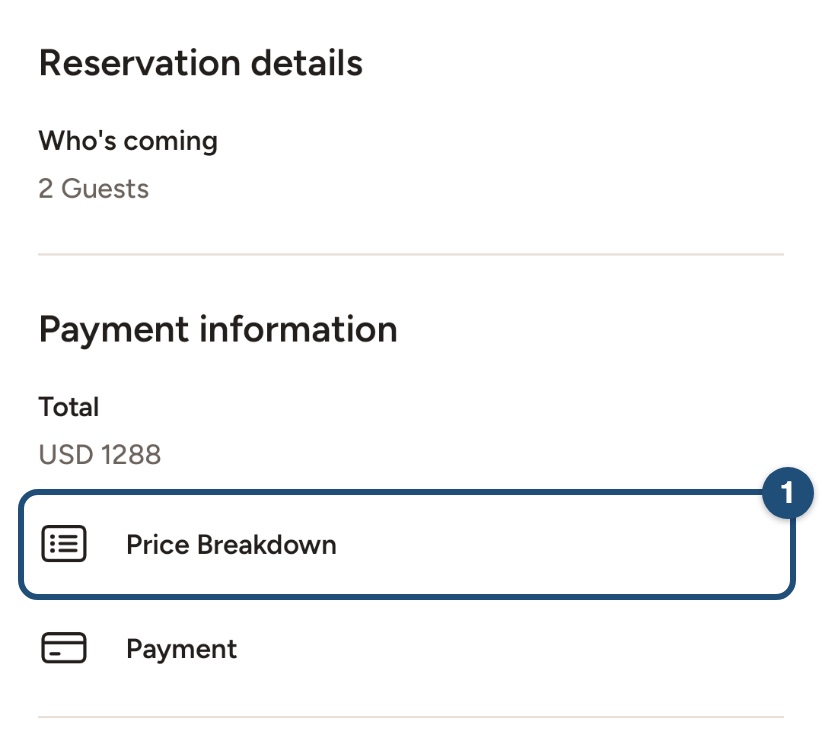
The Customer Receipt screen shows every amount: nights, fees, discounts, local taxes, service fee and total, in the currency of your booking.
Download it as a PDF
Open jwguest.com in your phone's browser, log in, tap Trips in the Personal Area bar, then View receipt next to the booking and Print.
For hosts
Open the booking from Reservations and tap Price Breakdown: your receipt shows the service fee kept by JWguest and your payout. The PDF is on the website, under Reservations > Print.
Related articles: What is in your price breakdown? · When will I pay for my booking?