

Website
Search by the city of the assembly or convention with your real dates, or open our Stays near Bethel page to see the homes near each branch; the Listings Map shows the homes on a map. Convention and assembly weekends fill up quickly, so it pays to look early.
Search near an assembly or convention
Here's a step-by-step guide:
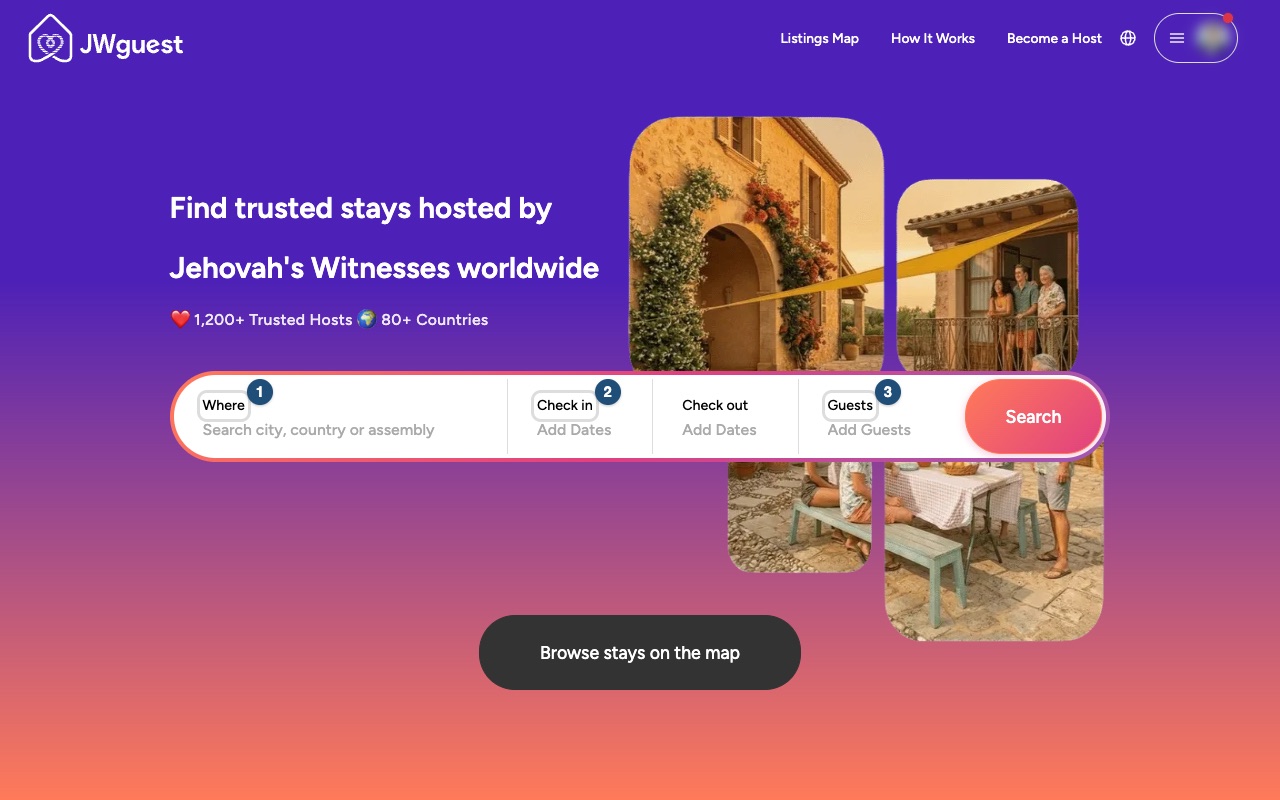
Enter where you are going (1): type the city or the area of the assembly hall or convention venue.
Choose your dates (2): enter the dates you really intend to stay, from arrival to departure.
Enter the number of guests (3): count everyone who will stay, including children.
See How to search for more about the results.
Stays near Bethel
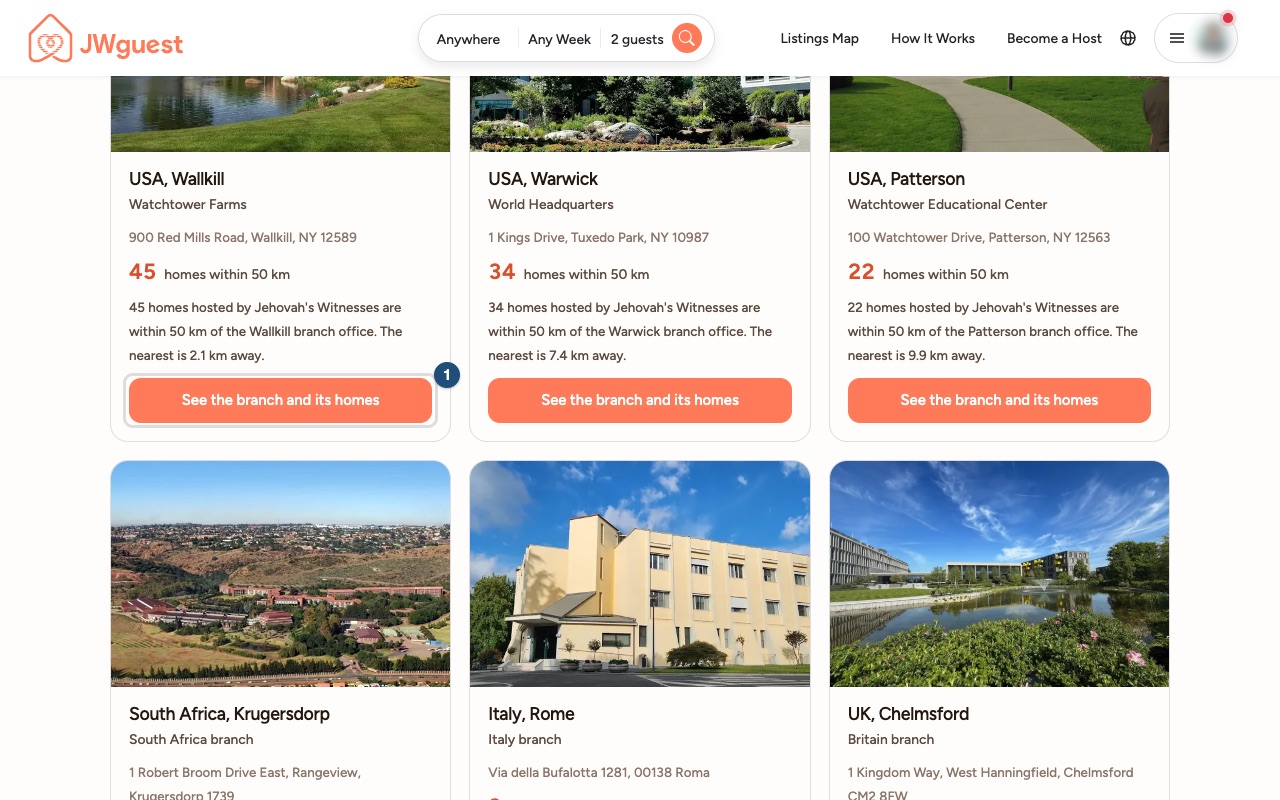
If you are visiting a branch office or coming to serve there, open the Stays near Bethel page. It lists the branches: click See the branch and its homes (1) next to the one you need.
Browse the map
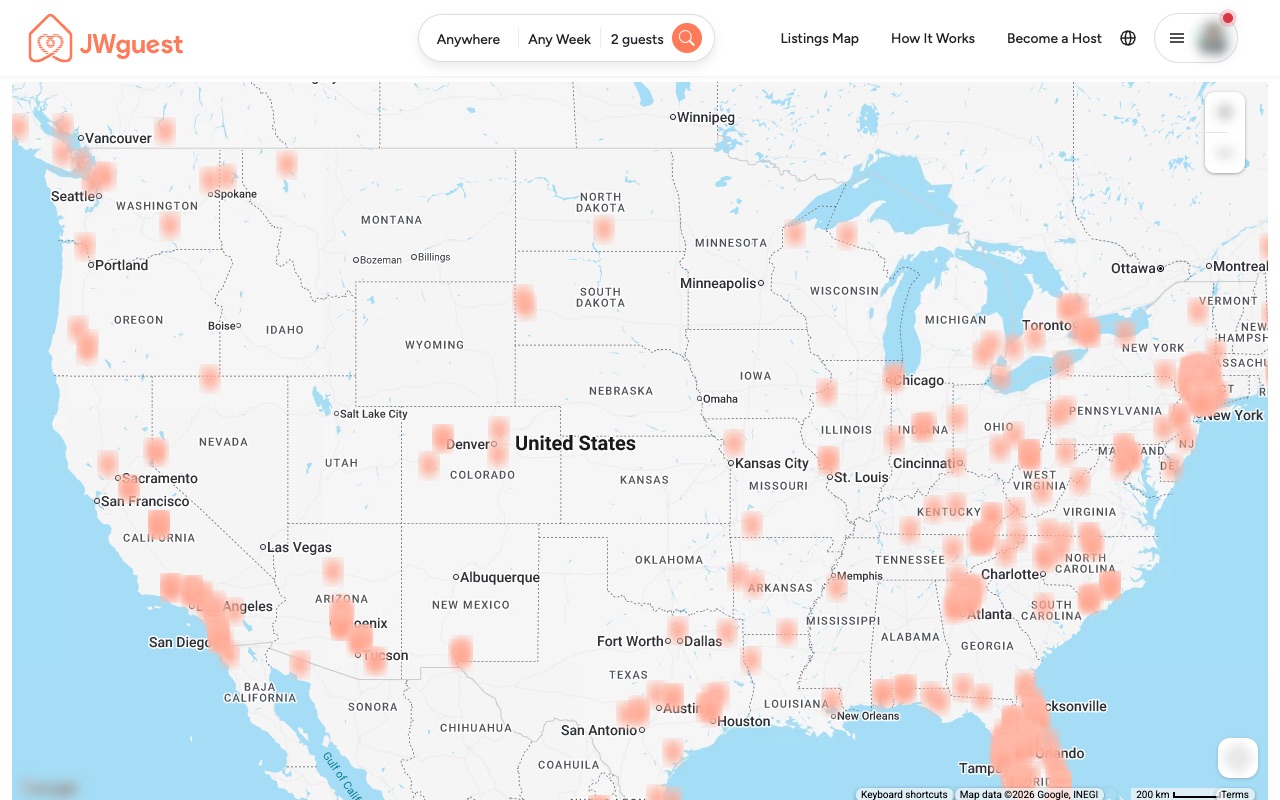
The Listings Map (1) shows the homes on a map. Zoom in on the area around the venue or the branch to see what is nearby.
Compare before you book
- Save the homes you like to a wishlist and share them with the people travelling with you: see Save homes to a wishlist.
- Check the details before you book: the price breakdown, the cancellation policy, the house rules, the check-in and check-out times and the Availability calendar. Some hosts set a minimum or maximum stay.
- Ask the host: use Contact Host for questions about transport, parking or the distance to the venue. See Contact a host before you book.
Related articles: Booking process · Understand your price breakdown · Full-time servants discount
Mobile browser
Search by the city of the assembly or convention with your real dates, or open our Stays near Bethel page to see the homes near each branch; the Listings Map shows the homes on a map. Convention and assembly weekends fill up quickly, so it pays to look early.
Search near an assembly or convention on your phone
Here's a step-by-step guide:
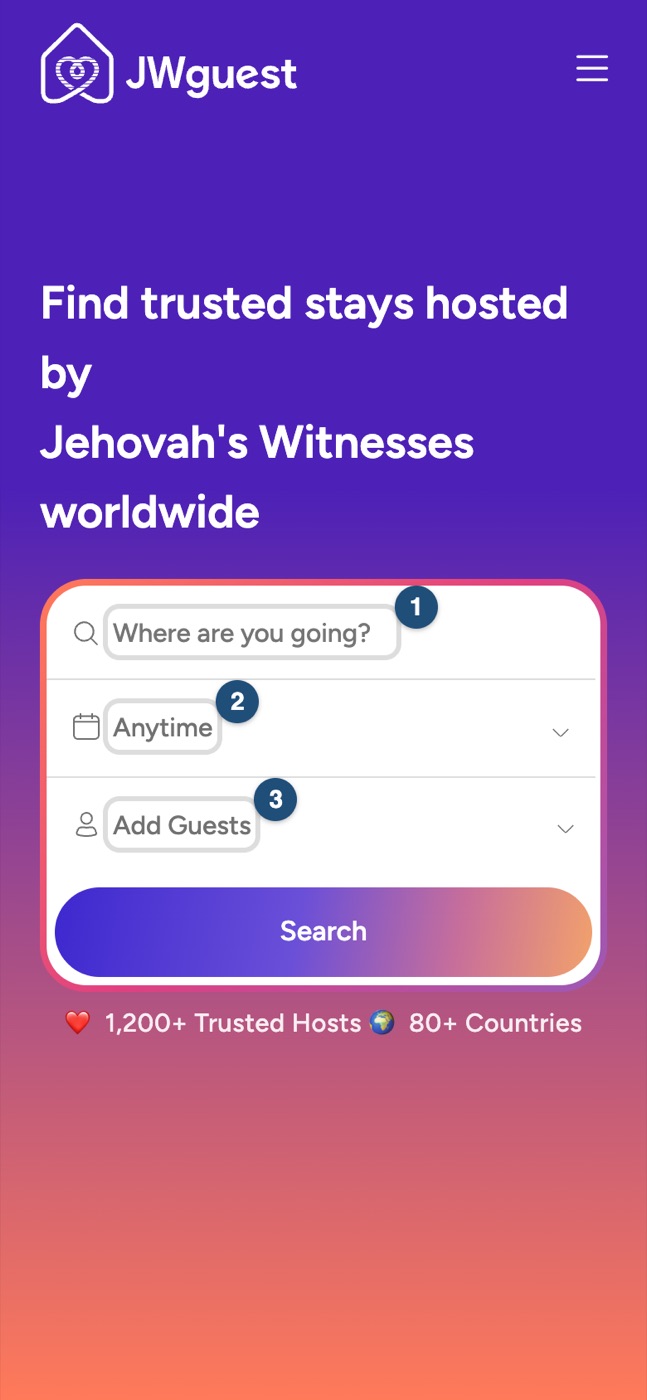
Enter where you are going (1): tap the search box and type the city or the area of the assembly hall or convention venue.
Choose your dates (2): tap the dates and pick the days you really intend to stay.
Enter the number of guests (3) and start the search.
Stays near Bethel
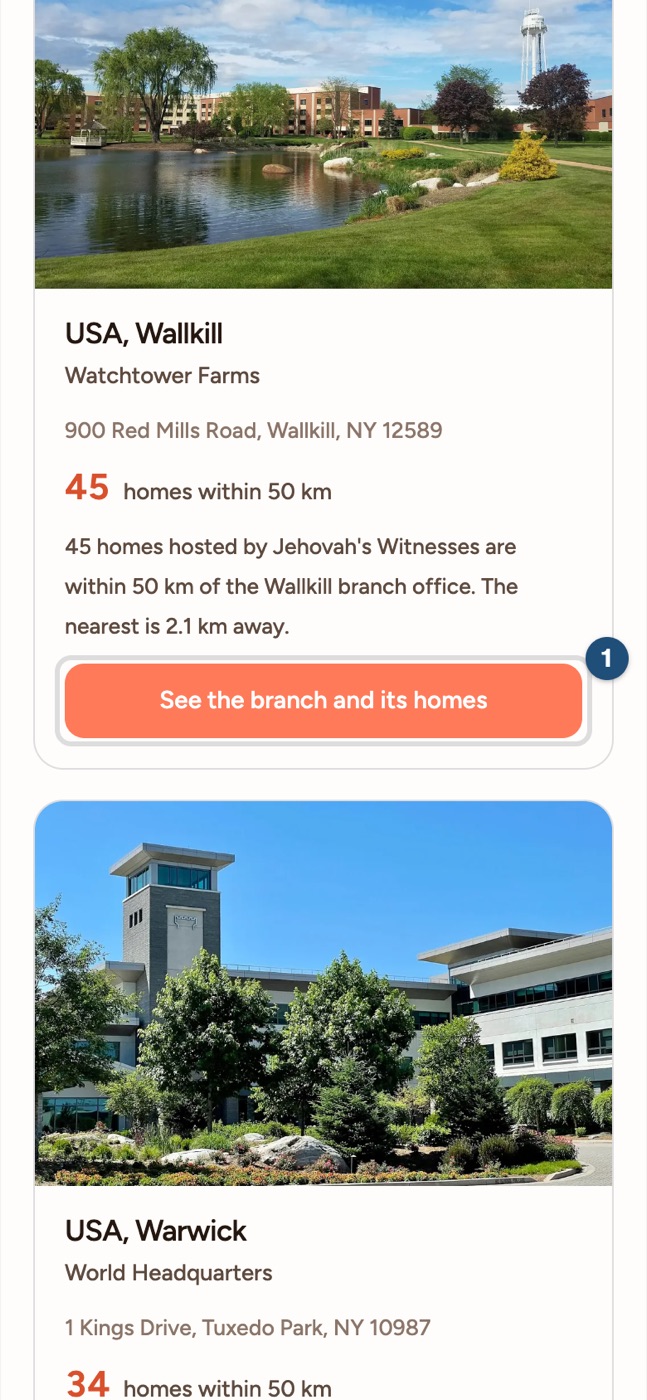
Open the Stays near Bethel page and tap See the branch and its homes (1) next to the branch you need.
Browse the map
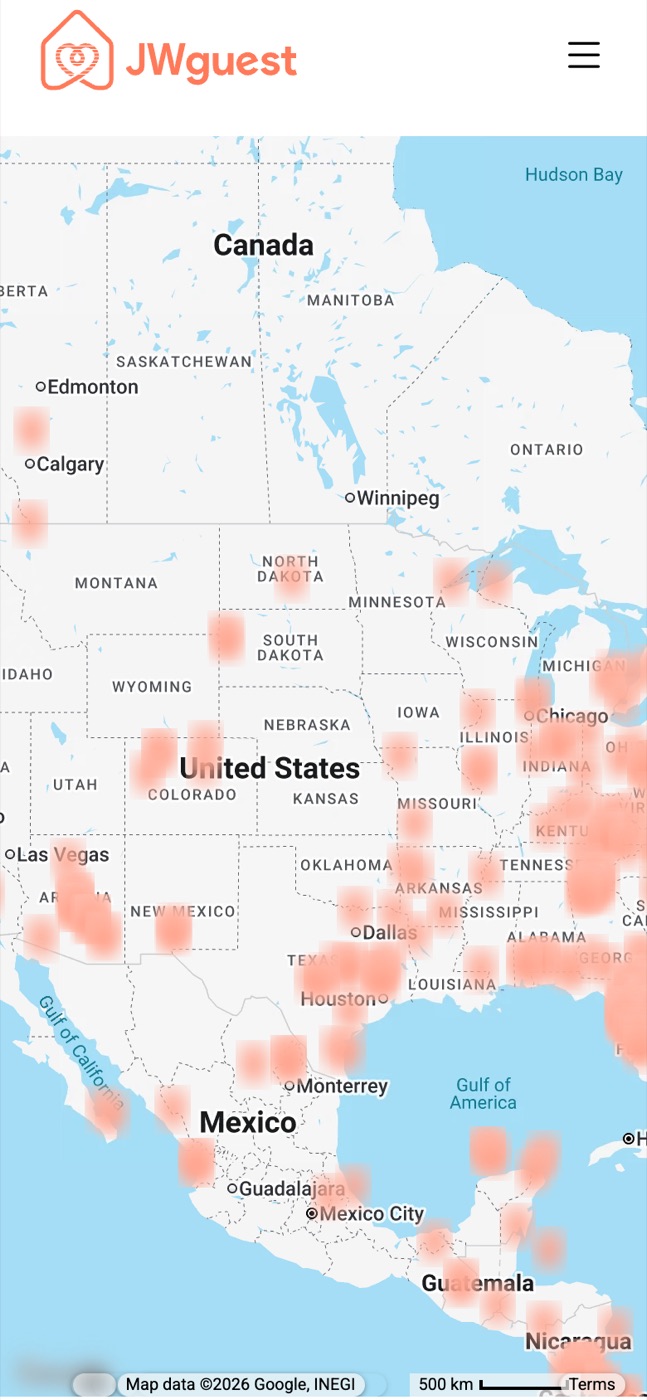
Open the Listings Map (1) and zoom in with two fingers on the area around the venue or the branch.
Compare before you book
- Save the homes you like to a wishlist and share them with the people travelling with you: see Save homes to a wishlist.
- Check the details before you book: the price breakdown, the cancellation policy, the house rules, the check-in and check-out times and the Availability calendar.
- Ask the host with Contact Host. See Contact a host before you book.
Related articles: Booking process · Understand your price breakdown · Full-time servants discount
iOS app
Search by the city of the assembly or convention with your real dates, and switch to the map to see where each home is. For the homes near world headquarters, the Stay in the Warwick area row on Explore is one tap away. Convention and assembly weekends fill up quickly, so it pays to look early.
Search near an assembly or convention in the app
Here's a step-by-step guide:
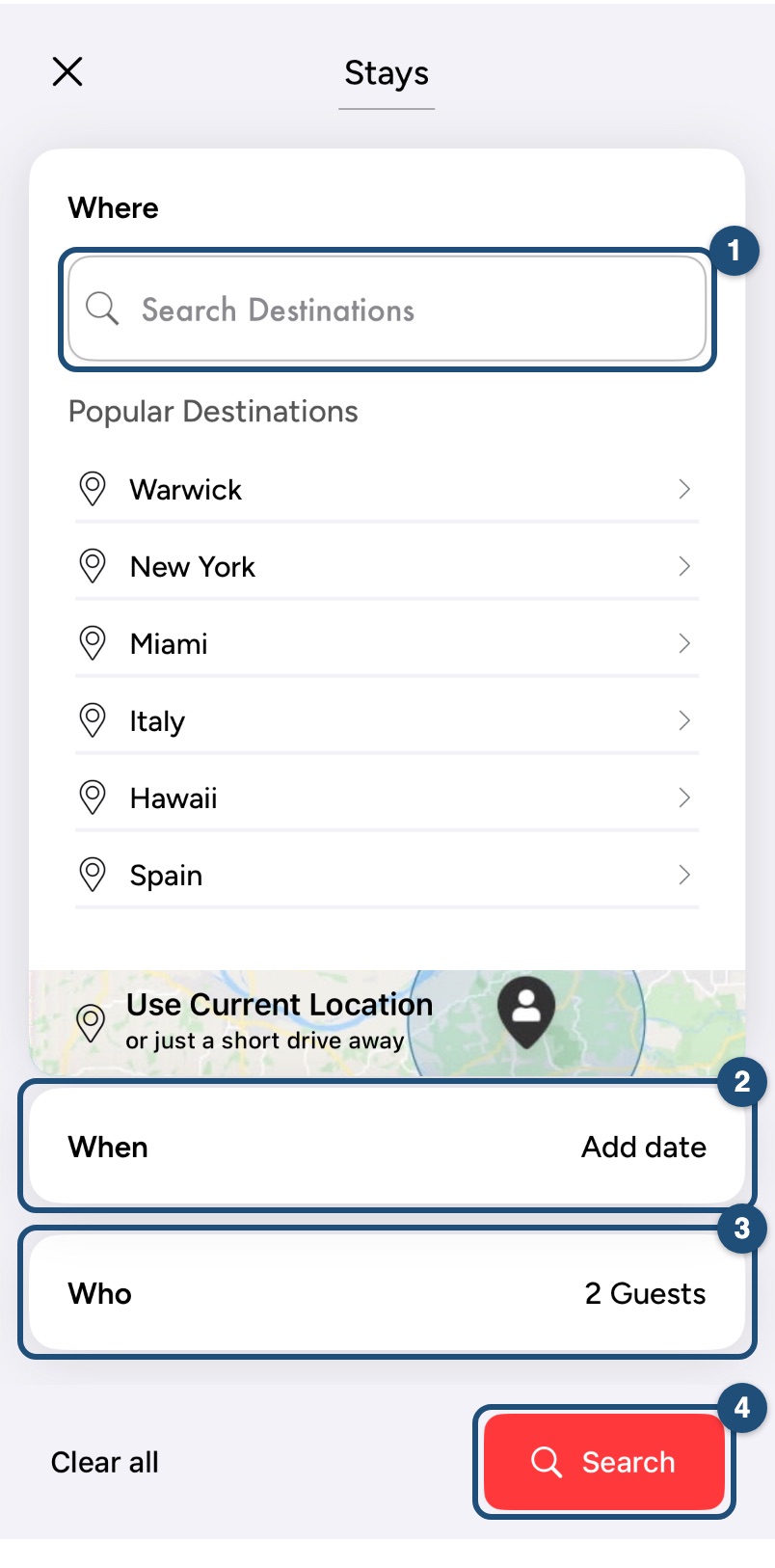
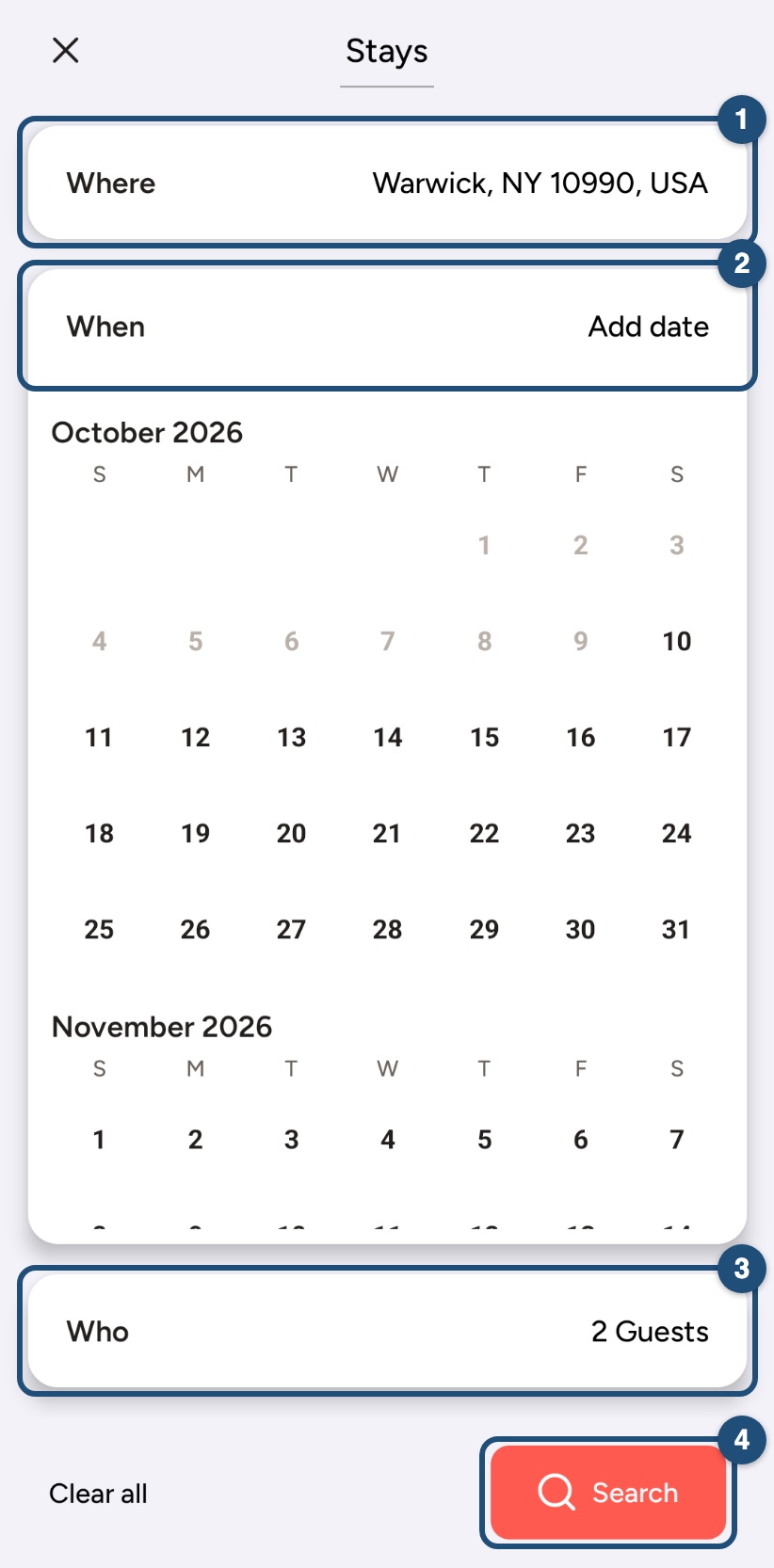
Tap Start your search on Explore, then type the city or the area of the assembly hall or convention venue under Where (1).
Choose your dates under When (2): pick the days you really intend to stay.
Enter the number of guests under Who (3) and tap Search (4).
Homes near Bethel
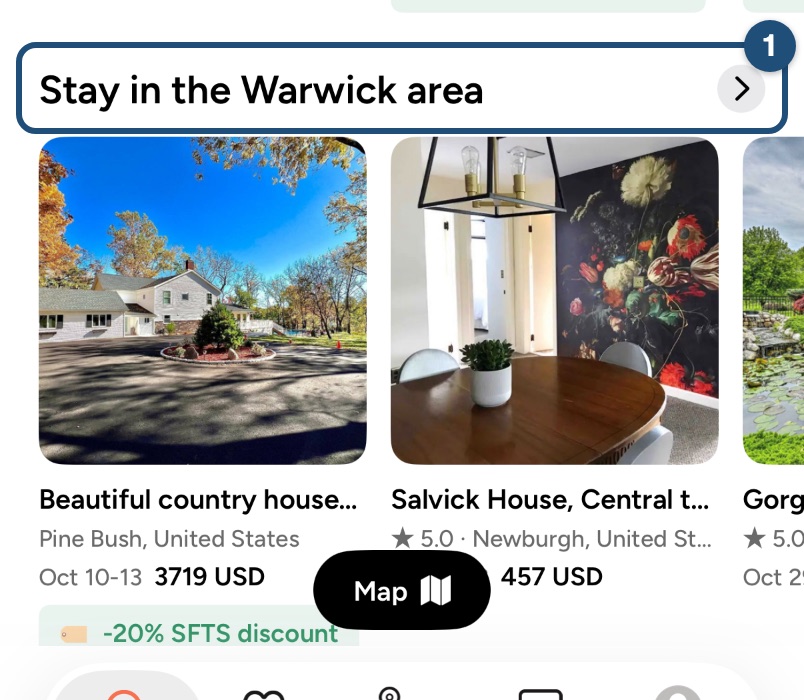
On Explore, scroll to Stay in the Warwick area and tap the arrow (1) to see all the homes near world headquarters. For the other branches, open the Stays near Bethel page in your browser, or search the city of the branch.
Browse the map
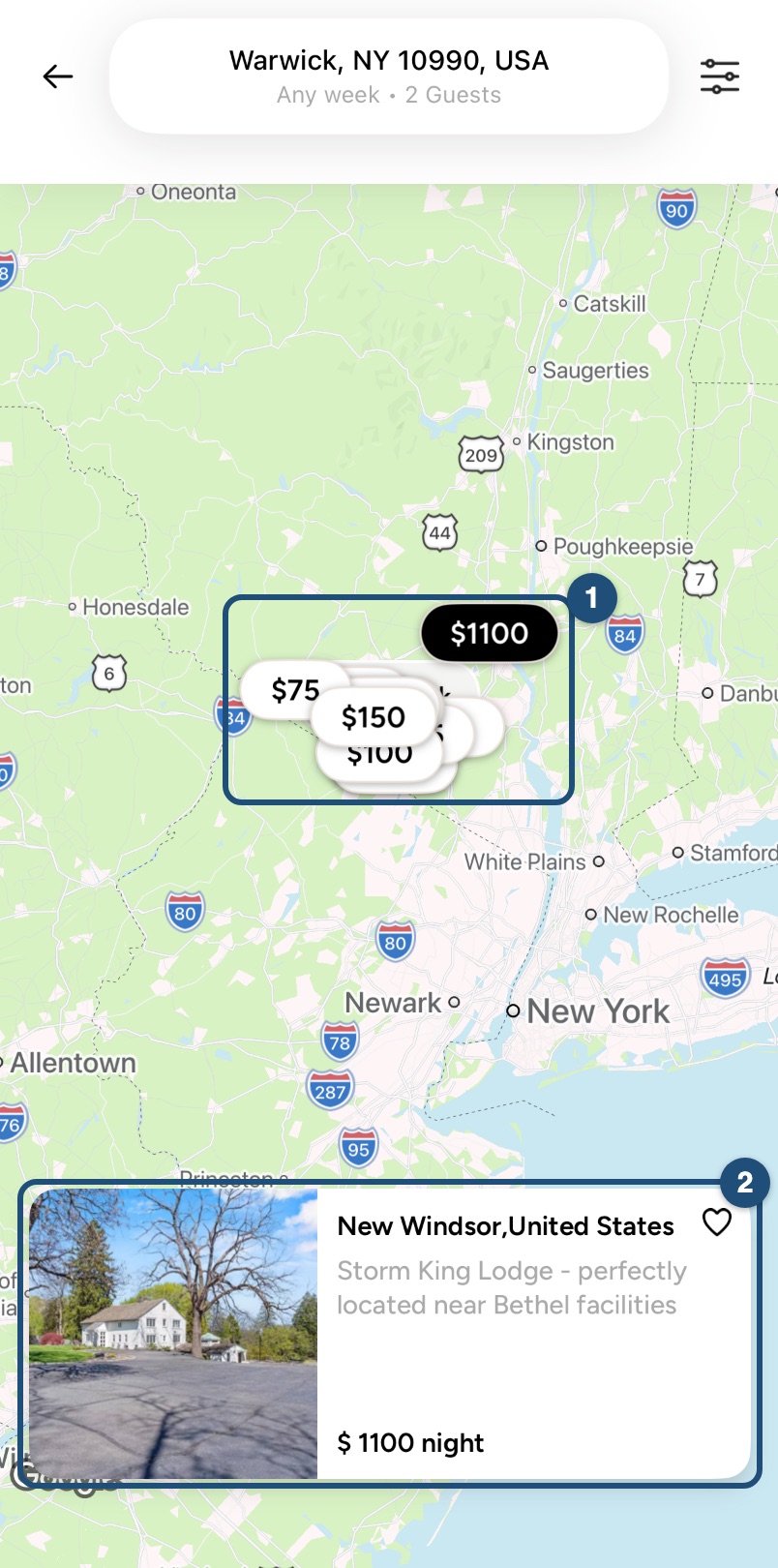
On the results, tap Map. Each price is a home (1): zoom in with two fingers on the area around the venue or the branch and tap a price to see the home (2).
Compare before you book
- Save the homes you like to a wishlist and share them with the people travelling with you: see Save homes to a wishlist.
- Check the details before you book: the price breakdown, the cancellation policy, the house rules, the check-in and check-out times and the availability calendar.
- Ask the host with Contact Host. See Contact a host before you book.
Related articles: Booking process · Understand your price breakdown · Full-time servants discount
Android app
Search by the city of the assembly or convention with your real dates, and switch to the map to see where each home is. For the homes near world headquarters, the Stay in the Warwick area row on Explore is one tap away. Convention and assembly weekends fill up quickly, so it pays to look early.
Search near an assembly or convention in the app
Here's a step-by-step guide:
Tap Start your search on Explore and type the city or the area of the assembly hall or convention venue in Search Destinations.
Choose your dates under When (2): pick the days you really intend to stay.
Enter the number of guests under Who (3) and tap Search (4).
Homes near Bethel
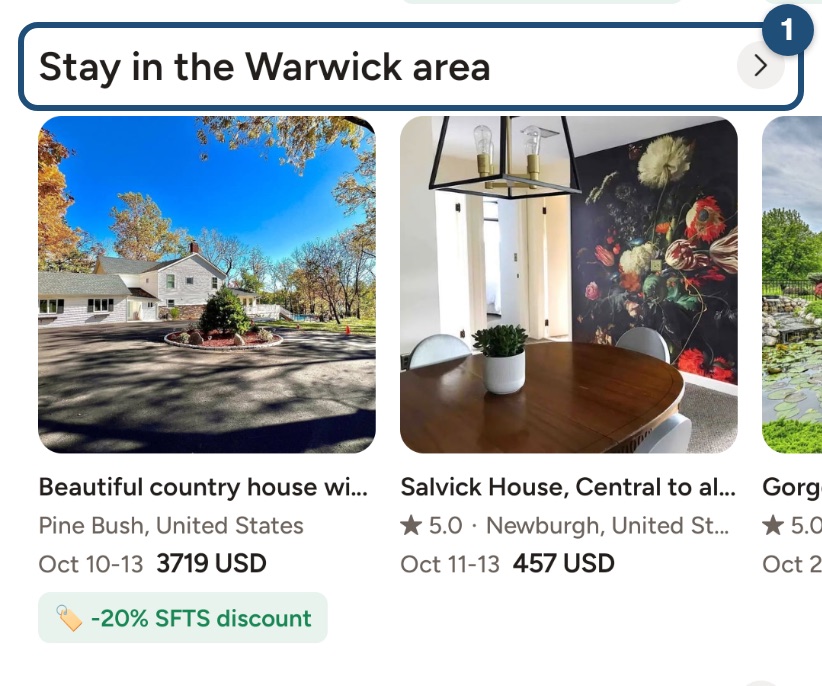
On Explore, scroll to Stay in the Warwick area and tap the arrow (1) to see all the homes near world headquarters. For the other branches, open the Stays near Bethel page in your browser, or search the city of the branch.
Browse the map
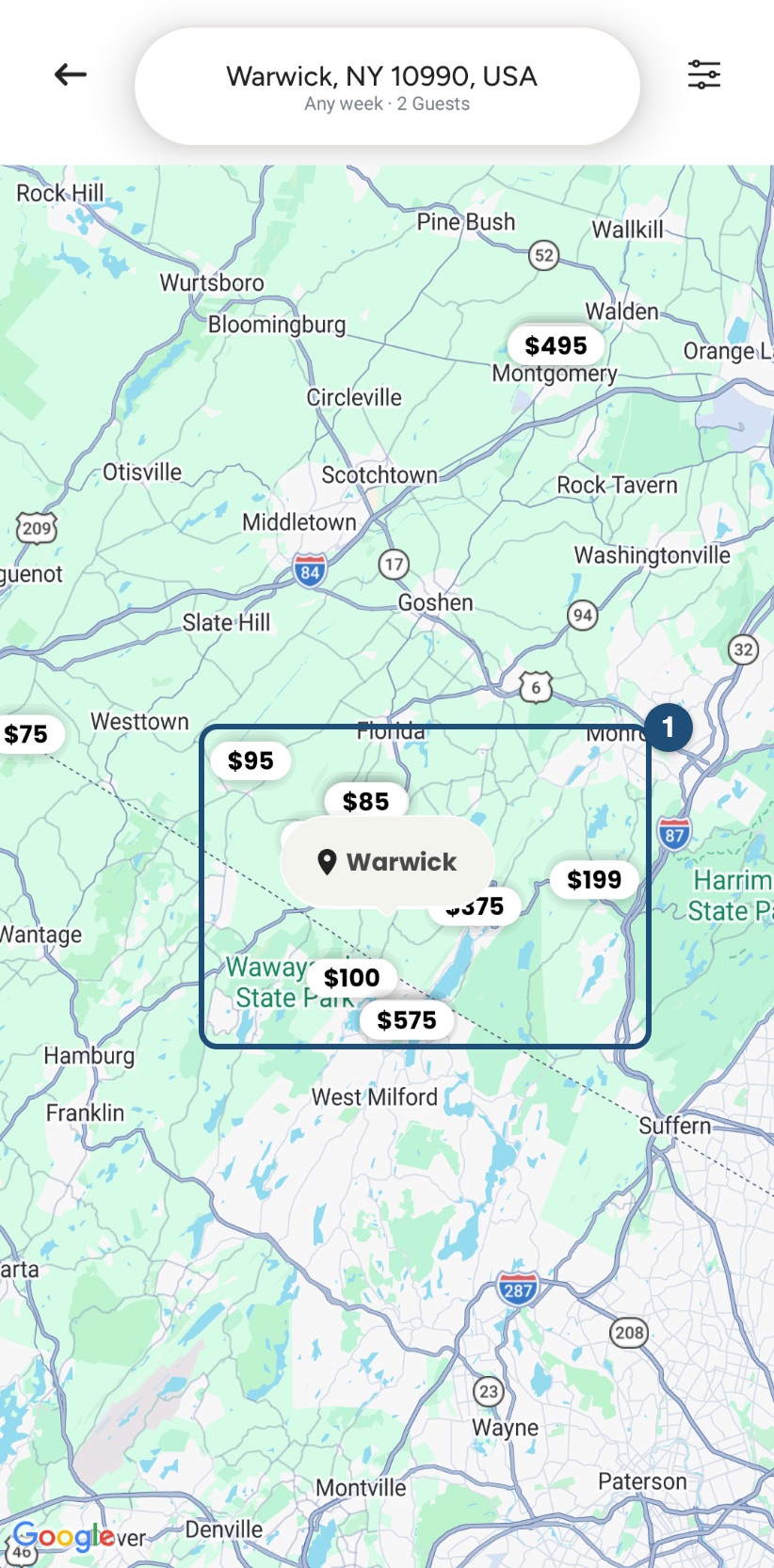
On the results, tap Map. Each price is a home (1): zoom in with two fingers on the area around the venue or the branch and tap a price to see the home.
Compare before you book
- Save the homes you like to a wishlist and share them with the people travelling with you: see Save homes to a wishlist.
- Check the details before you book: the price breakdown, the cancellation policy, the house rules, the check-in and check-out times and the availability calendar.
- Ask the host with Contact Host. See Contact a host before you book.
Related articles: Booking process · Understand your price breakdown · Full-time servants discount