Booking process

Updated:

Found a place you like? Here's what happens from your request to your confirmed booking.

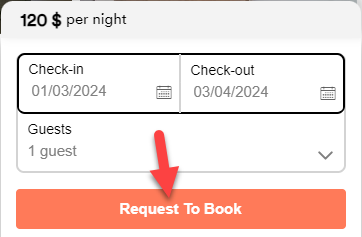
  1. Send your request: on the listing page, click Request to Book. Write a short message to the host: introduce yourself and the people travelling with you, and say why you're coming. Then enter your card details and send the request.
  2. The host answers within 48 hours: the host accepts or declines your request, and may ask you a question first. The 48 hours run from your request, or from the last message in the conversation. You can follow the conversation in your Inbox.
  3. The host accepts and your card is charged: the amount held on your card when you sent the request is charged when the host accepts. You don't need to do anything else: Confirm & Pay is only for a pre-approved inquiry or a special offer (see below).
  4. Your booking is confirmed when your payment succeeds: you receive a confirmation email with your booking details and the host's contact information.

About payment

  • When you send your request, we place a temporary hold on your card for the amount due (the total, or the first part if you chose to pay part now and part later), and we may charge a small verification amount (no more than CHF 1). If the booking doesn't go ahead, we release the hold and refund the verification amount.
  • The amount held is charged when the host accepts, and your booking is confirmed when that payment succeeds. If you first sent the host a question and the host pre-approved it, or if the host sent you a special offer, you complete Confirm & Pay within 48 hours instead, and your card is charged then. See When will I pay for my booking?
  • The total, including the Service Fee, is shown before you send your request.
Important: Until your booking is confirmed, do not share phone numbers, email addresses, social media or links in the chat; the platform removes them. Always pay through JWguest, never directly to the host.

Good to know

  • You can have up to 3 pending booking requests at a time. When one is answered or cancelled, you can send a new one.
  • If the host doesn't answer within 48 hours, the request expires and any hold or verification amount on your card is released.
  • To change or cancel a pending request, go to Trips and use the Options column. See Change your booking dates.

Can't find what you're looking for?

Our team reads every message and usually replies within one working day.

Contact us