
Website
Changed your plans before your booking is confirmed? You can withdraw your request yourself.
Cancel a request that is not yet confirmed
If the host has not yet accepted your request, or you have not yet confirmed and paid, nothing has been charged. Any temporary hold on your card is released.
- Log in to your account: see Log in to your account.
- Go to Trips: in the Personal Area bar, click Trips.
- Click Cancel Request (3): you will find it in the Options column of the trip.
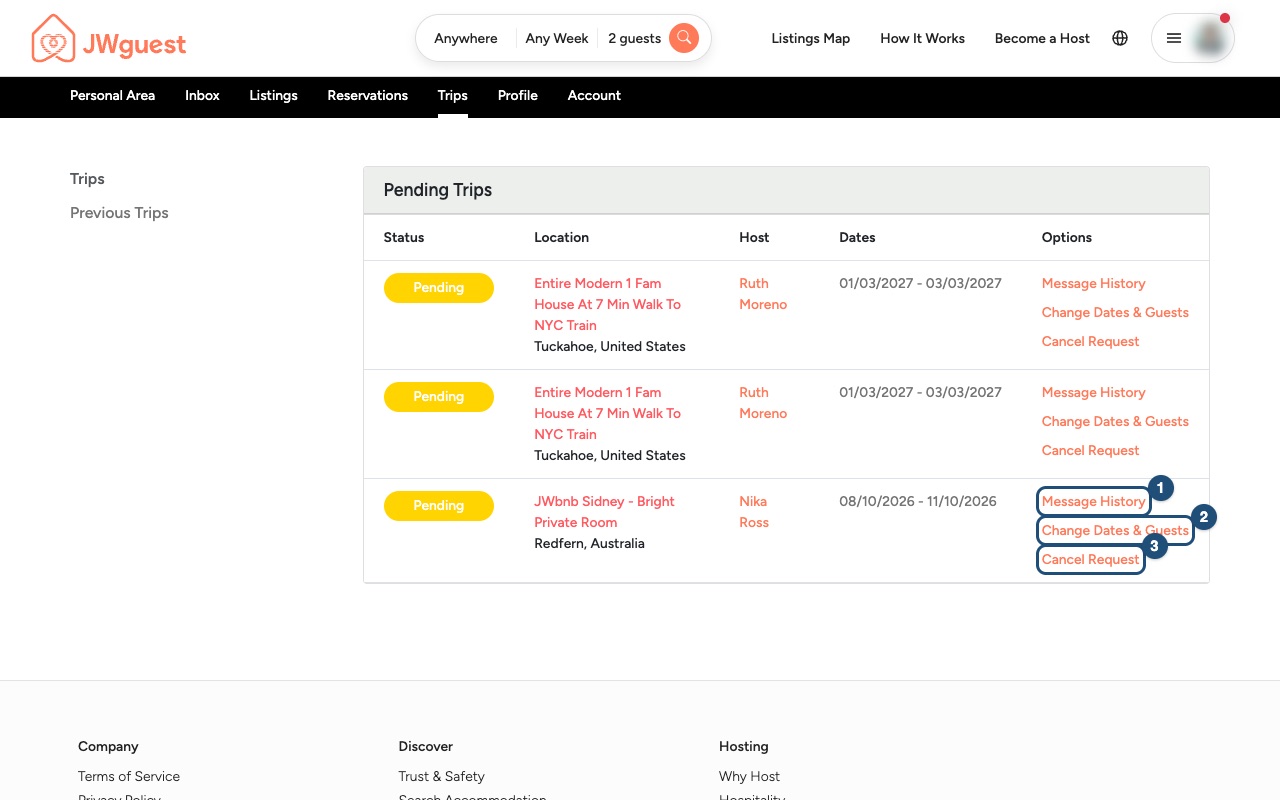
Want other dates instead? Click Change Dates & Guests (2): see Change your booking dates.
Your booking is already confirmed?
Then the listing's cancellation policy decides what is refunded. See Cancel your booking.
Related articles: Cancel your booking · Change your booking dates · What does your booking status mean?
Mobile browser
Changed your plans before your booking is confirmed? You can withdraw your request yourself.
Cancel a request that is not yet confirmed
If the host has not yet accepted your request, or you have not yet confirmed and paid, nothing has been charged. Any temporary hold on your card is released.
- Log in to your account: tap the menu icon (three lines) at the top right. See Log in to your account.
- Go to Trips: in the black Personal Area bar below the header, tap Trips.
- Swipe the table to the left: the trips table is wider than your screen. Swipe it left until you see the Options column.
- Tap Cancel Request (3).
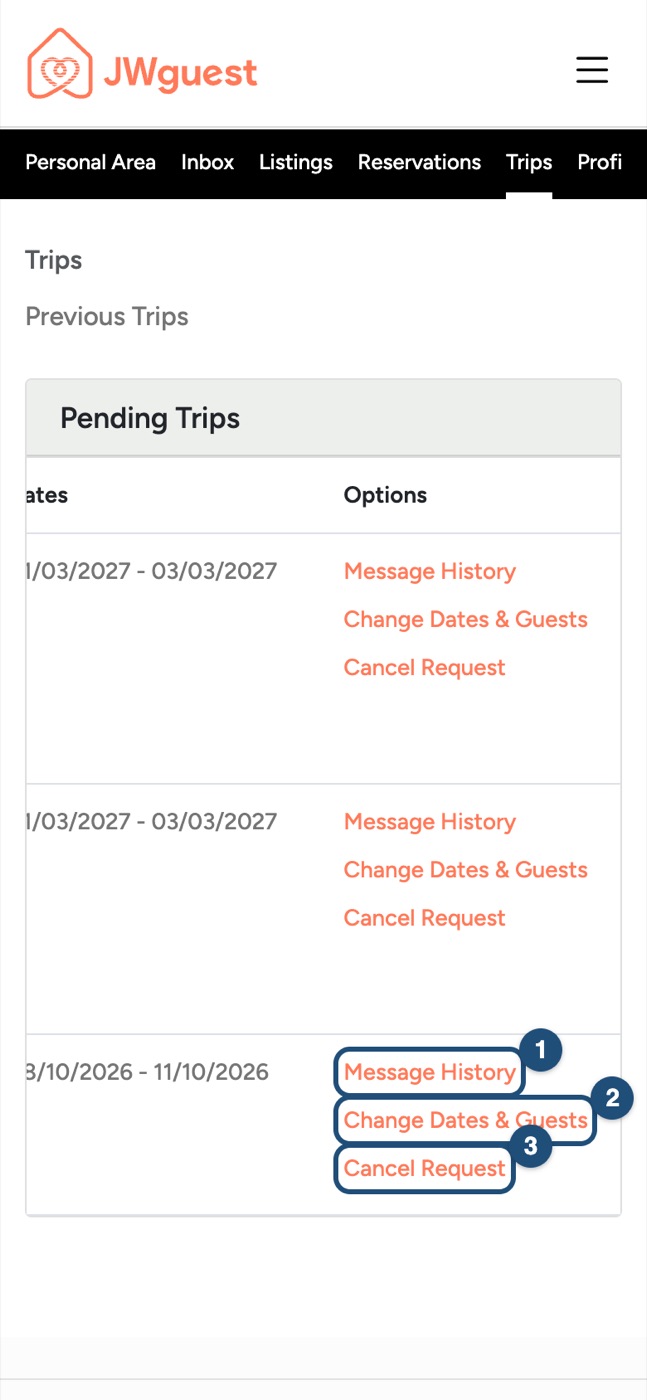
Want other dates instead? Tap Change Dates & Guests (2): see Change your booking dates.
Your booking is already confirmed?
Then the listing's cancellation policy decides what is refunded. See Cancel your booking.
Related articles: Cancel your booking · Change your booking dates · What does your booking status mean?
iOS app
Changed your plans before your booking is confirmed? You can withdraw your request yourself in the app.
Cancel a request that is not yet confirmed
If the host has not yet accepted your request, or you have not yet confirmed and paid, nothing has been charged and any temporary hold on your card is released.
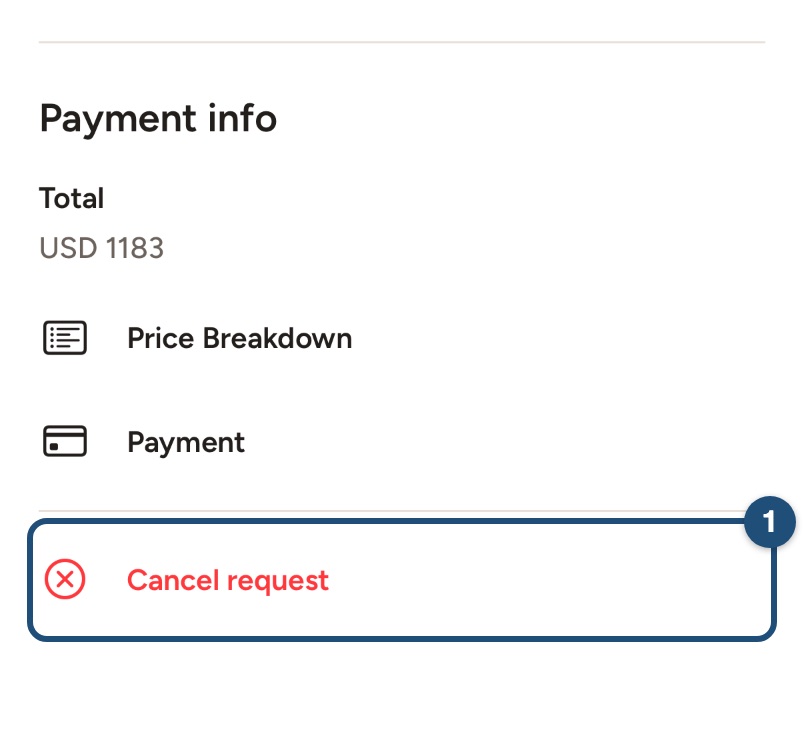
Open the trip: tap Trips in the bar at the bottom and tap the trip you want to cancel. Scroll to the bottom and tap Cancel request (1).
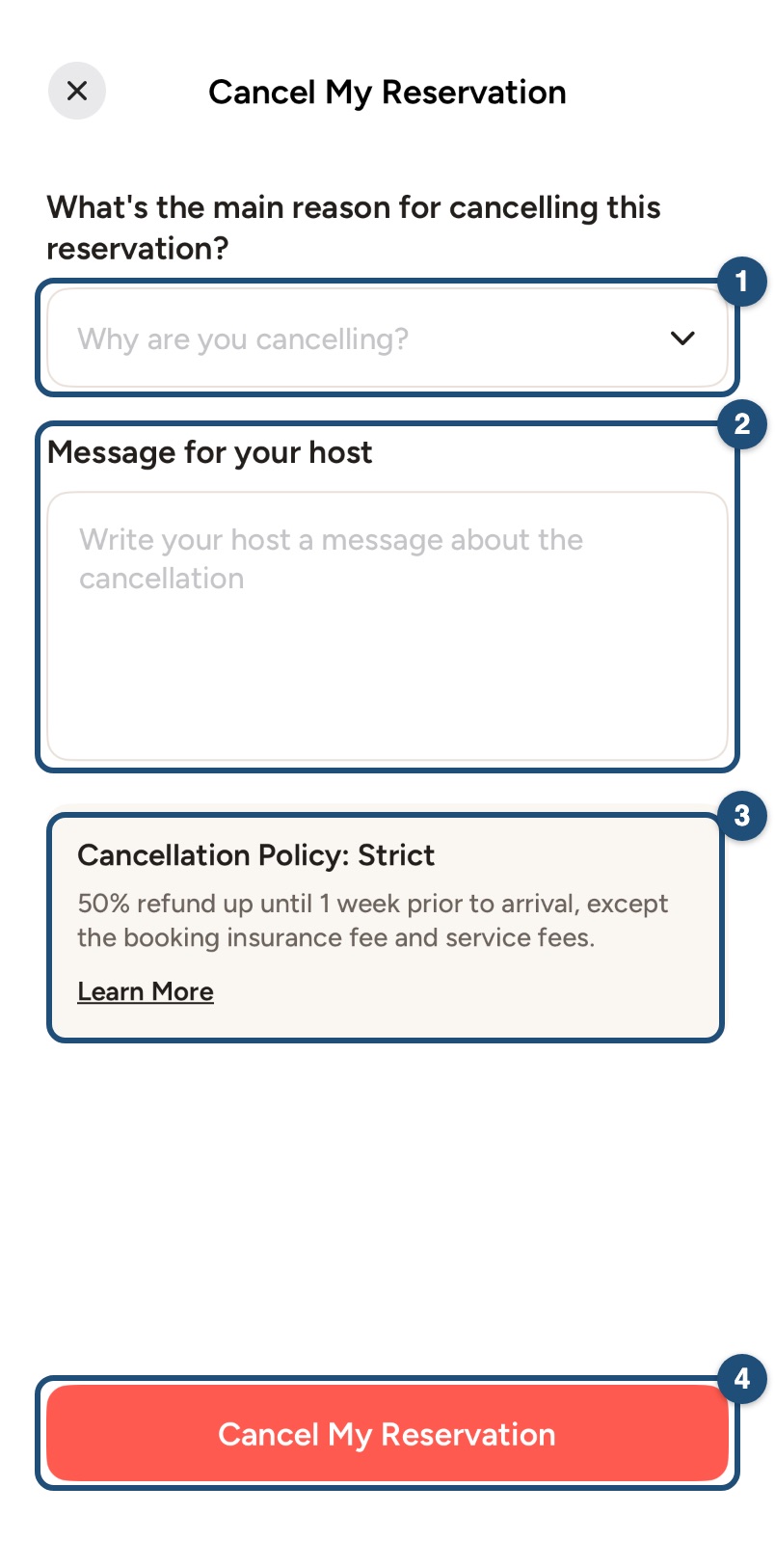
Tell us why: choose the main reason (1) and write a Message for your host (required) (2). The cancellation policy of your booking is shown below (3): tap Learn More to read it in full. Then tap Cancel My Reservation (4) and confirm.
You can also tap Cancel request under the message field in the conversation with your host. Want other dates instead? Tap Edit dates or guests there: see Change your booking dates.
Your booking is already confirmed?
Then the listing's cancellation policy decides what is refunded. See Cancel your booking.
Related articles: Cancel your booking · Change your booking dates · What does your booking status mean?
Android app
Changed your plans before your booking is confirmed? You can withdraw your request yourself in the app.
Cancel a request that is not yet confirmed
If the host has not yet accepted your request, or you have not yet confirmed and paid, nothing has been charged and any temporary hold on your card is released.
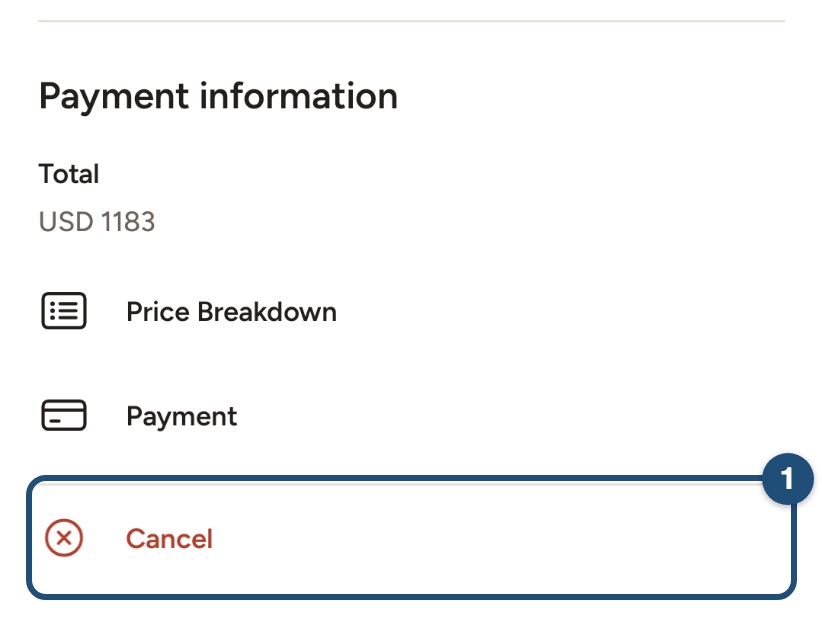
Open the trip: tap Trips in the bar at the bottom and tap the trip you want to cancel. Scroll to the bottom and tap Cancel (1).
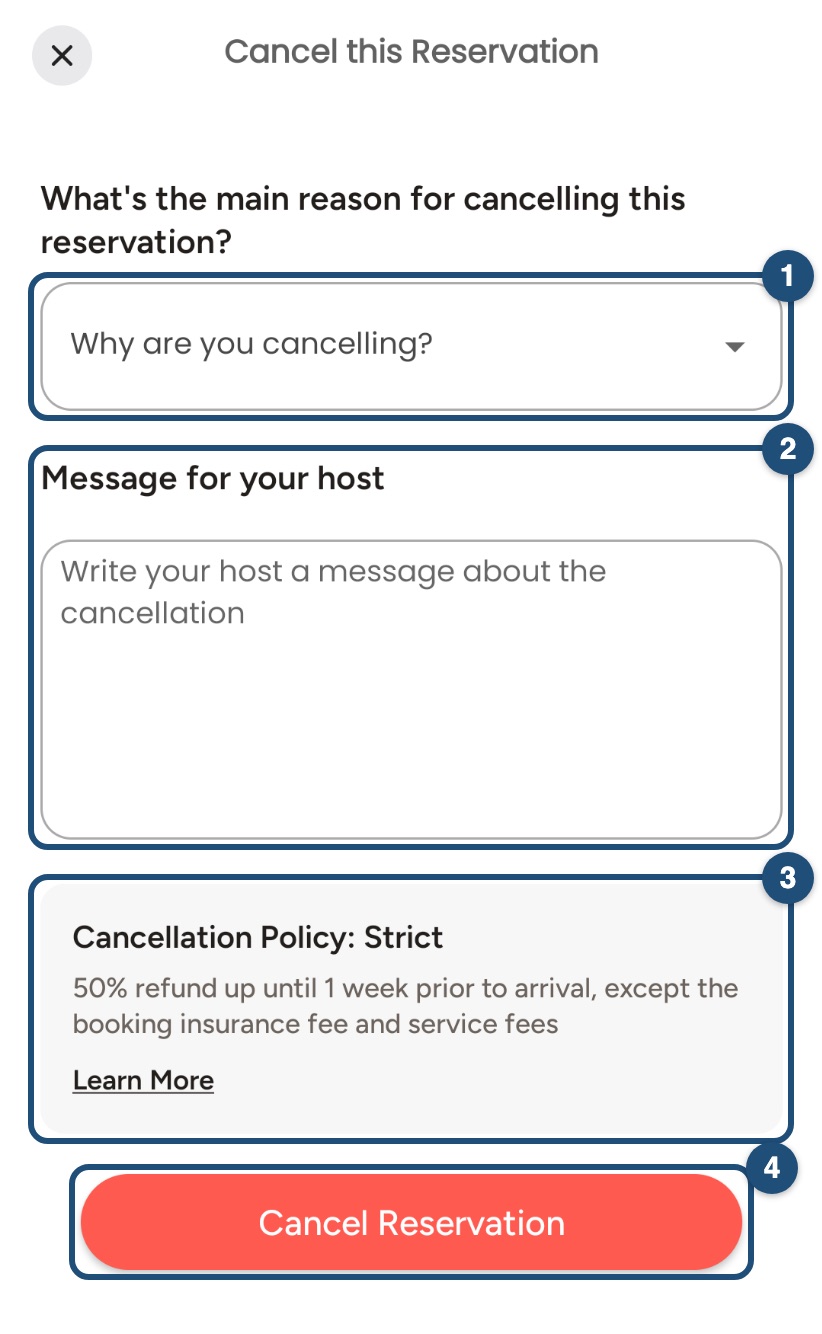
Tell us why: choose the main reason (1) and write a Message for your host (2). The cancellation policy of your booking is shown below (3): tap Learn More to read it in full. Then tap Cancel Reservation (4) and confirm.
You can also tap Cancel request under the message field in the conversation with your host. Want other dates instead? Tap Edit dates or guests there: see Change your booking dates.
Your booking is already confirmed?
Then the listing's cancellation policy decides what is refunded. See Cancel your booking.
Related articles: Cancel your booking · Change your booking dates · What does your booking status mean?