
Website
For many stays you can split the payment: pay part when your booking is confirmed and the rest closer to your stay, with no extra fees. The remaining balance is charged automatically on its due date, or you can pay it earlier yourself.
When you can choose it
The option appears on the payment page, in step 1. Decide when to pay, when:
- your check-in is at least 45 days away;
- the listing uses the Flexible, Moderate or Strict cancellation policy.
If the step is closed, click Change next to it to see the options. If you don't see Pay part now, part later, your booking isn't eligible and you pay the total.
How to choose it
Here's a step-by-step guide:
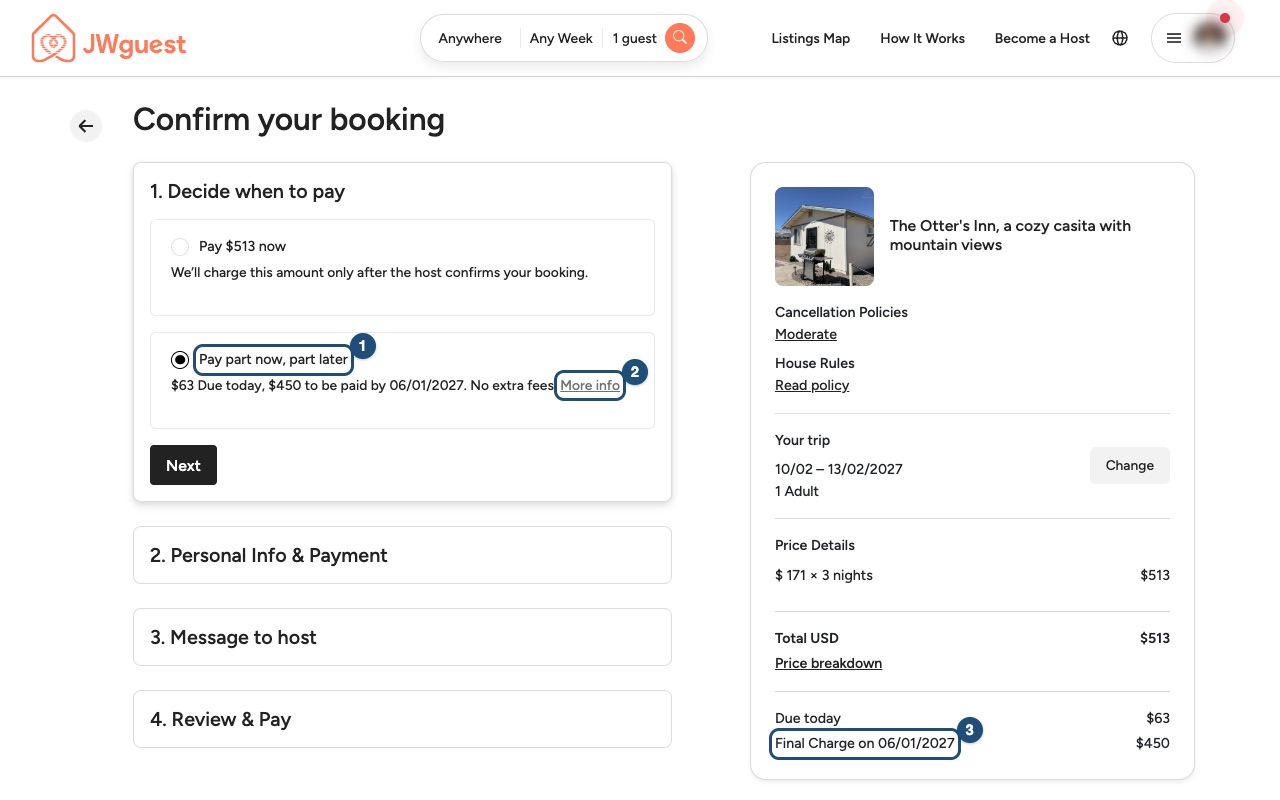
1. Select Pay part now, part later (1): below it you see how much is due today and how much will be paid later, and by which date. Click More info (2) for a short summary. The price details on the right show the Final Charge and its date (3).
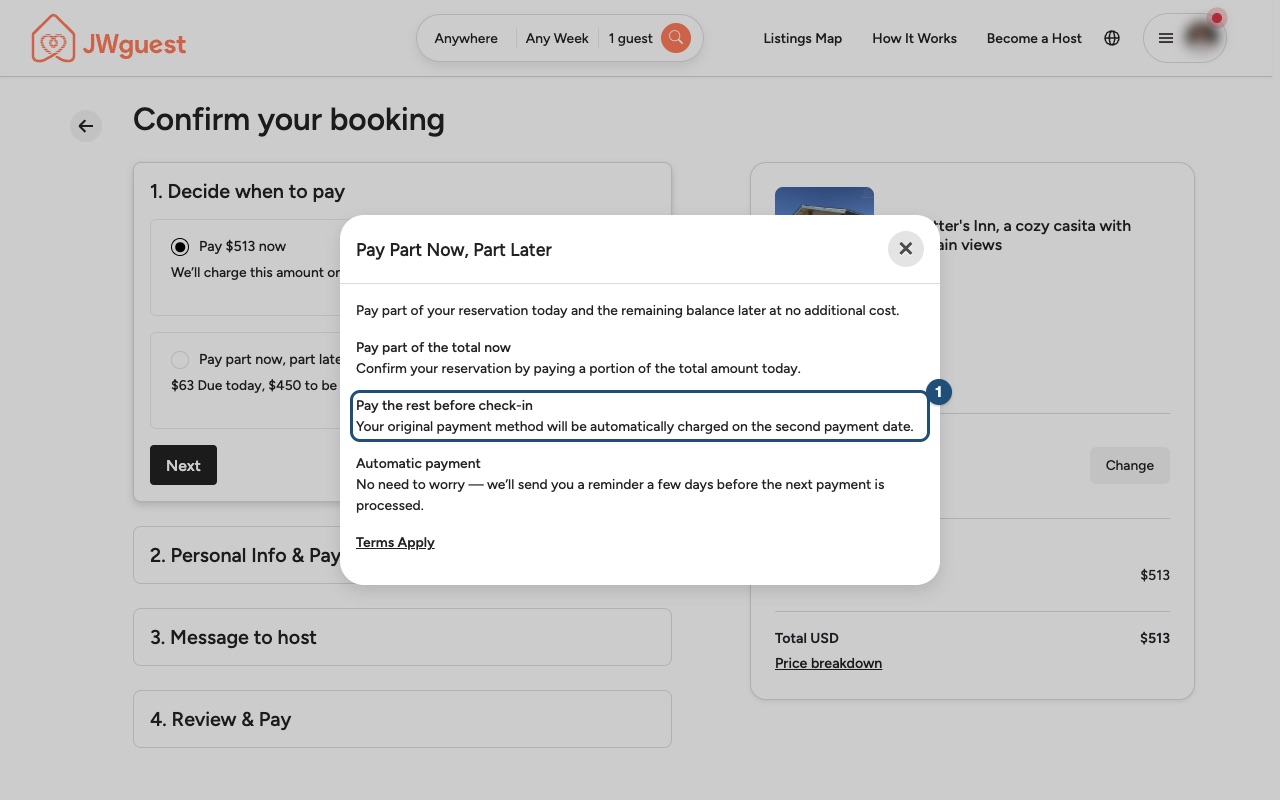
2. Read how it works: the remaining balance is charged automatically on the second payment date, to the card you use for this booking (1). We send you an email reminder a few days before.
3. Complete your request: click Next and finish the other steps as usual. When you send the request your card is only authorised: the first part is charged when the host accepts.
How much you pay now and later
The split depends on the listing's cancellation policy:
| Cancellation policy | Due when the host accepts | Paid later |
|---|---|---|
| Flexible or Moderate | The Service Fee | Everything else |
| Strict | The Service Fee, plus half of the nights and half of any extra-guest fee | Everything else |
The remaining balance is due 35 days before check-in. You see the exact amounts and the date before you send your request.
Pay the remaining balance before the due date
You don't have to wait for the automatic charge. You can pay the balance from any of these places:
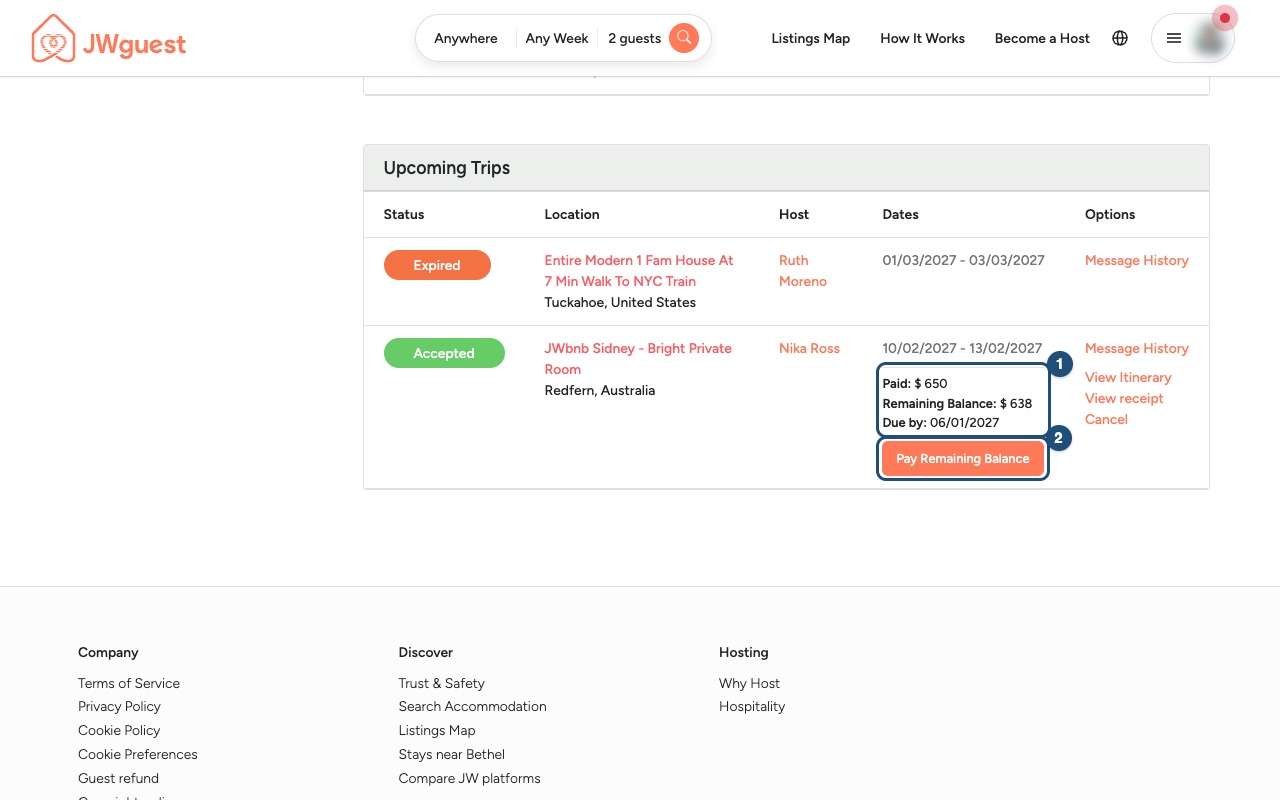
1. Open the booking: go to Trips. Under the dates of your upcoming trip you see what you have Paid, the Remaining Balance and the date it is Due by (1). Click Pay Remaining Balance (2).
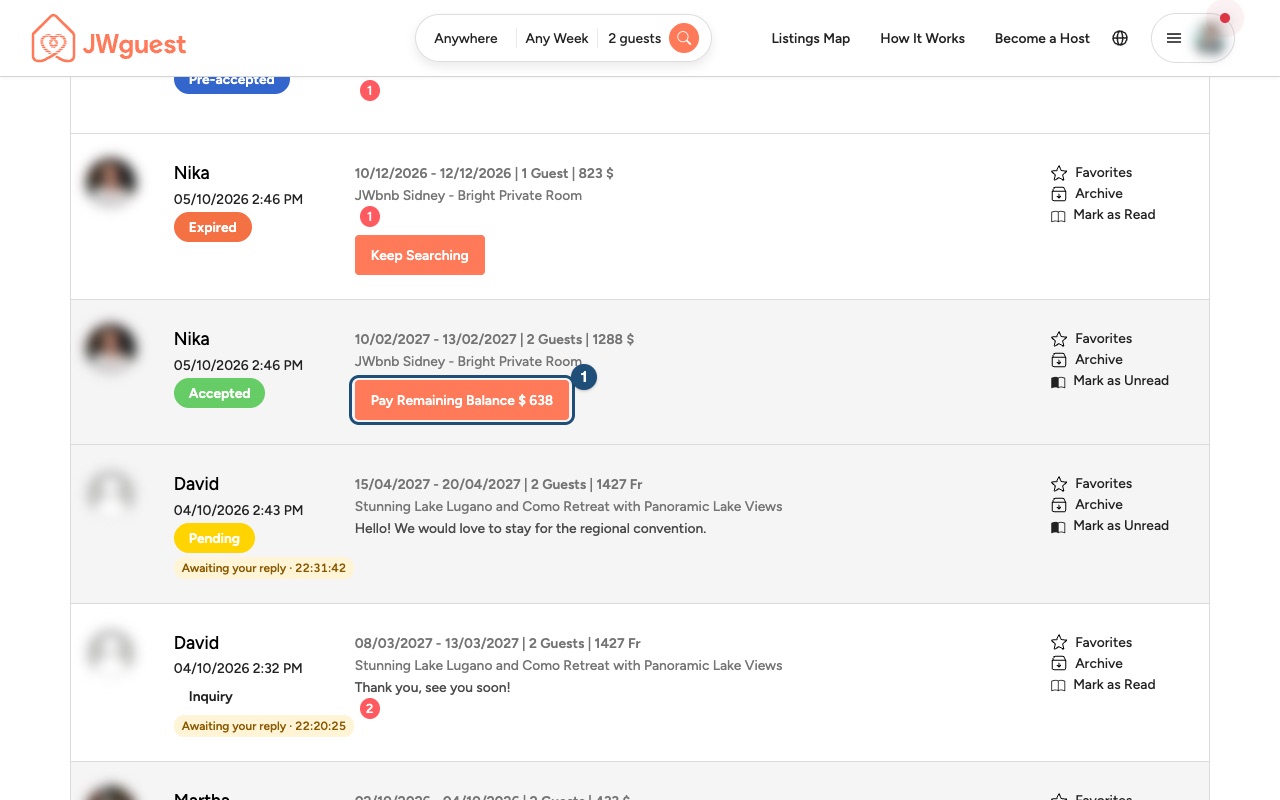
You can also click Pay Remaining Balance next to the booking in your Inbox (1), or inside the conversation with your host.
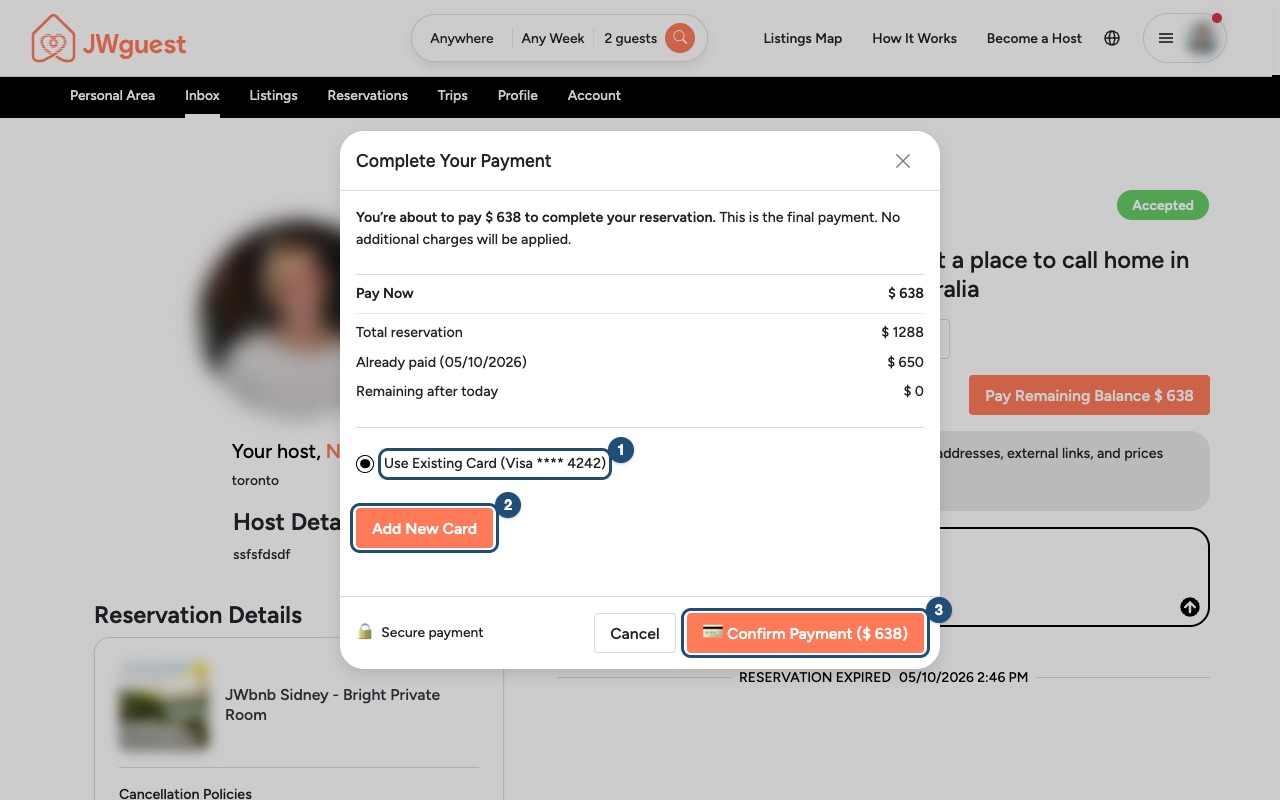
2. Choose the card and confirm: keep your saved card (1) or click Add New Card (2), then click Confirm Payment (3). Once the payment goes through, your booking is fully paid.
If the automatic payment fails
We email you straight away. Click Update payment details in the email and add a valid card: the remaining balance is charged as soon as the card is saved. Please do this quickly. If the balance stays unpaid, your booking may be cancelled under our Terms of Service.
If you cancel
The usual cancellation rules apply to the whole booking, whatever you have paid so far. See Cancel your booking.
Related articles: When will I pay for my booking? · What is in your price breakdown? · Service fee for guests
Mobile browser
For many stays you can split the payment: pay part when your booking is confirmed and the rest closer to your stay, with no extra fees. The remaining balance is charged automatically on its due date, or you can pay it earlier yourself.
When you can choose it
The option appears on the payment page, in step 1. Decide when to pay, when:
- your check-in is at least 45 days away;
- the listing uses the Flexible, Moderate or Strict cancellation policy.
If the step is closed, tap Change next to it to see the options. If you don't see Pay part now, part later, your booking isn't eligible and you pay the total.
How to choose it
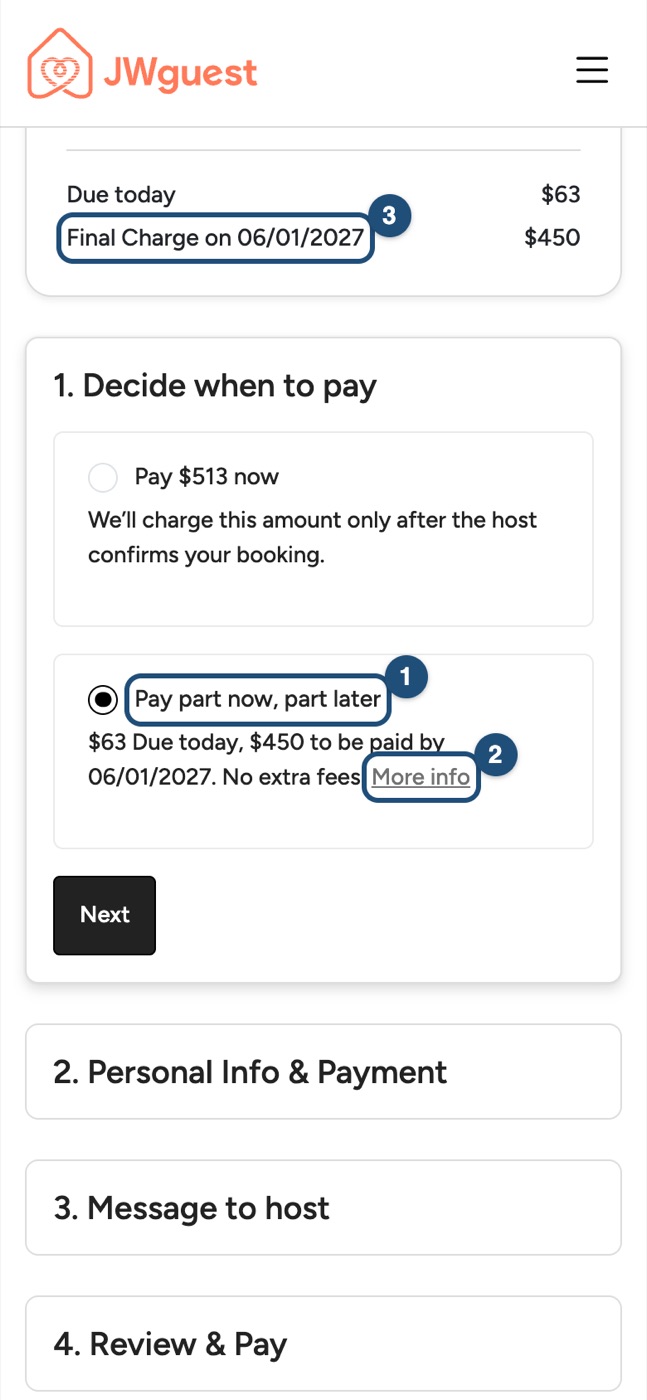
1. Select Pay part now, part later (1): below it you see how much is due today and how much will be paid later, and by which date. Tap More info (2) for a short summary. On a phone the price details are at the top of the page: scroll up to see the Final Charge and its date (3).
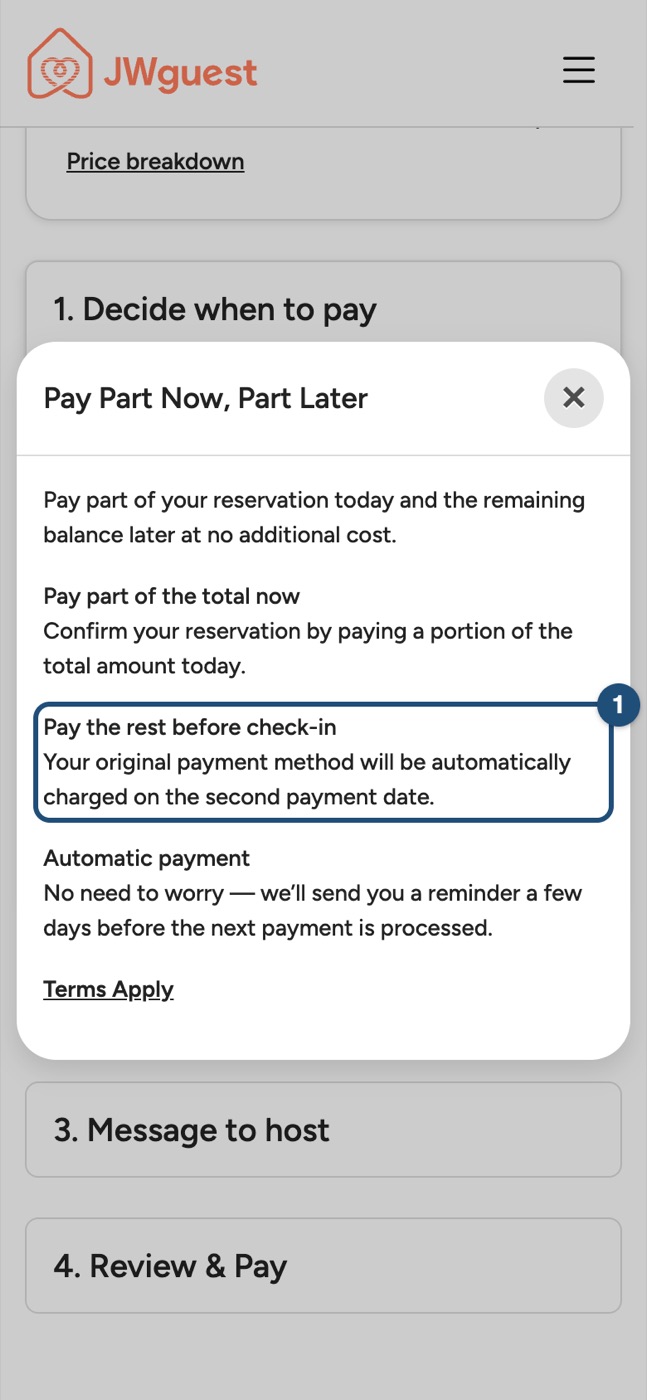
2. Read how it works: the remaining balance is charged automatically on the second payment date, to the card you use for this booking (1). We send you an email reminder a few days before.
3. Complete your request: tap Next and finish the other steps as usual. When you send the request your card is only authorised: the first part is charged when the host accepts.
How much you pay now and later
- Flexible or Moderate policy: the Service Fee when the host accepts; everything else later.
- Strict policy: the Service Fee plus half of the nights and half of any extra-guest fee when the host accepts; everything else later.
The remaining balance is due 35 days before check-in. You see the exact amounts and the date before you send your request.
Pay the remaining balance before the due date
1. Open the booking: tap the menu, then Trips in the black bar. The table is wider than the screen: swipe it left to see what you have Paid, the Remaining Balance and the date it is Due by (1), then tap Pay Remaining Balance (2).
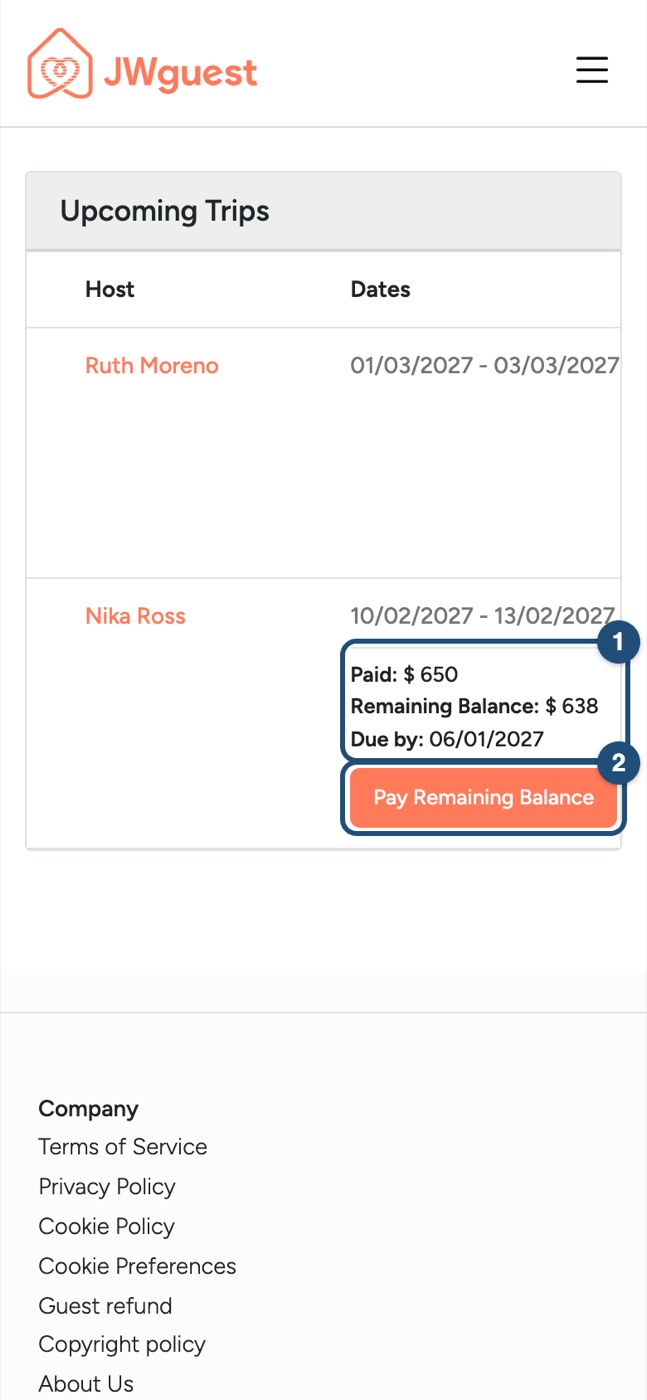
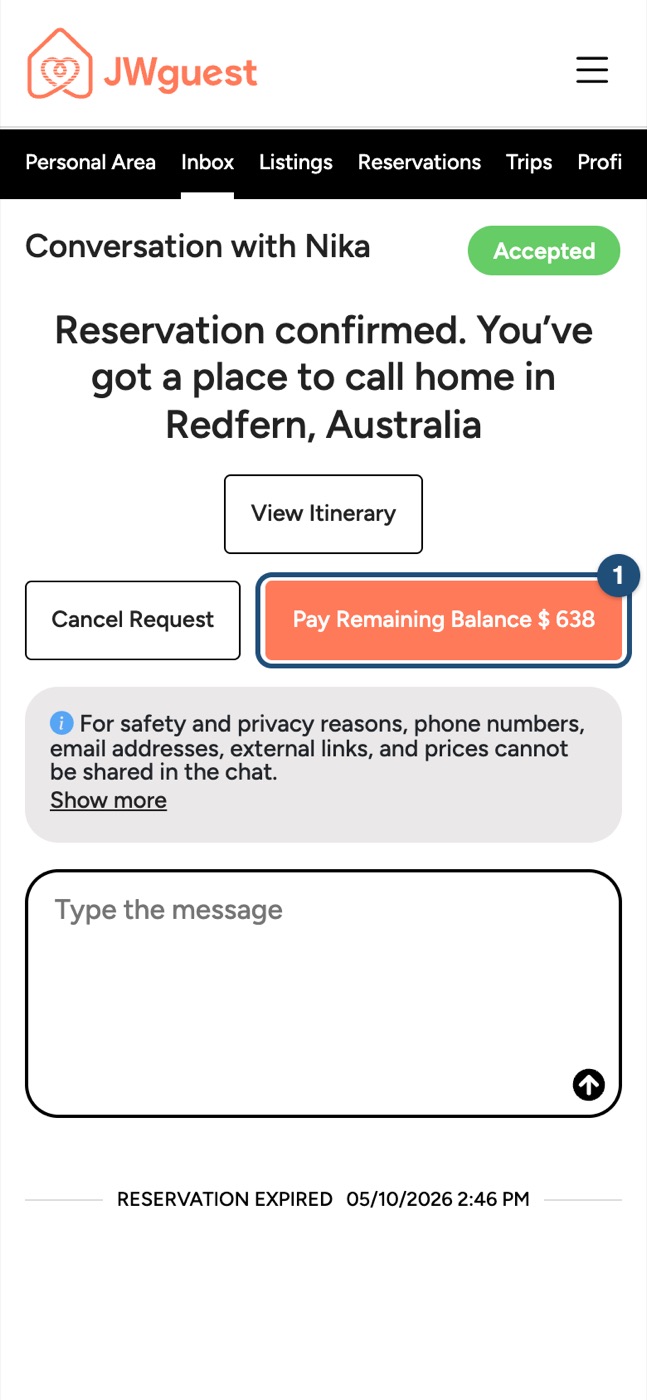
You can also tap Pay Remaining Balance inside the conversation with your host: open Inbox in the black bar, then the conversation (1).
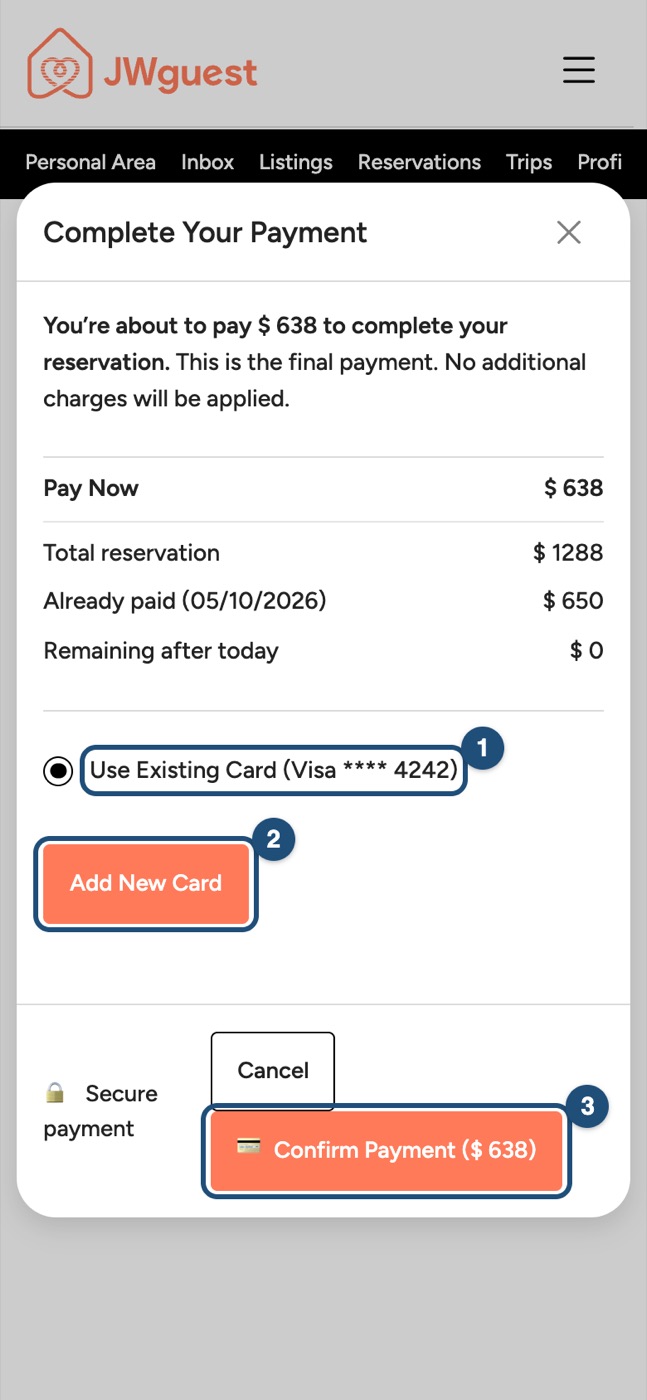
2. Choose the card and confirm: keep your saved card (1) or tap Add New Card (2), then tap Confirm Payment (3).
If the automatic payment fails
We email you straight away. Tap Update payment details in the email and add a valid card: the remaining balance is charged as soon as the card is saved. If the balance stays unpaid, your booking may be cancelled under our Terms of Service.
If you cancel
The usual cancellation rules apply to the whole booking. See Cancel your booking.
Related articles: When will I pay for my booking? · What is in your price breakdown?