
Website
Click Contact Host on the listing page to send the host a question before you book; the host's reply arrives in your Inbox. Sending a question does not book anything and costs nothing.
How to contact a host
Here's a step-by-step guide:
Log in: you need a JWguest account to write to a host. See Log in to your account.
Open the listing: find the place you are interested in. See How to search.
Click Contact Host (1): write your question and send it. Your conversation shows the status Inquiry.
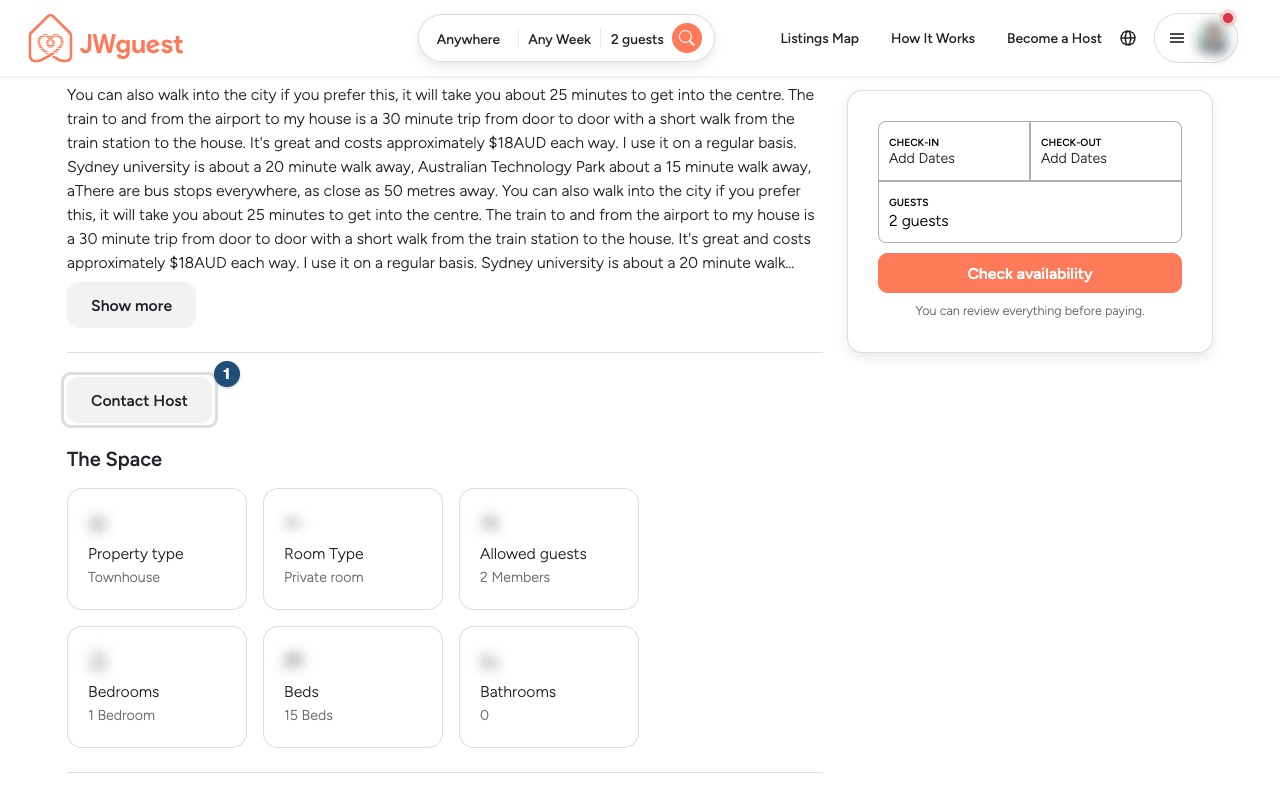
Wait for the reply in your Inbox: hosts are asked to reply to messages within 48 hours before a stay.
What to ask
Good questions are about the stay itself, for example:
- the check-in time, or whether a late arrival is possible;
- parking, public transport or the distance to the assembly hall, convention venue or Bethel;
- stairs, accessibility, or anything in the house rules that matters to you;
- whether the place suits the people travelling with you.
Before you ask, read the listing: the Prices section, the cancellation policy and the Availability calendar already answer many questions. If the listing shows a Special Full-time Servants (SFTS) Discount and you qualify, you can mention your service. See Full-time servants discount.
When you are ready to book
Choose your dates and the number of guests on the listing page and click Reserve. The host then has 48 hours to accept or decline your request. See Booking process.
Related articles: Understand your booking status · If someone asks you to pay outside JWguest · What are the requirements to book?
Mobile browser
Tap Contact Host on the listing page to send the host a question before you book; the host's reply arrives in your Inbox. Sending a question does not book anything and costs nothing.
How to contact a host on your phone
Here's a step-by-step guide:
Log in: tap the menu (three lines, top right). See Log in to your account.
Open the listing you are interested in and find Contact Host (1). Tap it, write your question and send it. Your conversation shows the status Inquiry.
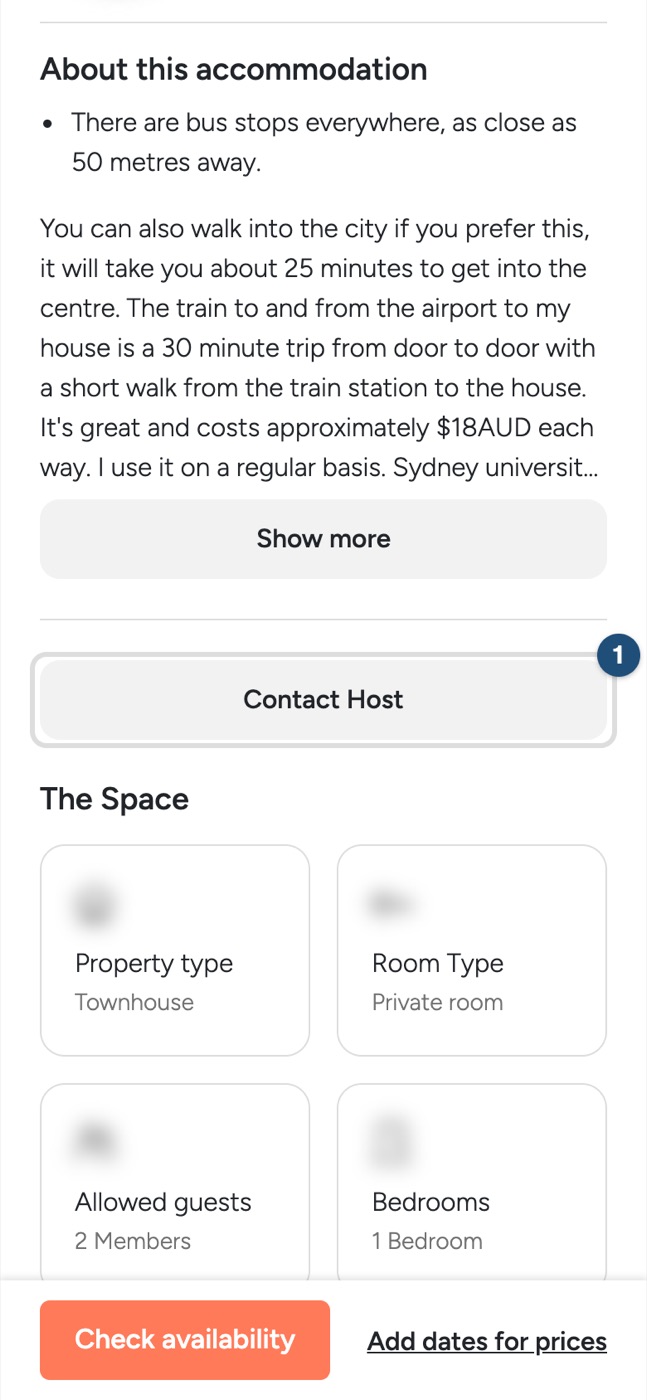
Wait for the reply: tap the menu, then Inbox. Hosts are asked to reply to messages within 48 hours before a stay.
What to ask
Ask about the stay itself: check-in time or a late arrival, parking or public transport, the distance to the assembly hall, convention venue or Bethel, stairs and accessibility, or the house rules. Read the listing first: the Prices section, the cancellation policy and the Availability calendar already answer many questions.
When you are ready to book
Choose your dates and the number of guests on the listing page and tap Reserve. The host then has 48 hours to accept or decline your request. See Booking process.
Related articles: Understand your booking status · If someone asks you to pay outside JWguest · What are the requirements to book?