
Website
Choose Flexible, Moderate or Strict in your listing editor under Cancellation Policy > Your Policy. The policy decides how much a guest gets back if they cancel, and guests see its name on your listing page before they book.
Compare the policies
| Policy | Refund of the nights to the guest |
|---|---|
| Flexible | Full refund if the guest cancels at least 24 hours before check-in. |
| Moderate | Full refund if the guest cancels at least 7 days before check-in. |
| Strict | 50% refund if the guest cancels at least 7 days before check-in. |
Times are counted from your listing's local check-in time (3:00 PM if you have not set one). All the details and examples are on the Cancellation Policies page.
Whatever the policy:
- Additional-guest fees follow the same rules as the nights.
- Cleaning fee: refunded to the guest if the booking is cancelled before check-in, not after.
- Local taxes: where they were charged, they are refunded when the guest cancels.
- Service Fee: non-refundable to the guest when the guest cancels; it is JWguest's fee, not part of your price.
- Only our Guest Refund Policy can override your cancellation policy, for example when a guest reports a serious problem with the accommodation within 12 hours of check-in.
Which one suits you? A Flexible policy reassures guests who are planning far ahead, for example for a convention. A Strict policy protects you more if a late cancellation would leave your home empty.
How to set your policy
Here's a step-by-step guide:
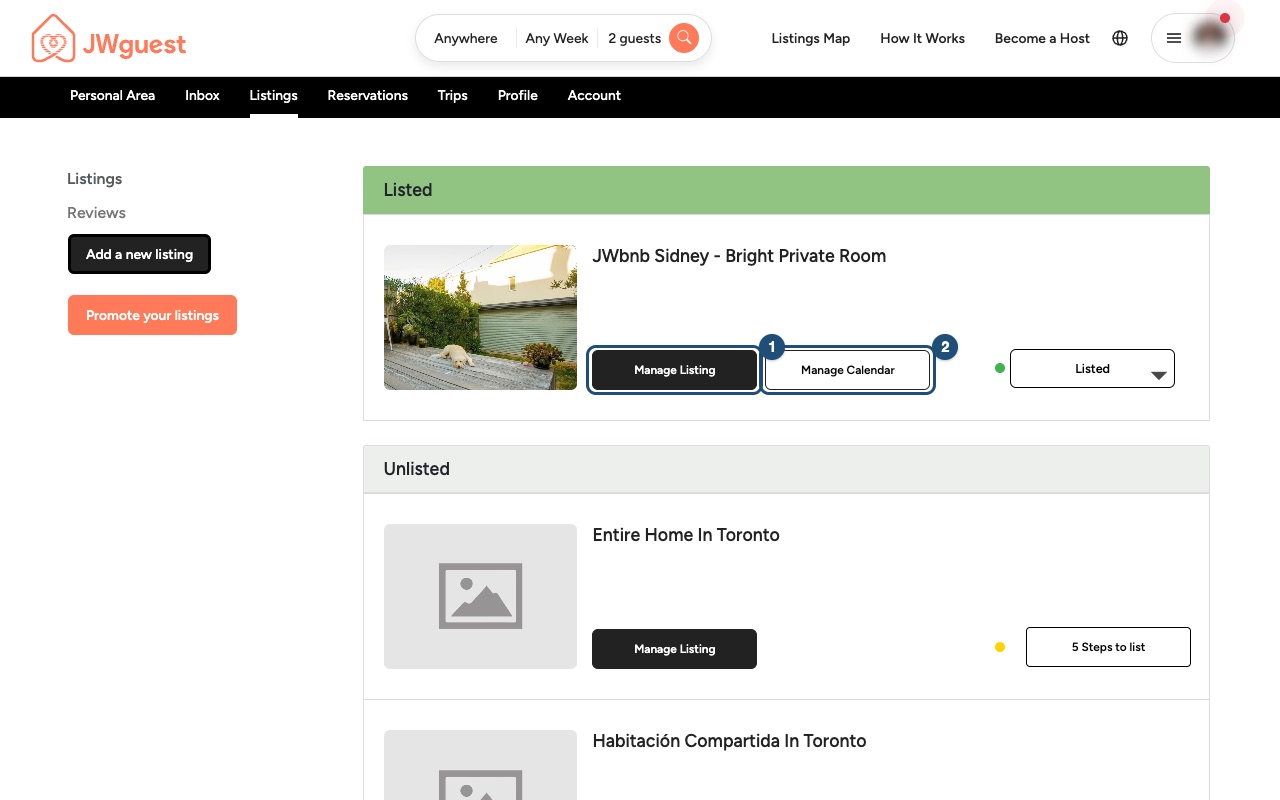
Open your listing: in the Personal Area bar, click Listings, then Manage Listing (1) next to the listing.
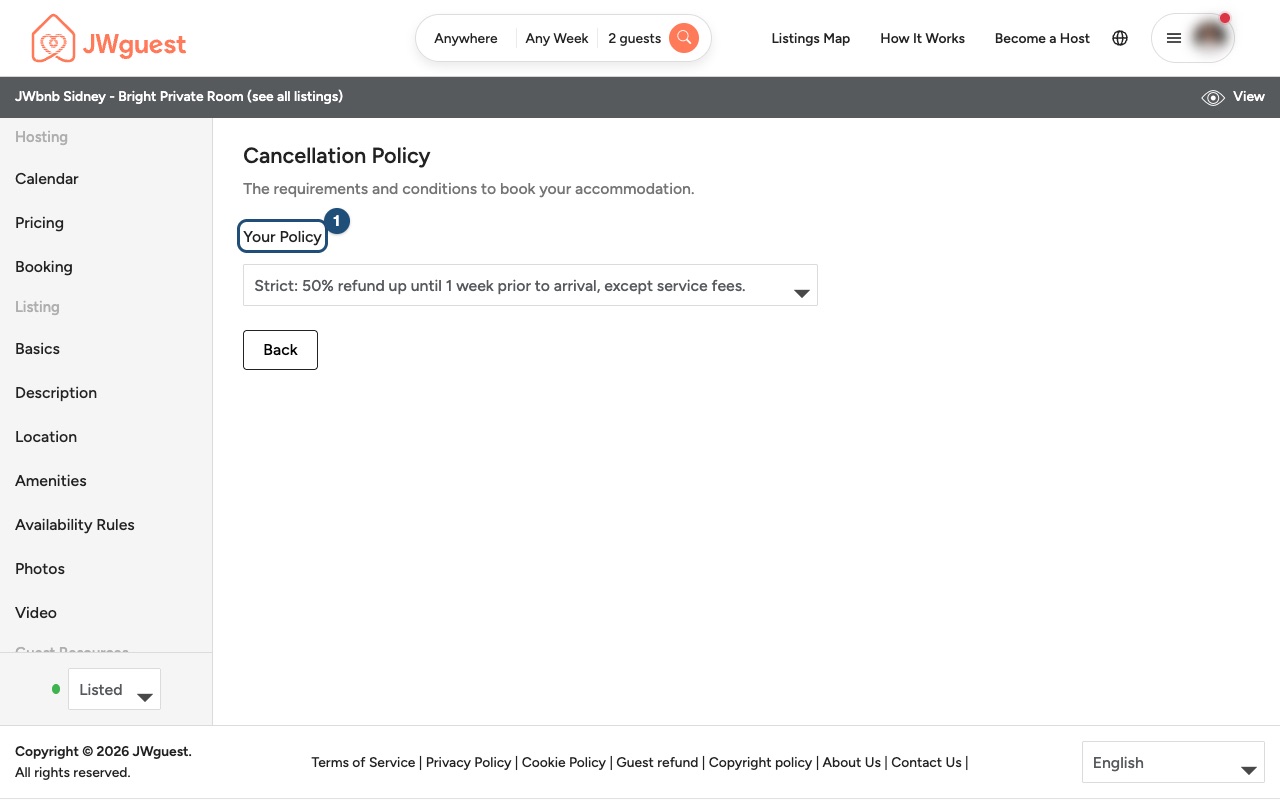
Open Cancellation Policy: select Cancellation Policy in the menu on the left.
Choose Your Policy (1): pick Flexible, Moderate or Strict from the list.
Related articles: Cancel your booking · Update your listing · Set minimum and maximum stay and availability rules
Mobile browser
Choose Flexible, Moderate or Strict in your listing editor under Cancellation Policy > Your Policy. The policy decides how much a guest gets back if they cancel, and guests see its name on your listing page before they book.
Compare the policies
- Flexible: full refund of the nights if the guest cancels at least 24 hours before check-in.
- Moderate: full refund of the nights if the guest cancels at least 7 days before check-in.
- Strict: 50% refund of the nights if the guest cancels at least 7 days before check-in.
Times are counted from your listing's local check-in time (3:00 PM if you have not set one). All the details are on the Cancellation Policies page.
Whatever the policy: additional-guest fees follow the same rules as the nights; the cleaning fee is refunded to the guest if the booking is cancelled before check-in, not after; local taxes, where charged, are refunded when the guest cancels; the Service Fee is non-refundable to the guest when the guest cancels. Only our Guest Refund Policy can override your cancellation policy.
How to set your policy on your phone
Here's a step-by-step guide:
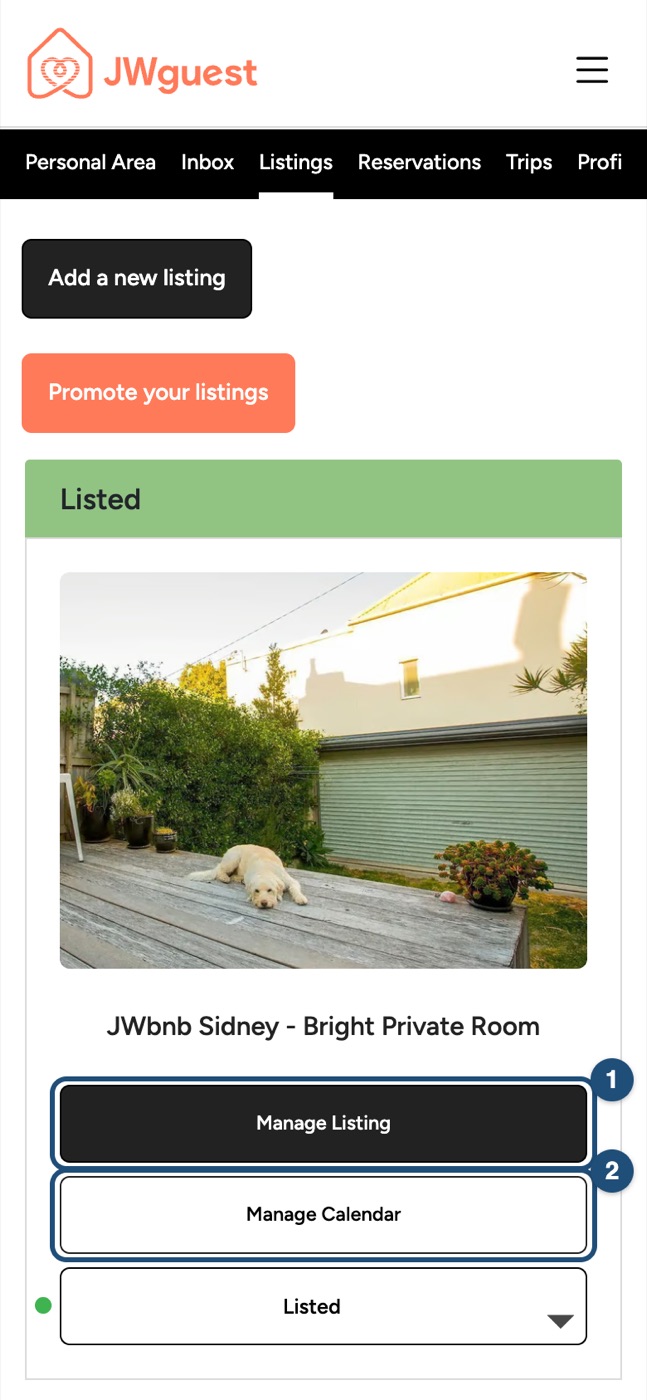
Open your listing: tap the menu (three lines, top right), then Listings in the black Personal Area bar, then Manage Listing (1).
Open the editor menu: tap Edit your listing (the icon with lines, at the top) and tap Cancellation Policy.
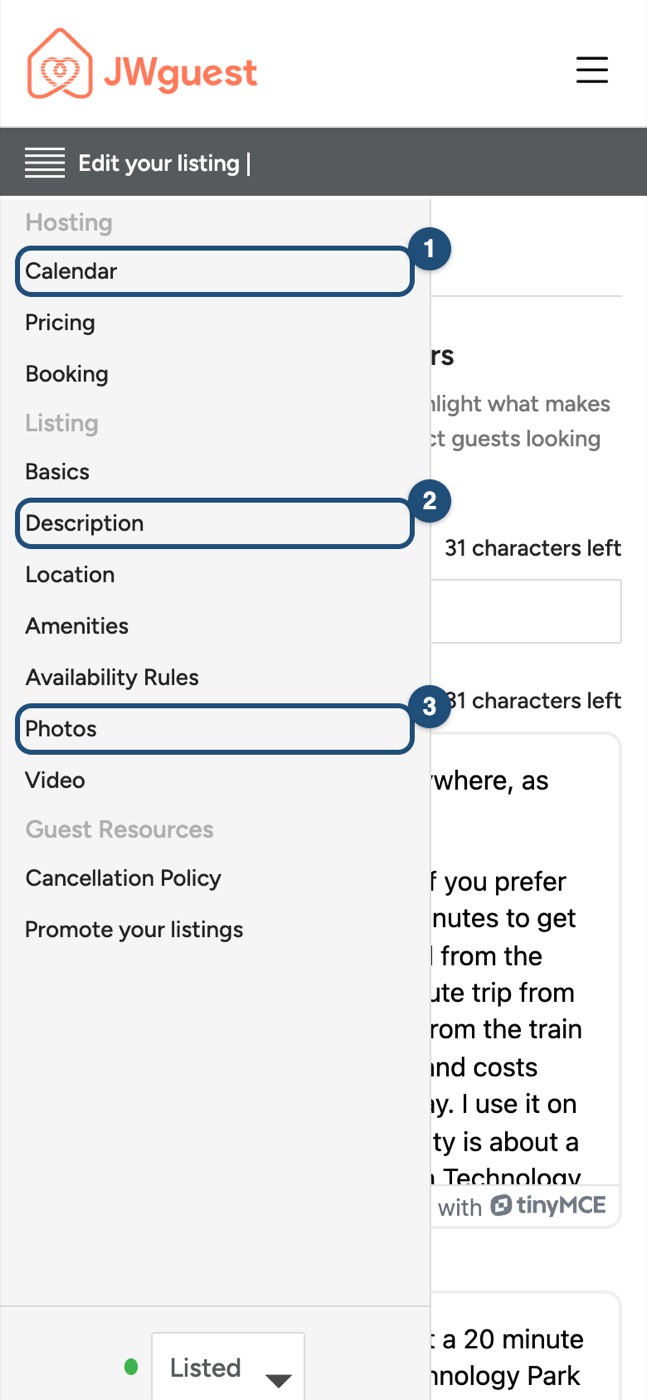
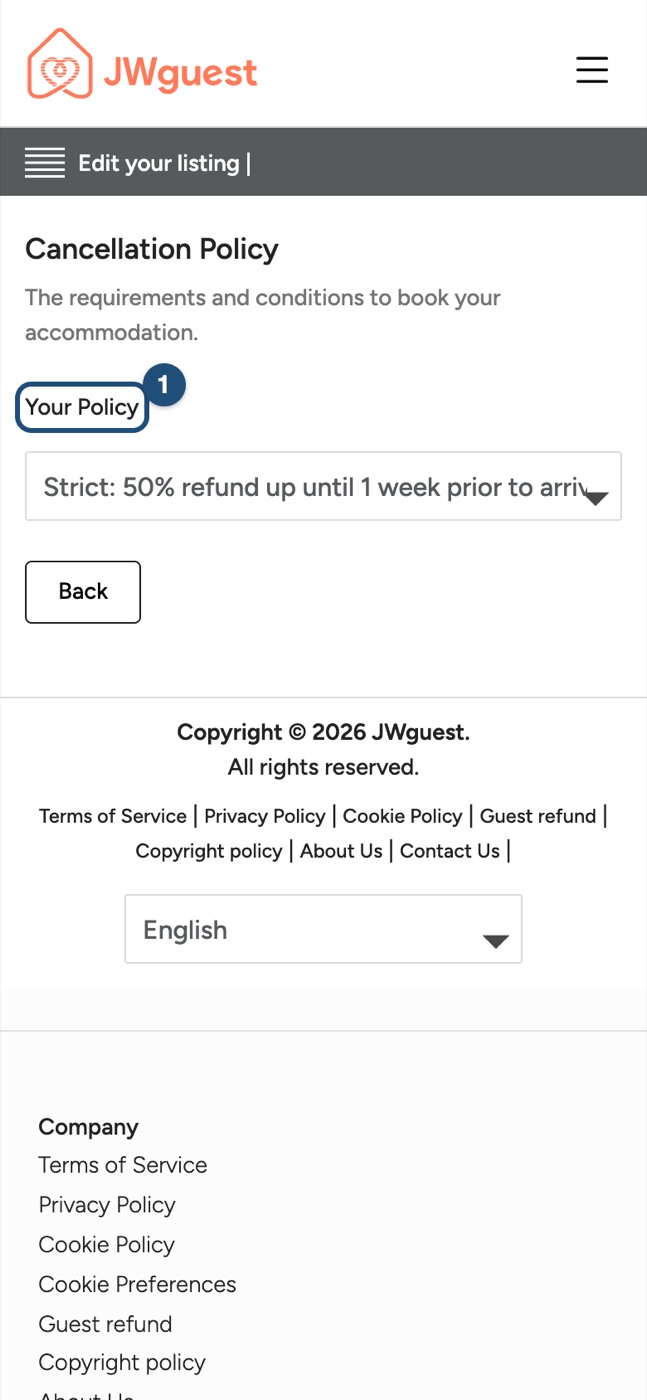
Tap Your Policy (1) and choose Flexible, Moderate or Strict.
Related articles: Cancel your booking · Update your listing · Set minimum and maximum stay and availability rules