
Website
Open the guest's booking request and click Send special offer: enter how much you want to receive for the stay, add a message and send it. JWguest adds the Service Fee on top for the guest, who can then confirm the booking instantly at the special price.
When to use it
A special offer lets you answer a request with a different price, for example for a longer stay, a family, or brothers and sisters you would like to help. You send it from the request, within the 48 hours you have to answer.
How to send a special offer
Here's a step-by-step guide:
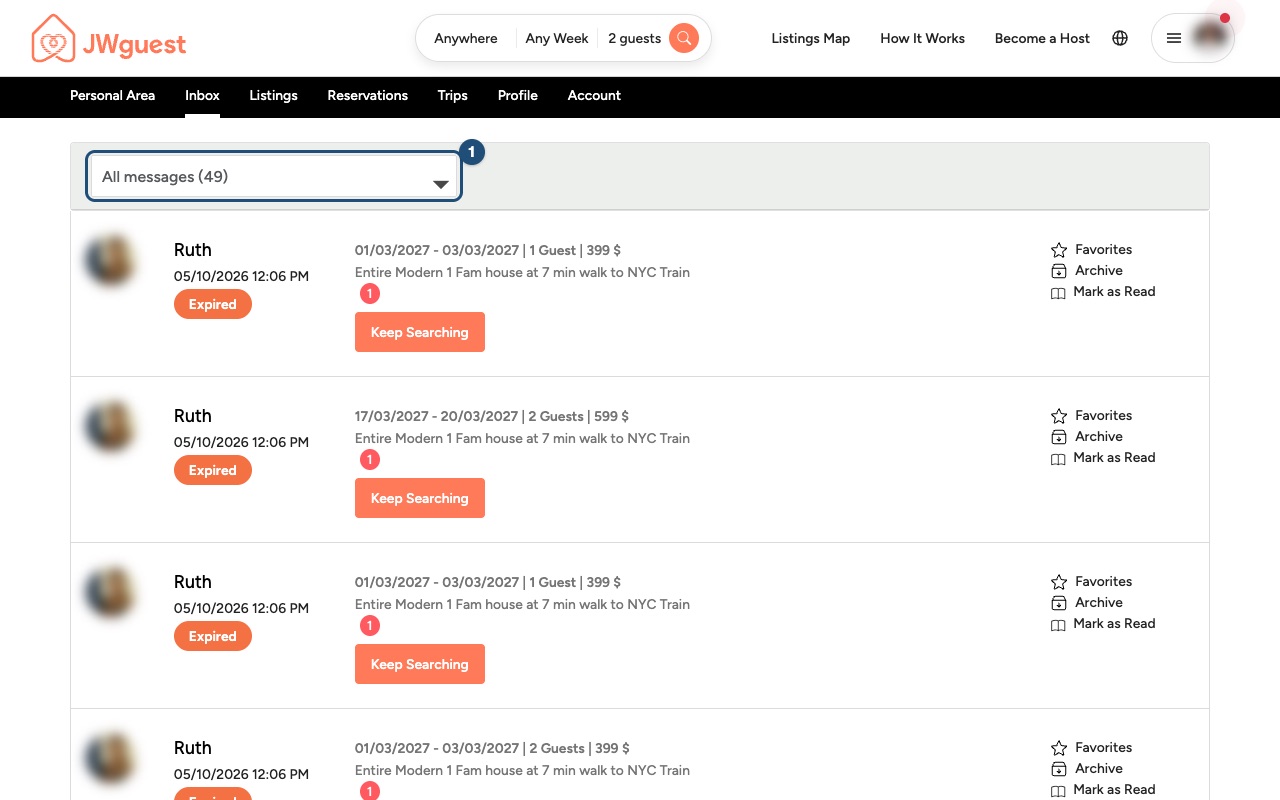
Open the request: go to Inbox and click the pending request (1).
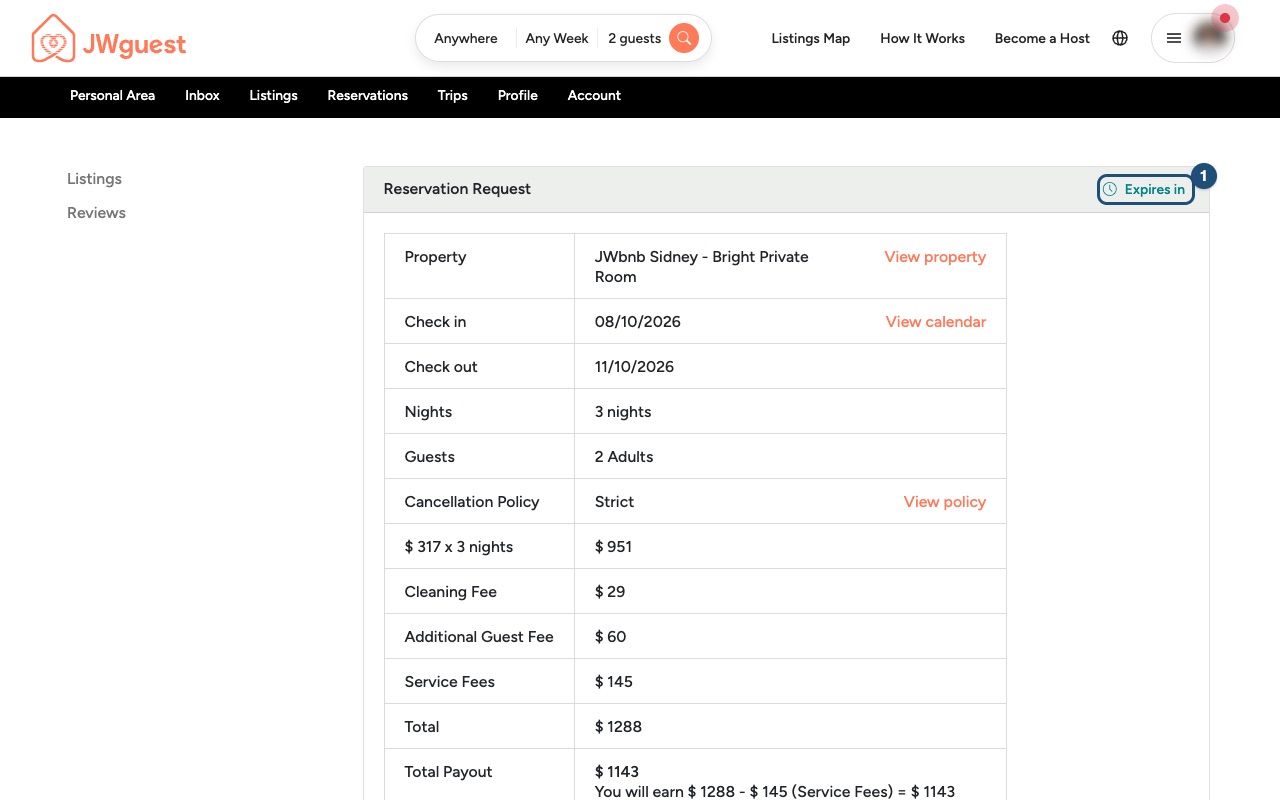
Check the time left: Expires in (1) at the top of the request shows how long you have to answer.
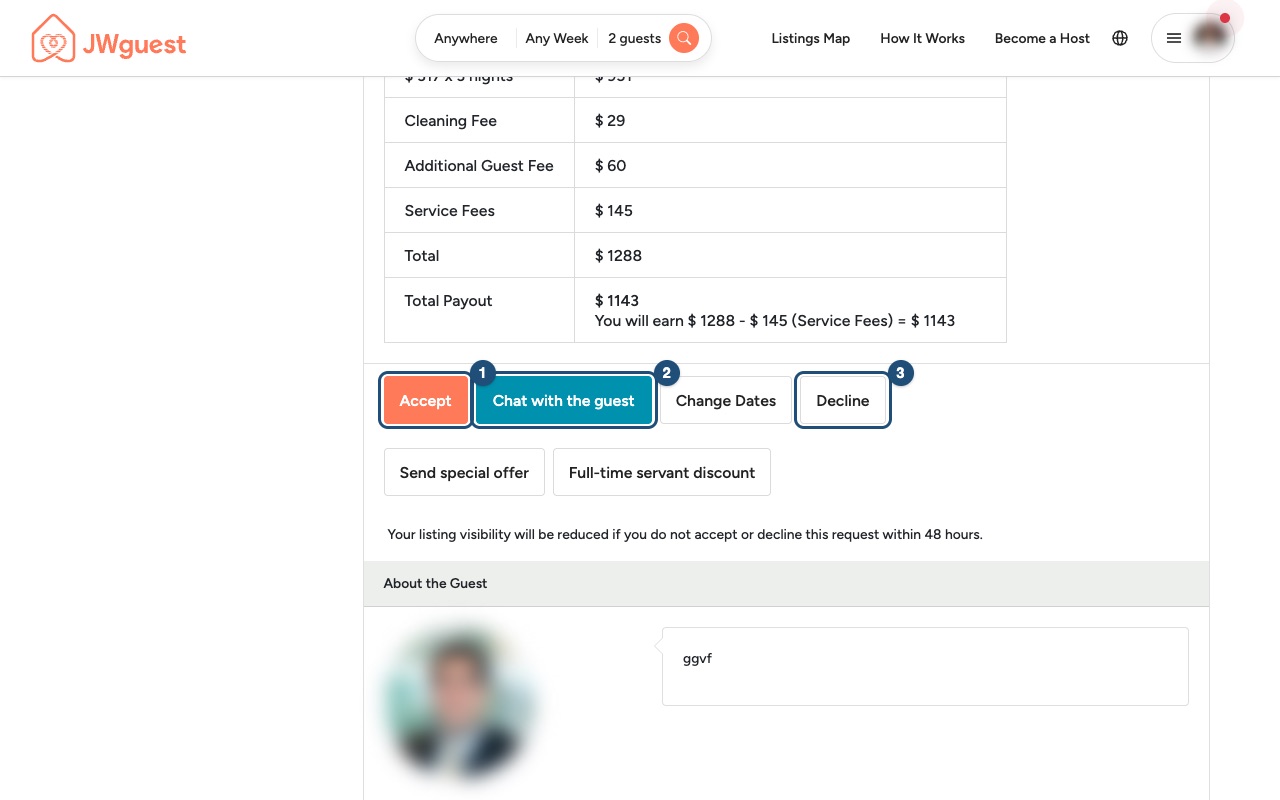
Click Send special offer: you'll find it with the other buttons on the request page, next to Accept (1), Chat with the guest (2) and Decline (3).
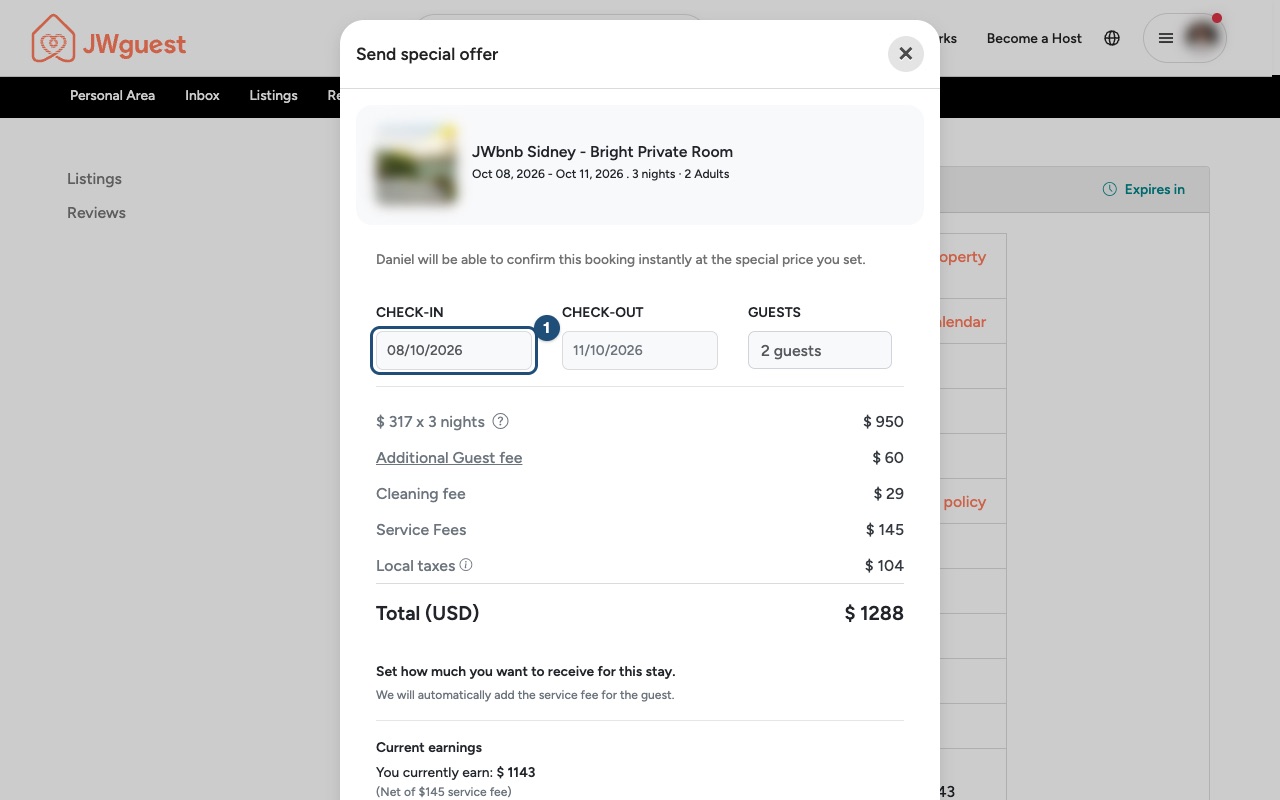
Check the stay and the current price: the window shows the dates, the price breakdown of the request and what you currently earn. For example: 3 nights $950, Additional Guest fee $60, Cleaning fee $29, Service Fees $145, Local taxes $104, Total (USD) $1,288; "You currently earn: $1,143".
Enter your amount (1): in Enter how much you would like to receive, type the amount you want to receive for the stay. We will automatically add the Service Fee for the guest.
Write a message and send it (2): explain your offer to the guest in a few words, then send it.
The guest will be able to confirm the booking instantly at the special price with Confirm & Pay. The booking is confirmed when the guest's payment succeeds.
Good to know
- You receive the price you set: JWguest charges hosts no fee. The Service Fee is paid by the guest on top of your price. See Service fees for hosts.
- Agree everything inside JWguest. Never ask the guest to pay outside JWguest, and don't share phone numbers, emails or links in the chat before the booking is confirmed.
- You can also simply Accept, Decline or propose other dates with Change Dates. See Accept or decline a booking request.
Related articles: Accept or decline a booking request · Full-time servants discount · When you will get your payout
Mobile browser
Open the guest's booking request and tap Send special offer: enter how much you want to receive for the stay, add a message and send it. JWguest adds the Service Fee on top for the guest, who can then confirm the booking instantly at the special price.
When to use it
A special offer lets you answer a request with a different price, for example for a longer stay or a family. You send it from the request, within the 48 hours you have to answer.
How to send a special offer from your phone
Here's a step-by-step guide:
Open the request: tap the menu (three lines, top right), then Inbox, and tap the pending request (1).
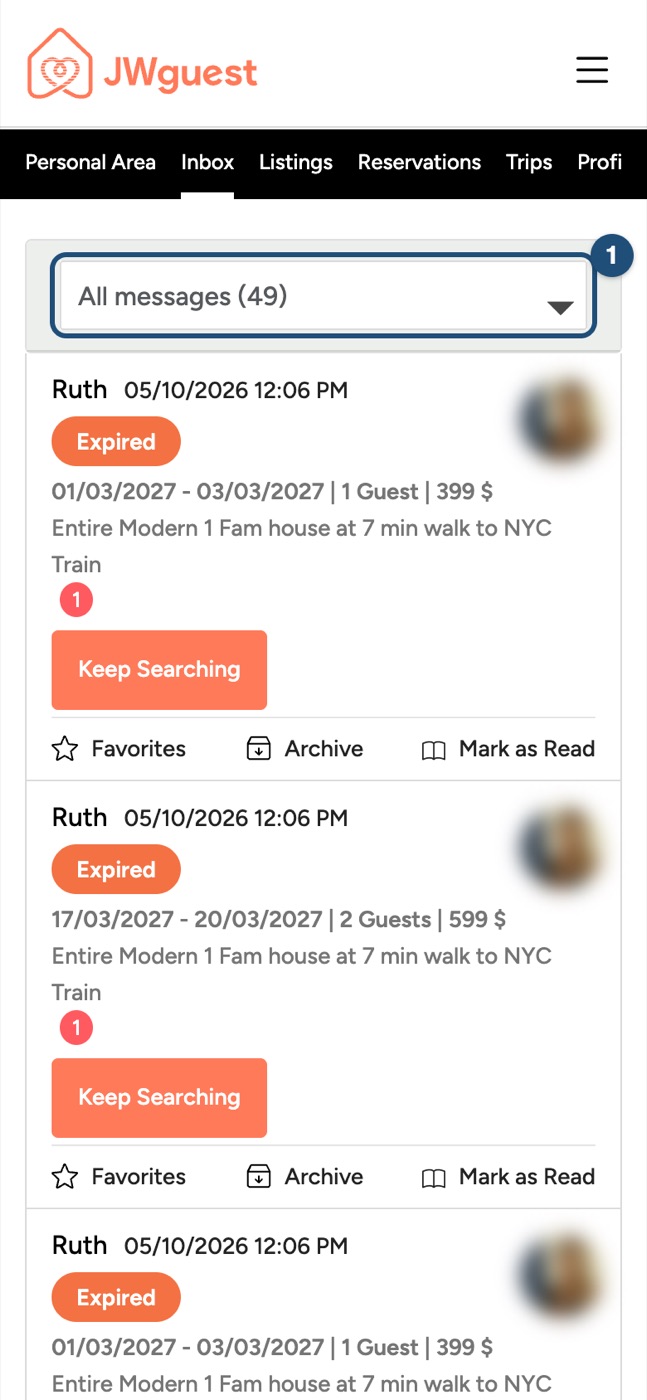
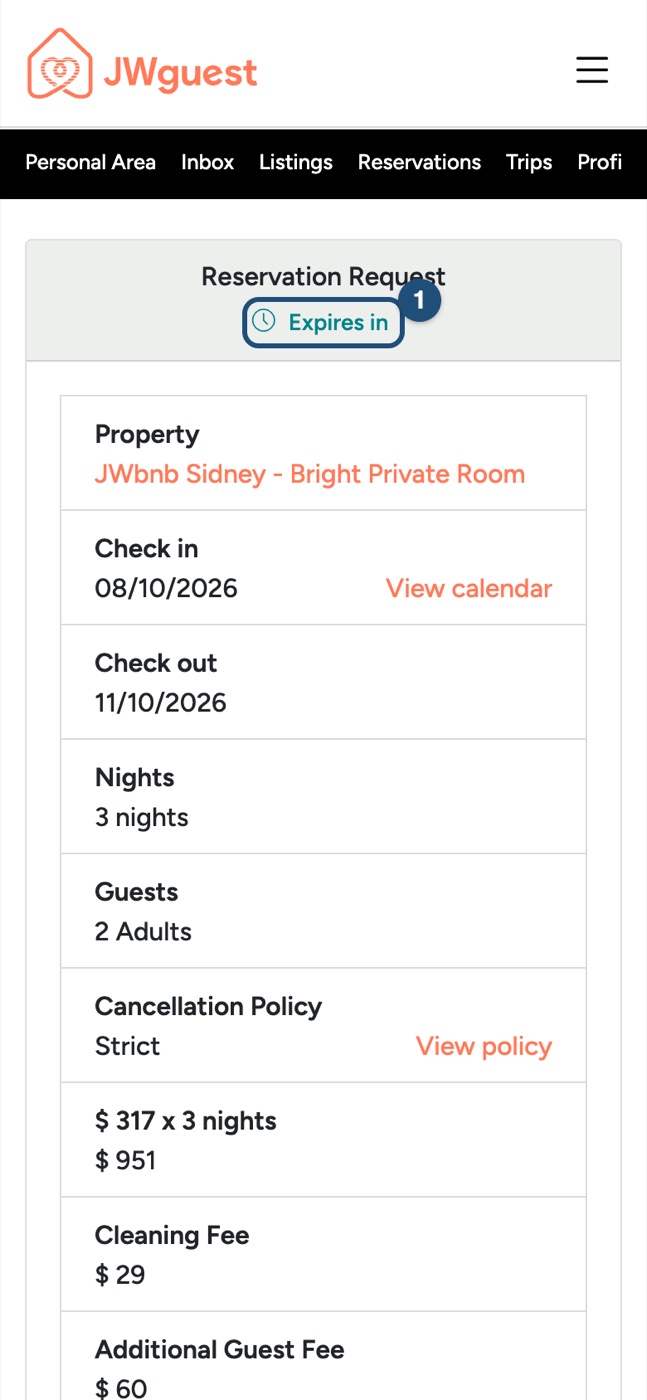
Check the time left: Expires in (1) is at the top of the request.
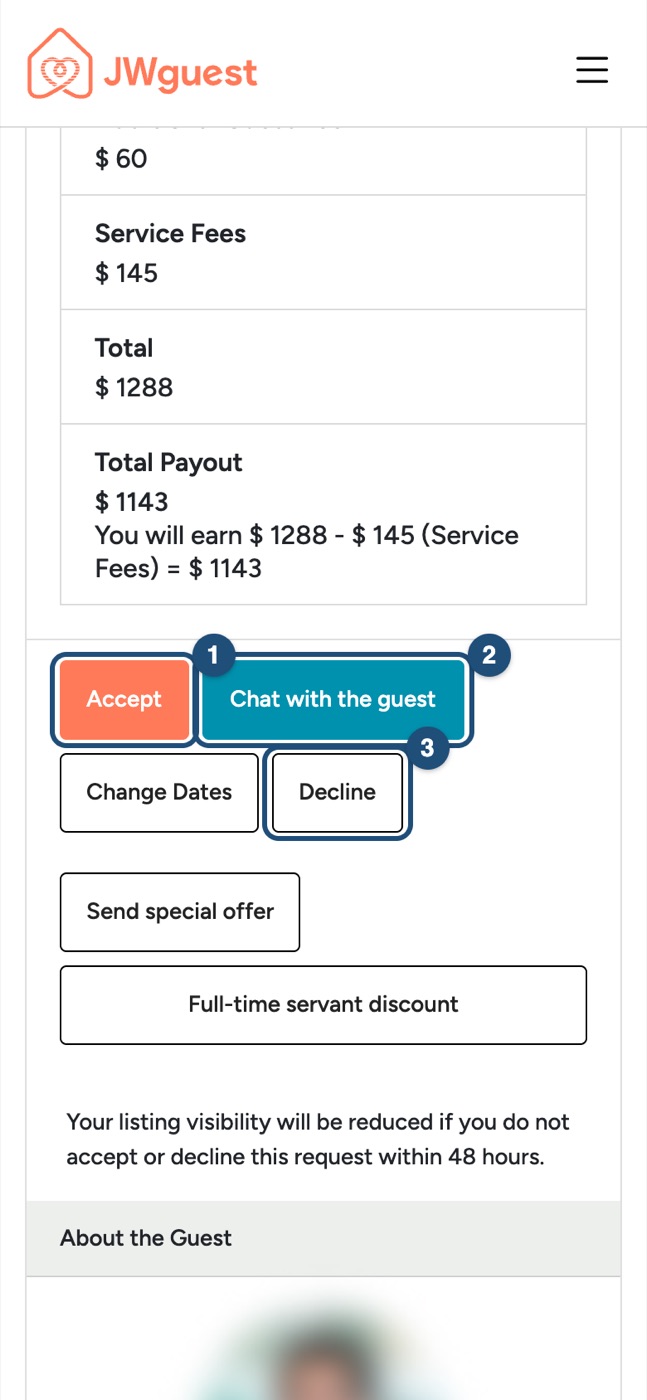
Scroll to the buttons: next to Accept (1), Chat with the guest (2) and Decline (3), tap Send special offer.
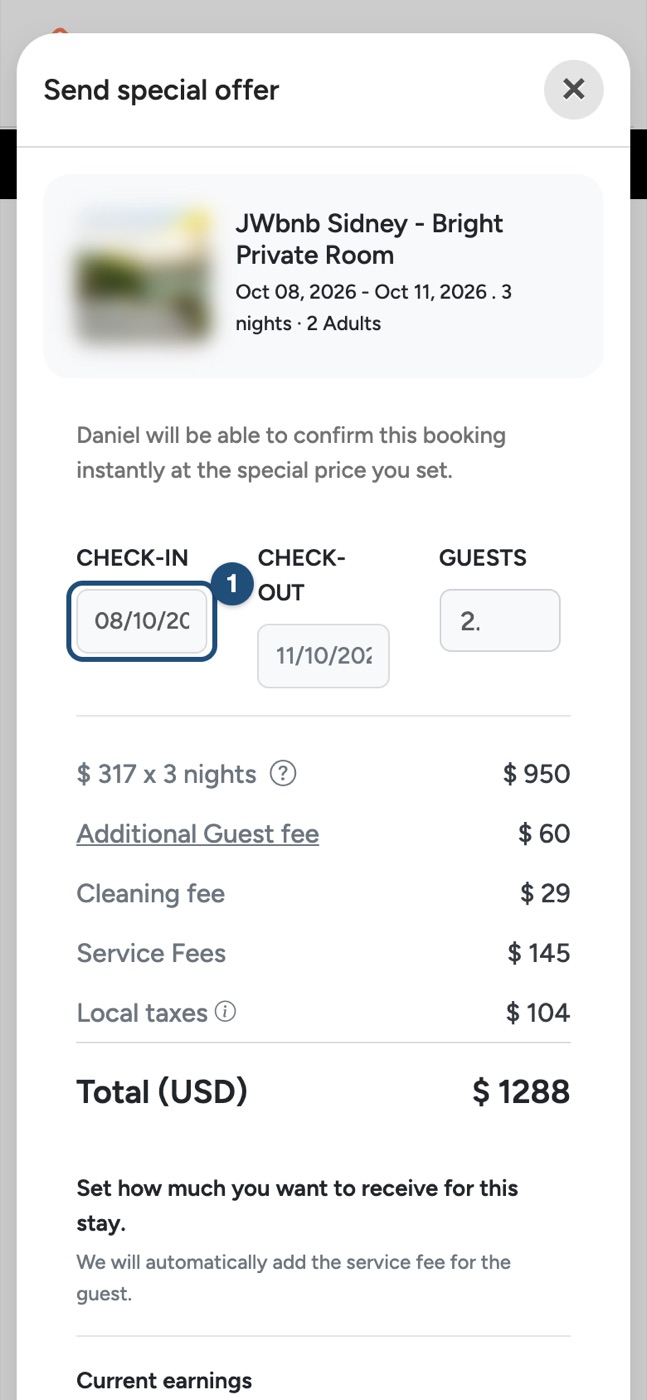
Check the stay and the current price: the window shows the dates, the price breakdown and what you currently earn.
Enter your amount (1): in Enter how much you would like to receive, type the amount you want to receive. We will automatically add the Service Fee for the guest.
Write a message and send it (2).
The guest will be able to confirm the booking instantly at the special price with Confirm & Pay. The booking is confirmed when the payment succeeds.
Good to know
- You receive the price you set: JWguest charges hosts no fee. See Service fees for hosts.
- Never ask the guest to pay outside JWguest, and don't share contact details in the chat before the booking is confirmed.
Related articles: Accept or decline a booking request · Full-time servants discount · When you will get your payout