
Website
Arriving in a new city, often late or tired, is easier when everything is written down. Clear instructions are the best welcome you can give, and they prevent most problems.
What to write
Think of a guest who has never been to your home:
- Getting in: where the key box is (exactly: "grey box on the left of the main door"), the code and when you send it, the floor and door.
- Getting out: what to do with the keys, and how to open gates or main doors from the inside without keys.
- The essentials: Wi-Fi, hot water and heating, how appliances work, rubbish and recycling.
- Times: check-in and check-out times, quiet hours.
- How to reach you: and when you are available.
Where to write it
Here's a step-by-step guide:
Open your listing: Go to Listings, click Manage Listing, then Description in the menu on the left.
Guest Access (1): how to get in and out, key box, gate, parking.
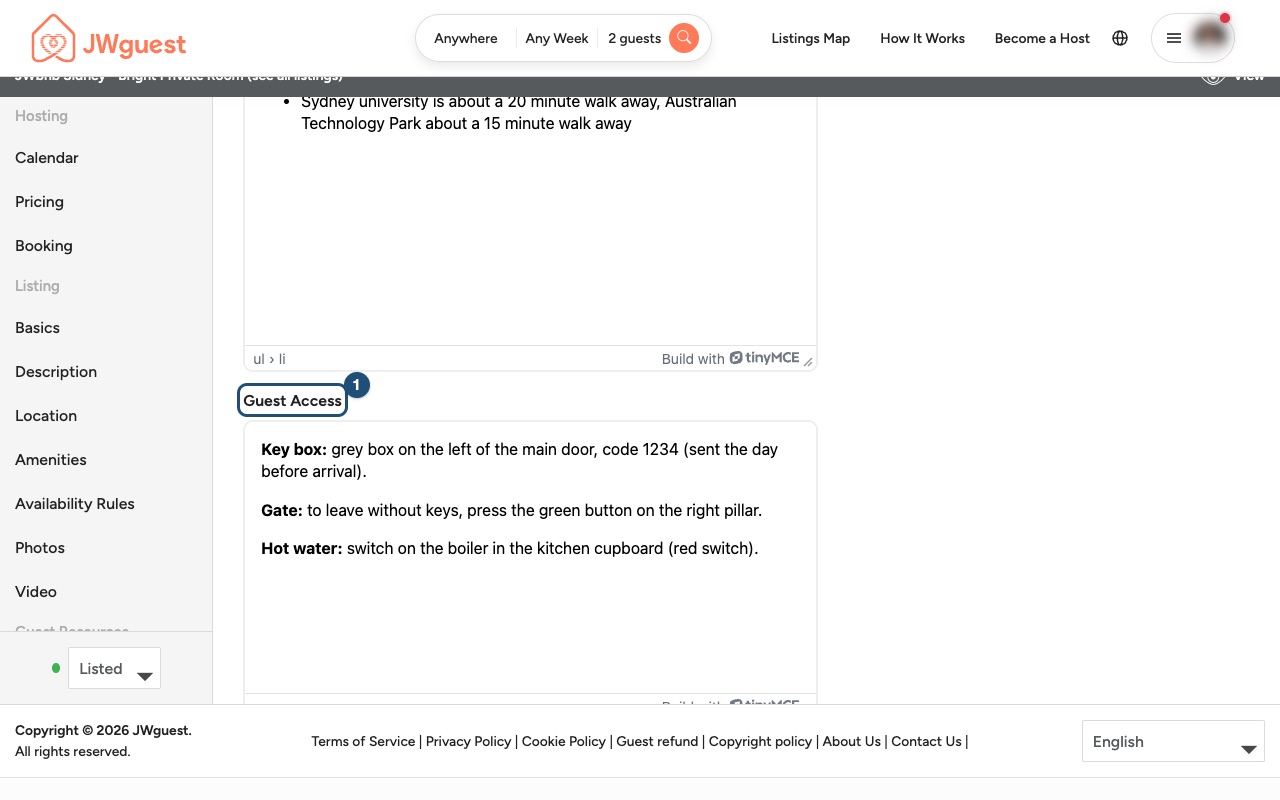
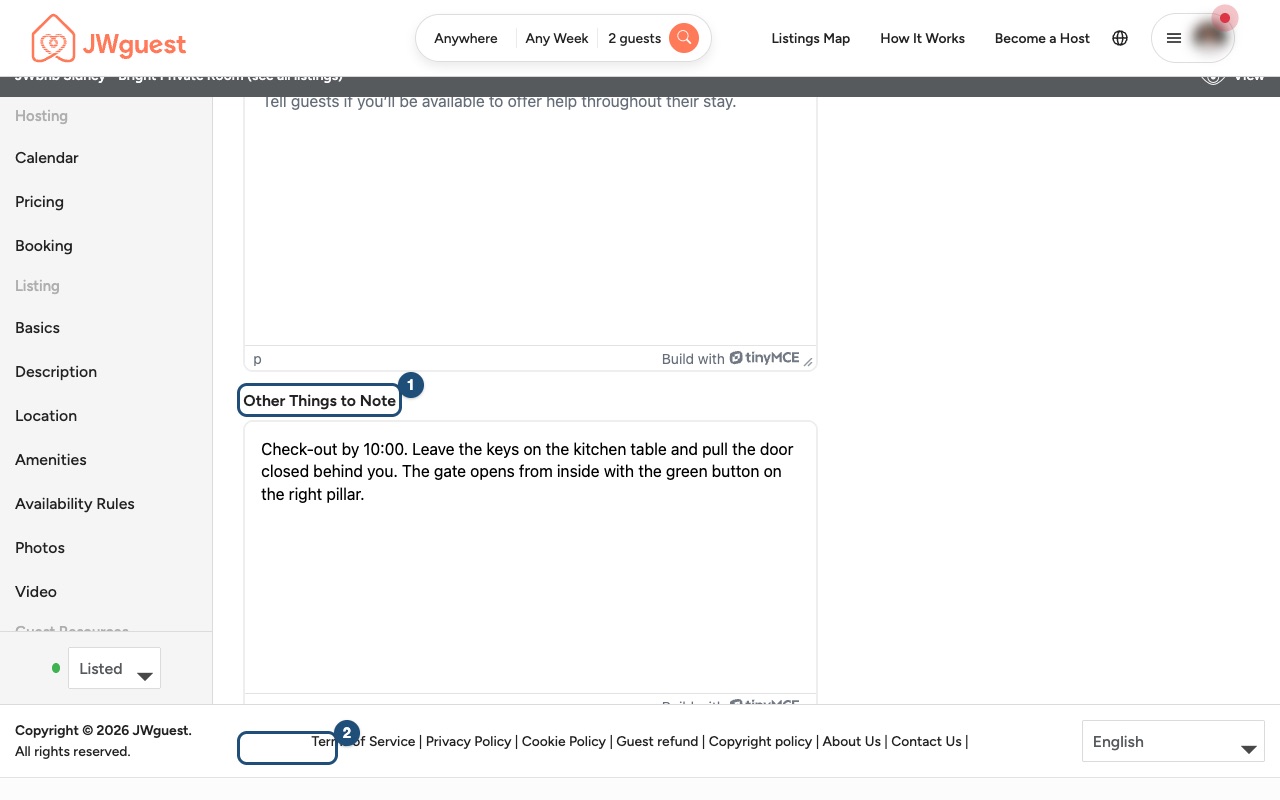
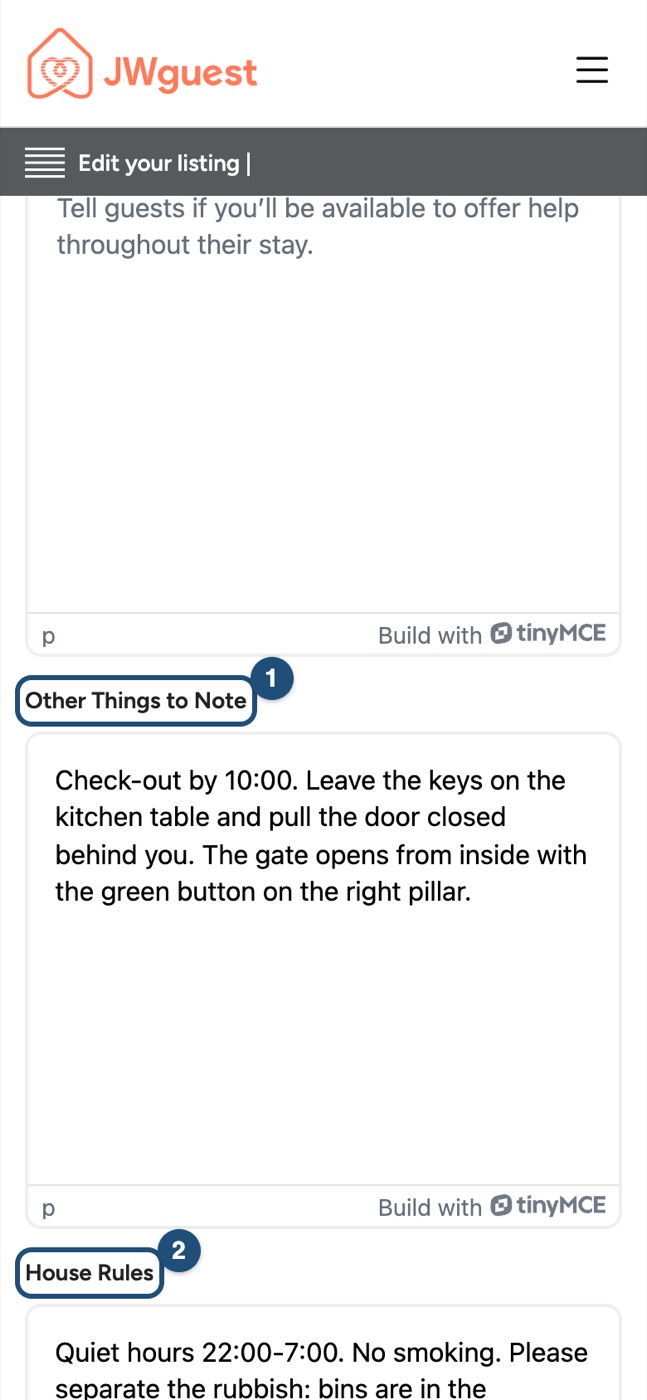
Other Things to Note (1): check-out steps and practical details. House Rules (2): quiet hours, smoking, rubbish.
Save and check that the text appears correctly. Changes to the description may need a short review by our team.
Send a message before arrival
A day or two before check-in, send your guest a short message in Inbox with the address, the code and anything that has changed. Codes and other private details are best sent only after the booking is confirmed.
Related articles: Update your listing · How to provide an Excellent Service
Mobile browser
You can update your instructions from your phone.
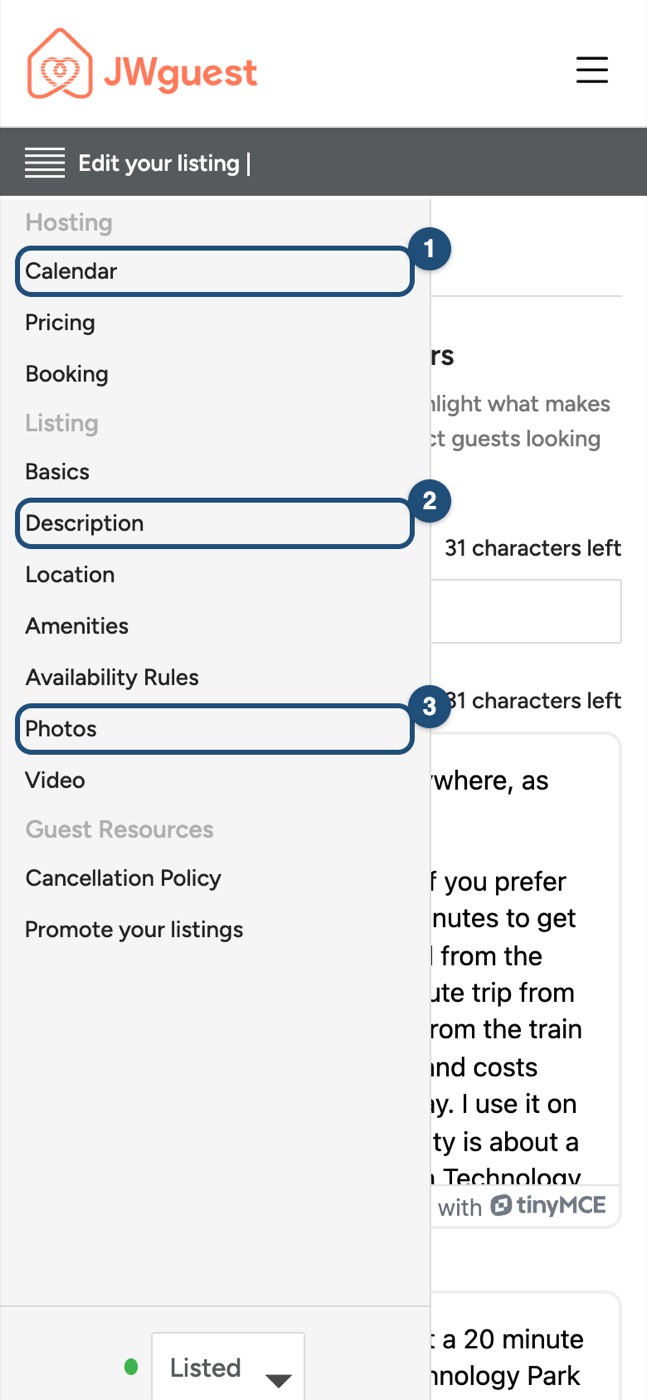
Open your listing: Tap the menu, then Listings and Manage Listing. Tap Edit your listing (the icon with lines, at the top) to open the menu and tap Description (2).
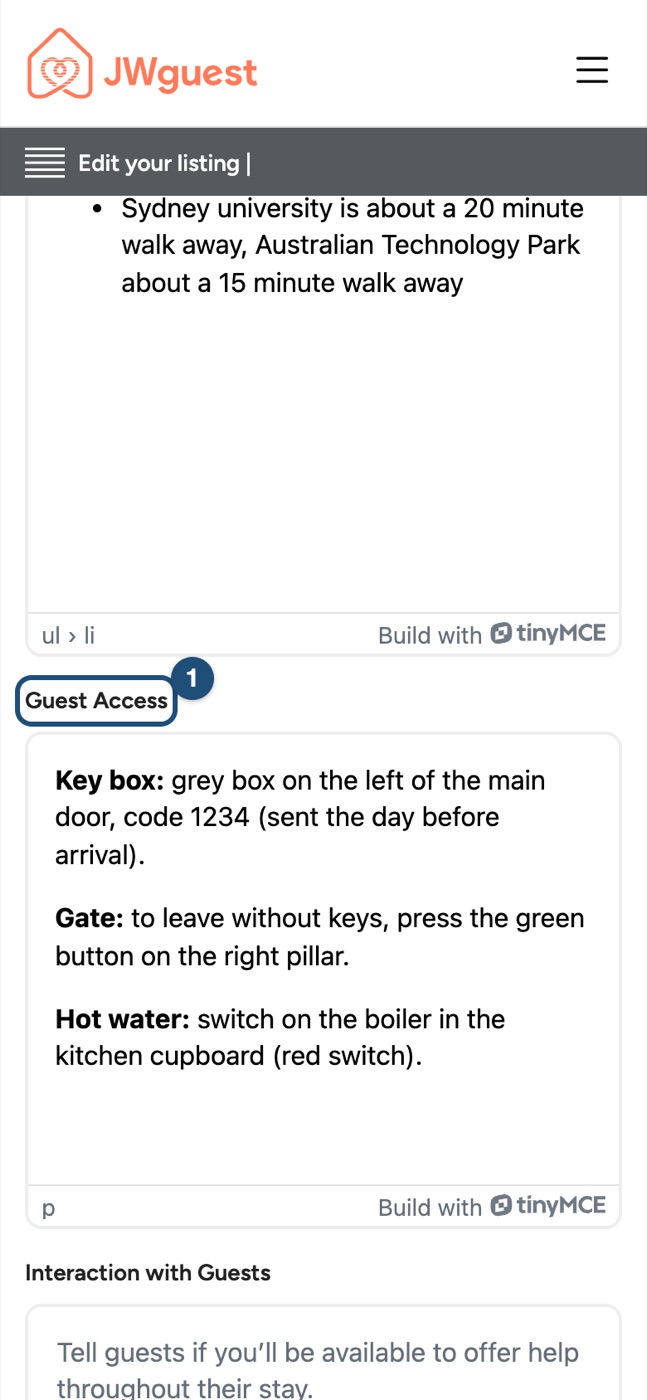
Guest Access (1): scroll down to it and write how to get in and out.
Other Things to Note (1) and House Rules (2): further down the same page.
What to write
Think of a guest who has never been to your home:
- Getting in: where the key box is (exactly: "grey box on the left of the main door"), the code and when you send it, the floor and door.
- Getting out: what to do with the keys, and how to open gates or main doors from the inside without keys.
- The essentials: Wi-Fi, hot water and heating, how appliances work, rubbish and recycling.
- Times: check-in and check-out times, quiet hours.
- How to reach you: and when you are available.
Send a message before arrival
A day or two before check-in, send your guest a short message in Inbox with the address, the code and anything that has changed. Codes and other private details are best sent only after the booking is confirmed.
Related articles: Update your listing · How to provide an Excellent Service