
Website
After your first confirmed reservation, we send you a secure link where you add your bank details; to change them later, write to us through Contact us (topic Payments) or at [email protected]. Payouts are made by bank transfer only.
Add your bank details
Here's a step-by-step guide:
Wait for your first confirmed reservation: you don't need to enter bank details to list your home. Once a guest's booking is confirmed, we send you a secure link.
Open the secure link and enter your bank details. Check that the account holder's name and the account number (IBAN, where your country uses it) are exactly as your bank shows them.
Do it before your guest arrives: we send your payout 48 hours after your guest checks in, so add your details in good time to avoid a delay.
Change your bank details
Here's a step-by-step guide:
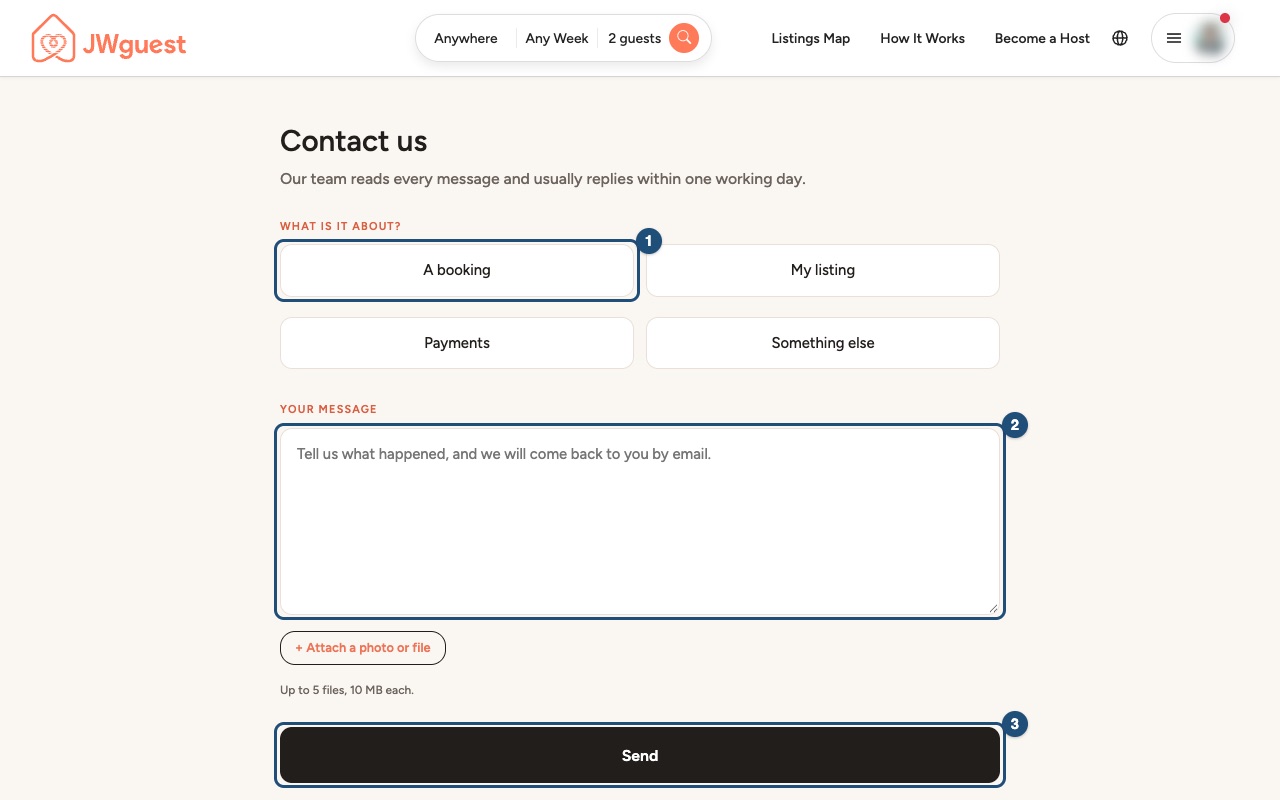
Open Contact us: go to Contact us and choose Payments.
Write your message (2): say that you want to change the bank account for your payouts. Don't write the full bank details in the message: we will reply and tell you how to update them safely.
Click Send (3). We usually reply within one working day.
If a payout has not arrived
- Check the timing: we send the payout 48 hours after check-in. An international bank transfer then usually takes 3-5 business days, and banks don't process transfers on weekends or public holidays.
- Check your details: a wrong account number, or an account holder's name that doesn't match, can make a transfer fail or bounce.
- Check the amount: you receive the full price you set, because JWguest charges hosts no fee. It can be lower only if you asked JWguest to manage a security deposit (7% processing fee) or if you owe JWguest an amount, such as a host cancellation fee. Your bank may charge its own fee to receive an international transfer.
- Still missing? Write to us through Contact us > Payments with the reservation code.
Related articles: When you will get your payout · Service fees for hosts · Steps for Hosts to Cancel a Booking
Mobile browser
After your first confirmed reservation, we send you a secure link where you add your bank details; to change them later, write to us through Contact us (topic Payments) or at [email protected]. Payouts are made by bank transfer only.
Add your bank details
Here's a step-by-step guide:
Wait for your first confirmed reservation: you don't need bank details to list your home. Once a guest's booking is confirmed, we send you a secure link.
Open the secure link on your phone and enter your bank details. Check that the account holder's name and the account number (IBAN, where your country uses it) are exactly as your bank shows them.
Do it before your guest arrives: we send your payout 48 hours after your guest checks in.
Change your bank details from your phone
Here's a step-by-step guide:
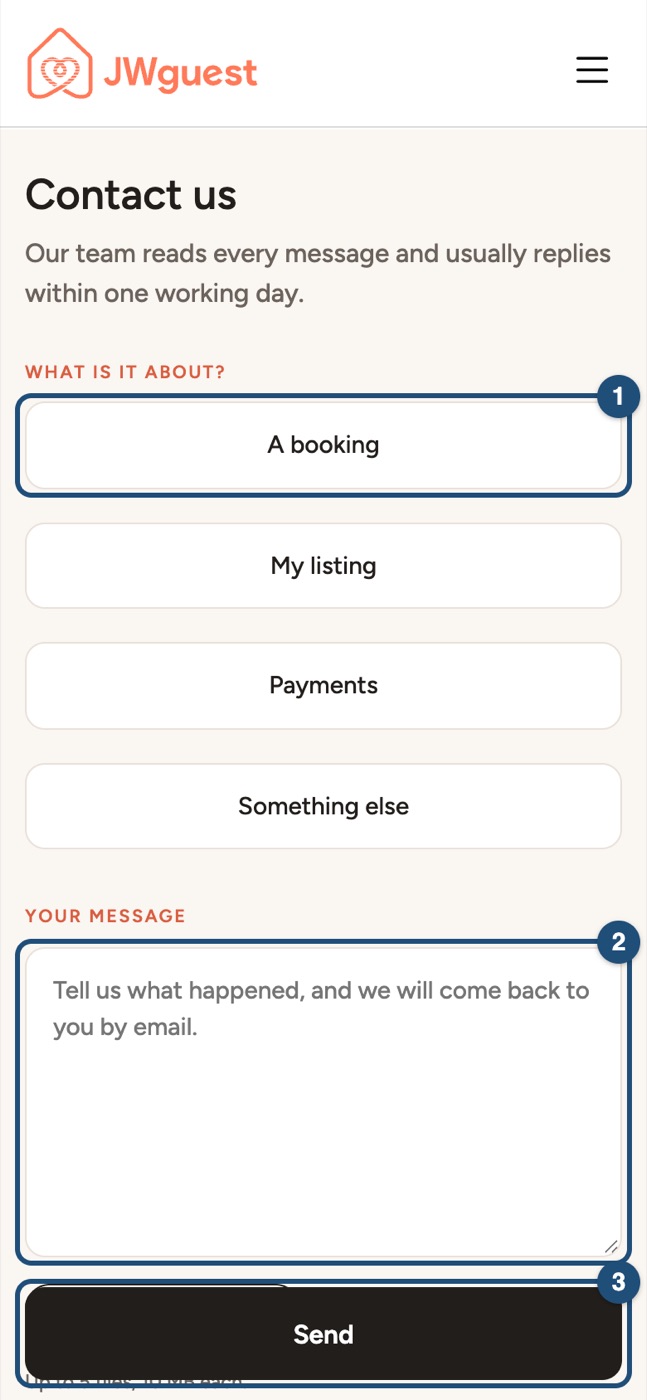
Open Contact us: it is also at the bottom of every page. Tap Payments.
Write your message (2): say that you want to change the bank account for your payouts. Don't write the full bank details in the message: we will reply and tell you how to update them safely.
Tap Send (3). We usually reply within one working day.
If a payout has not arrived
- Timing: we send the payout 48 hours after check-in; an international transfer then usually takes 3-5 business days, not counting weekends and public holidays.
- Details: a wrong account number or a name that doesn't match can make a transfer fail.
- Amount: you receive the full price you set (JWguest charges hosts no fee). It can be lower only for a JWguest-managed security deposit (7% processing fee) or an amount you owe JWguest, such as a host cancellation fee.
- Still missing? Write to us through Contact us > Payments with the reservation code.
Related articles: When you will get your payout · Service fees for hosts · Steps for Hosts to Cancel a Booking