
Website
You can delete your JWguest account yourself at any time. Deleting it is permanent: it can't be reopened, and you would need to sign up again to use JWguest.
Before you delete
- Finish your bookings first. The account can't be deleted while you have a trip or a hosted booking that is confirmed and not yet over, or an open dispute. Cancel what needs cancelling (see Cancel your booking or Steps for hosts to cancel a booking), or wait until the stay has ended.
- Money still on its way? If a payout or a refund is still pending, we ask you to confirm once more, because it may be harder to reach you afterwards.
- Two accounts? Make sure you delete the one without your bookings.
Delete your account
- Go to Edit Profile: in the Personal Area bar, click Profile, then Edit Profile.
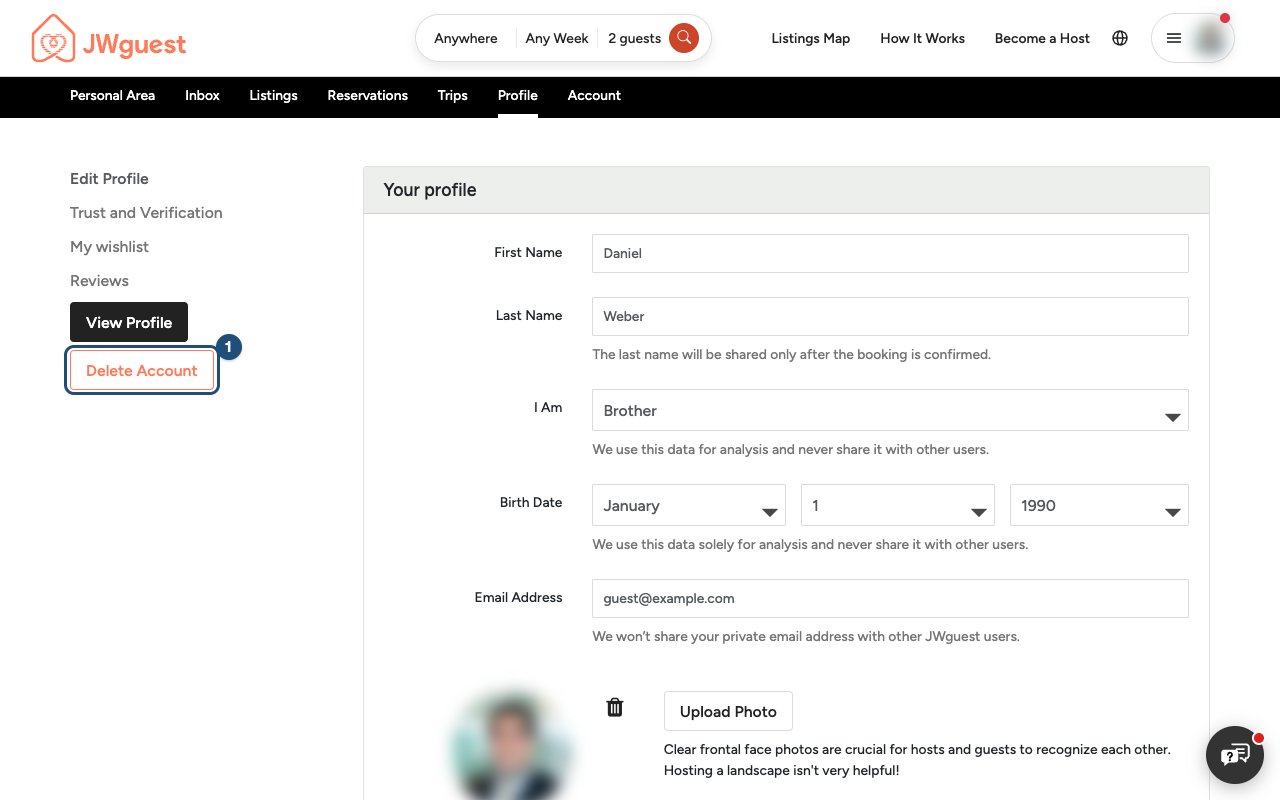
- Click Delete Account (1) in the menu on the left.
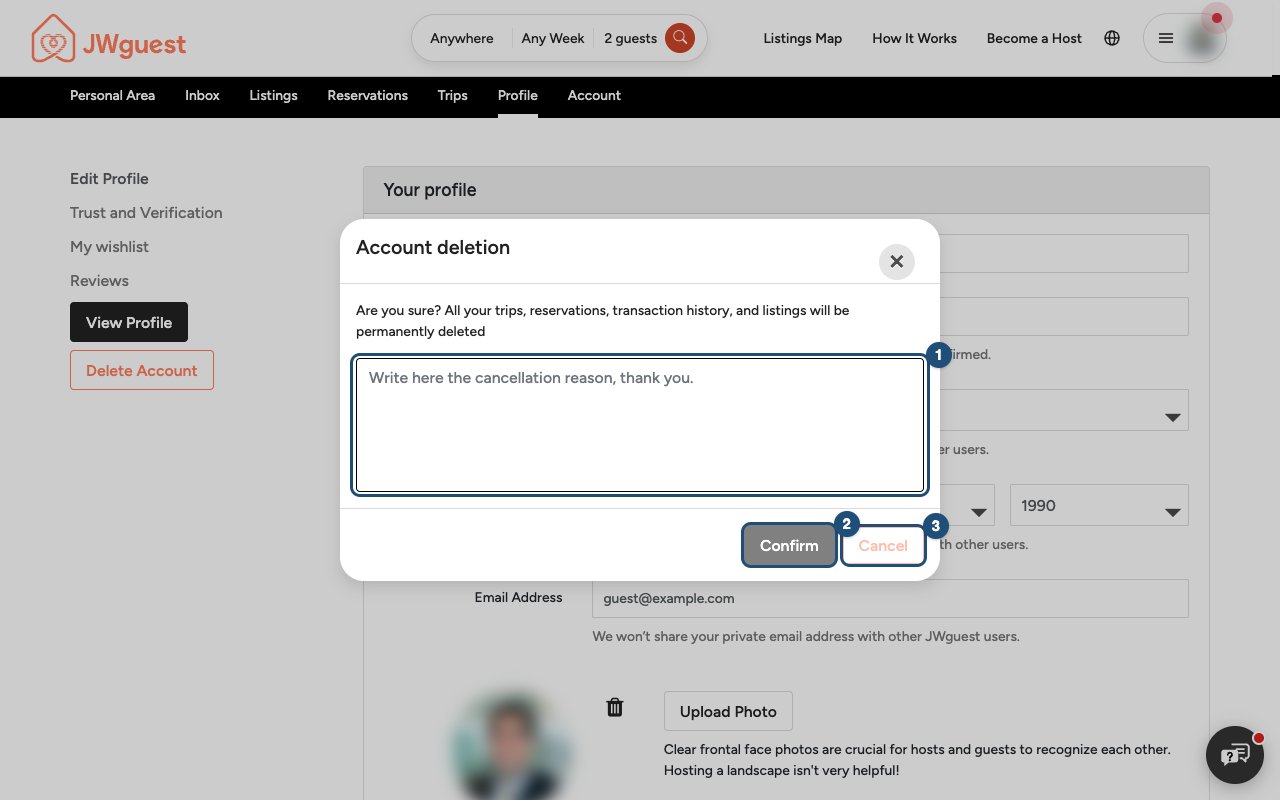
- Tell us why in the box (1). It helps us improve.
- Click Confirm (2). Cancel (3) closes the window and keeps your account.
We send you an email to confirm that your account has been deleted.
What is deleted and what is kept
- Deleted: your profile and profile photo, your wishlists and the possibility to log in. Your listings are taken off the site.
- Kept: your past bookings and payments, for the period accounting law requires; the messages you exchanged, because they also belong to the other person; and the reviews you wrote, shown without your name.
The details are on our Account deletion page, and how we handle your data in the Privacy Policy.
Related articles: Log in to your account · Edit your profile
Mobile browser
You can delete your JWguest account yourself at any time. Deleting it is permanent: it can't be reopened.
Before you delete
- Finish your bookings first: the account can't be deleted while a confirmed trip or hosted booking is not yet over, or a dispute is open.
- Money still on its way? With a payout or refund pending, we ask you to confirm once more.
Delete your account
- Go to Profile: swipe the black Personal Area bar left until you see Profile, tap it, then tap Edit Profile.
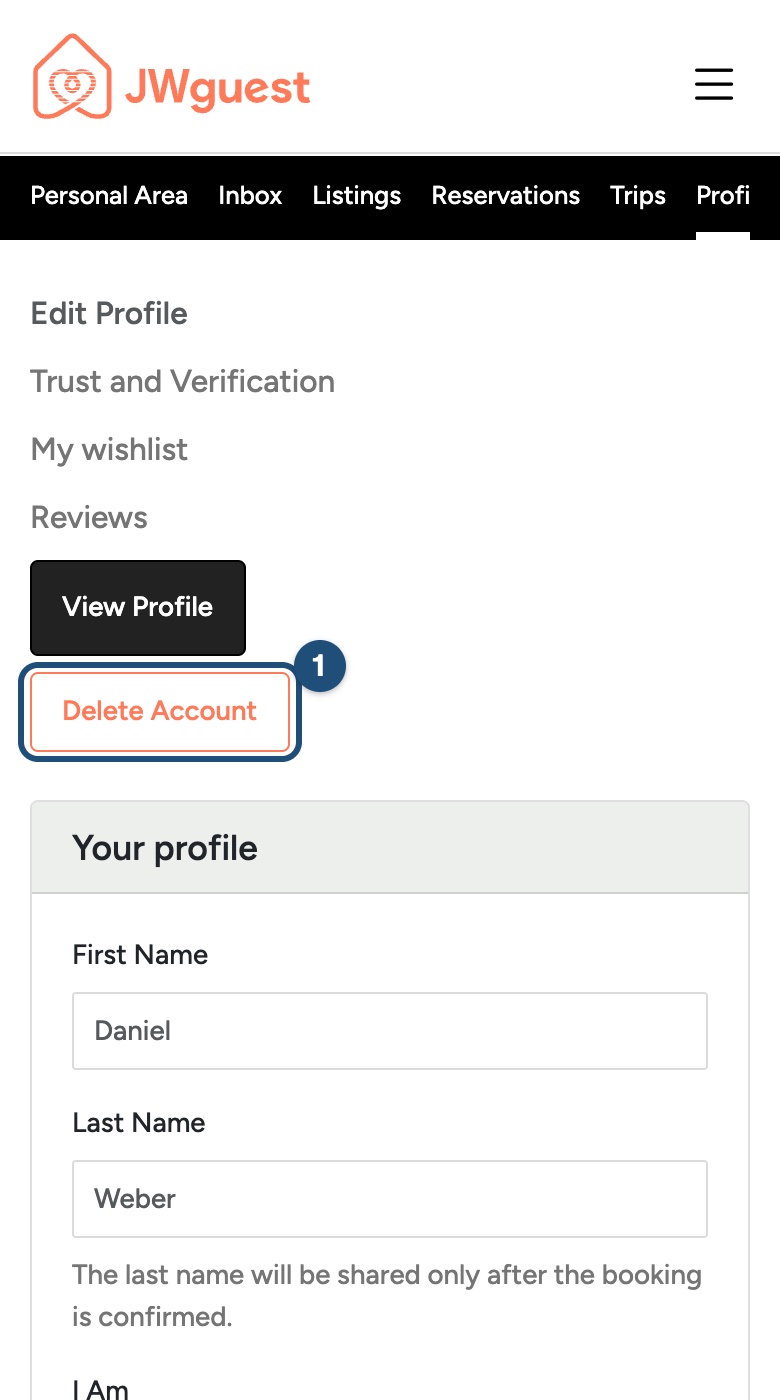
- Tap Delete Account (1).
- Tell us why in the box and tap Confirm. Cancel keeps your account.
What is deleted and what is kept
- Deleted: your profile and photo, your wishlists and the possibility to log in. Your listings are taken off the site.
- Kept: past bookings and payments, for the period accounting law requires; your messages; and your reviews, shown without your name.
The details are on our Account deletion page and in the Privacy Policy.
Related articles: Log in to your account · Edit your profile
iOS app
You can delete your JWguest account from the app at any time. Deleting it is permanent: it can't be reopened.
Before you delete
- Finish your bookings first: the account can't be deleted while a confirmed trip or hosted booking is not yet over, or a dispute is open. The app tells you what is in the way.
- Money still on its way? With a payout or refund pending, the app asks you to confirm once more.
Delete your account
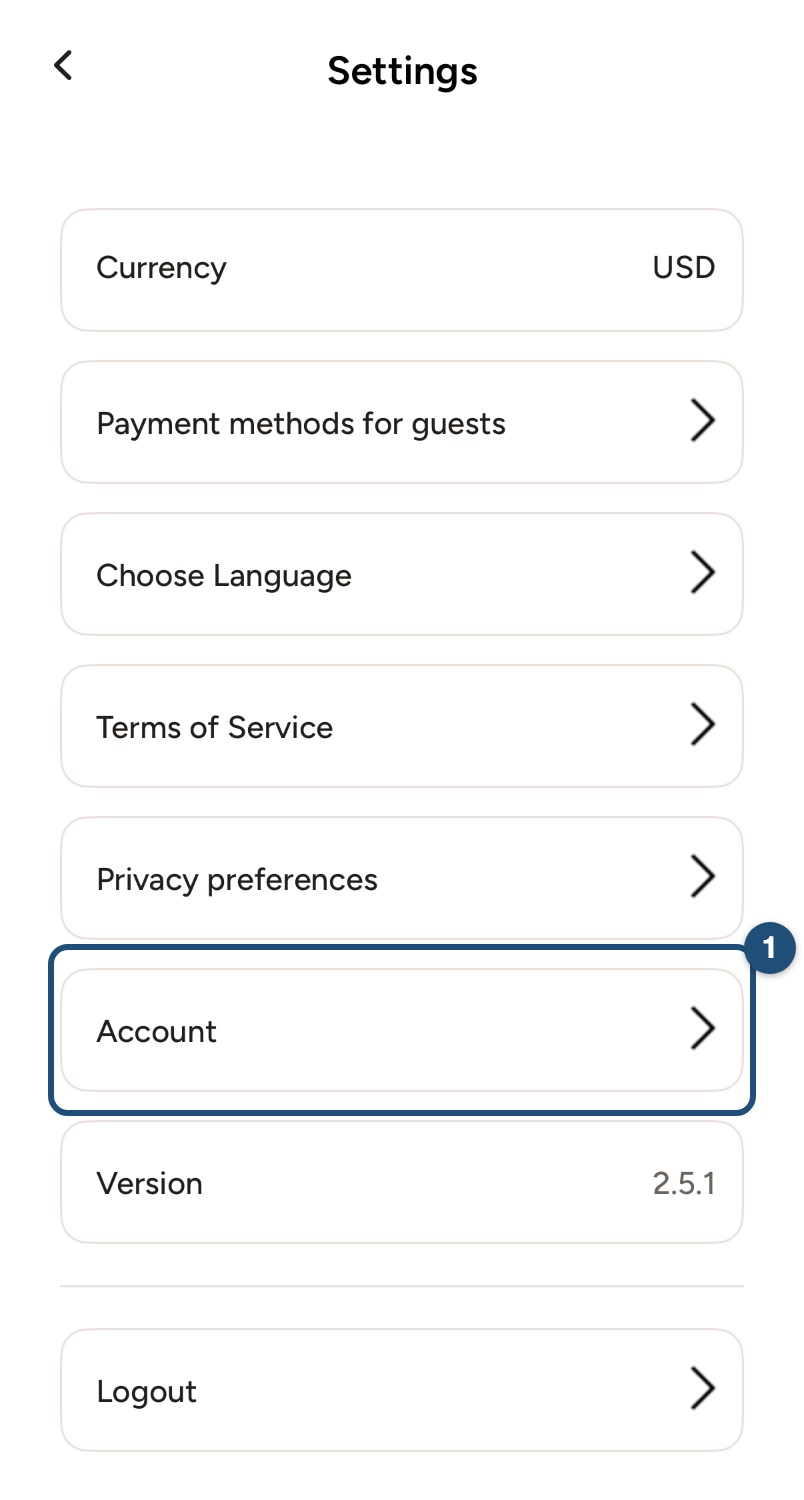
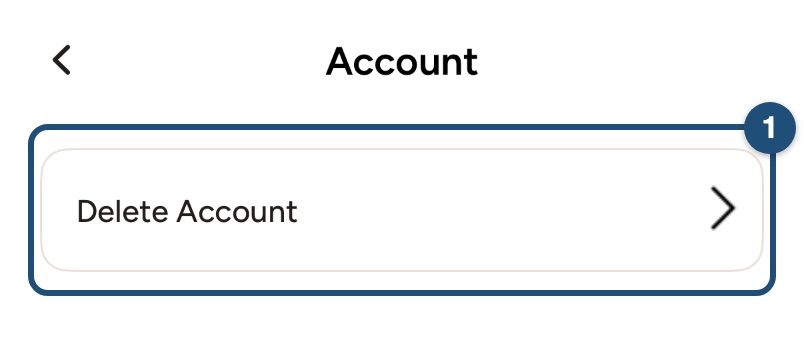
- Go to Settings: tap Profile in the bar at the bottom, then Settings, then Account (1).
- Tap Delete Account (1).
- Tap Delete to confirm, or Cancel to keep your account. The app logs you out.
What is deleted and what is kept
- Deleted: your profile and photo, your wishlists and the possibility to log in. Your listings are taken off the site.
- Kept: past bookings and payments, for the period accounting law requires; your messages; and your reviews, shown without your name.
The details are on our Account deletion page and in the Privacy Policy. Deleting the app from your phone does not delete your account.
Related articles: Log in to your account · Edit your profile
Android app
You can delete your JWguest account from the app at any time. Deleting it is permanent: it can't be reopened.
Before you delete
- Finish your bookings first: the account can't be deleted while a confirmed trip or hosted booking is not yet over, or a dispute is open. The app tells you what is in the way.
- Money still on its way? With a payout or refund pending, the app asks you to confirm once more.
Delete your account
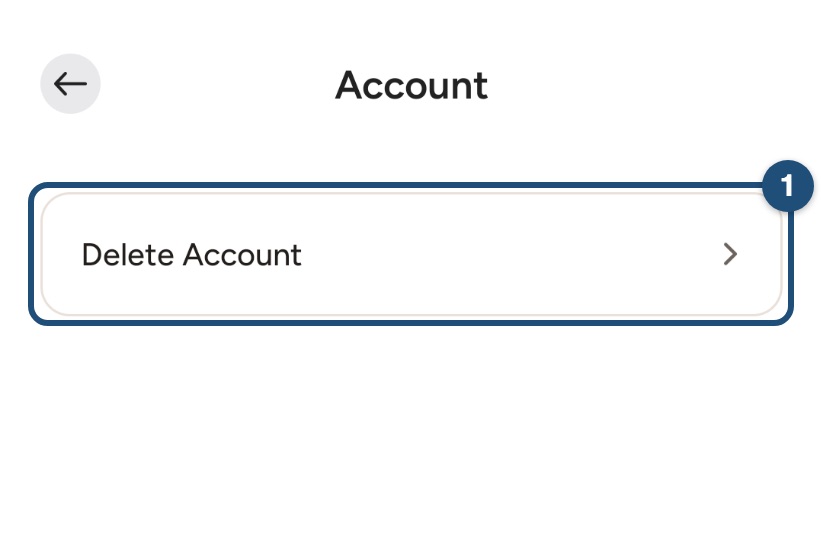
- Go to Settings: tap Profile in the bar at the bottom, then Settings, then Account (1).
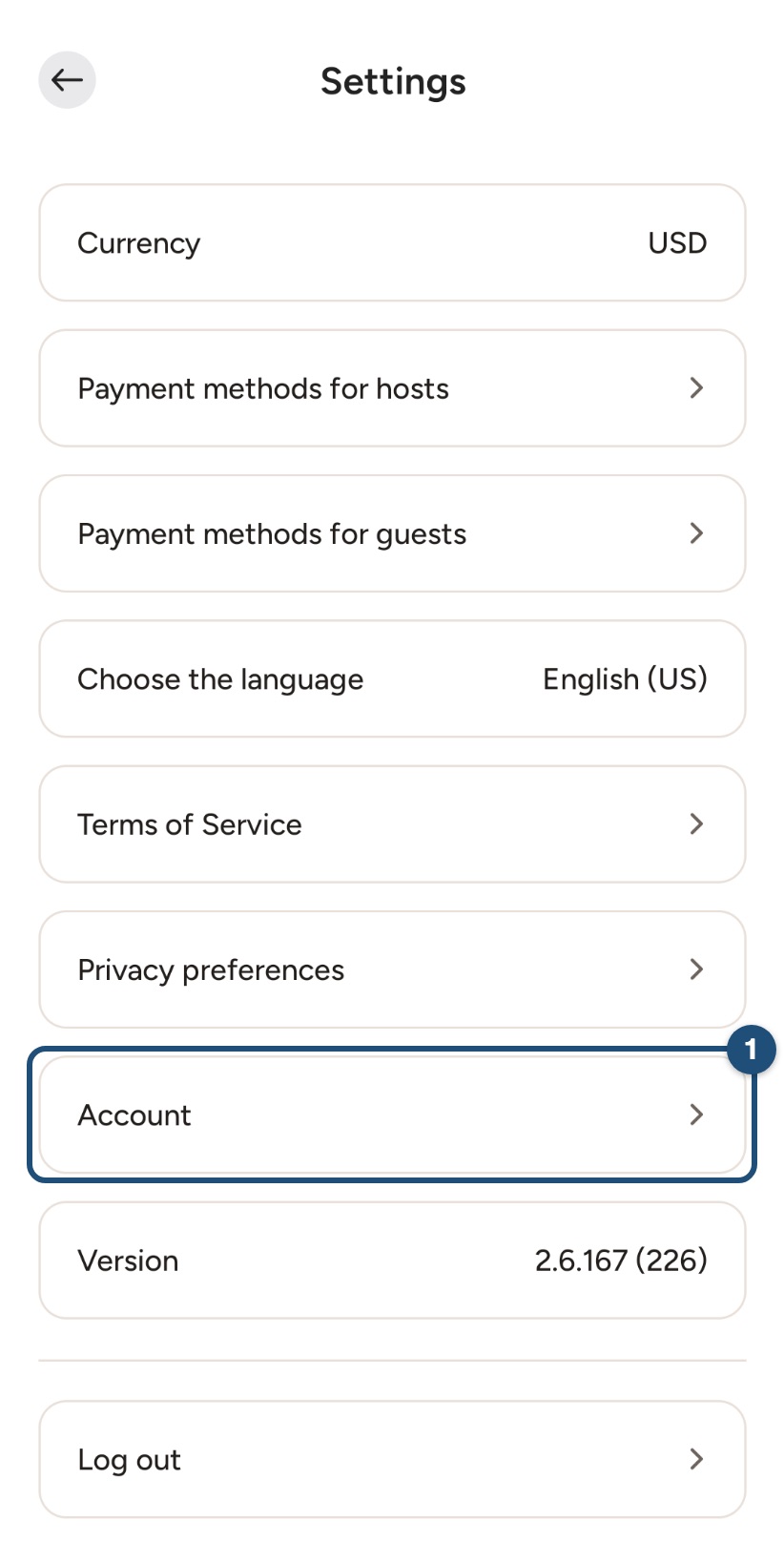
- Tap Delete Account (1).
- Tap Delete to confirm, or Cancel to keep your account. The app logs you out.
What is deleted and what is kept
- Deleted: your profile and photo, your wishlists and the possibility to log in. Your listings are taken off the site.
- Kept: past bookings and payments, for the period accounting law requires; your messages; and your reviews, shown without your name.
The details are on our Account deletion page and in the Privacy Policy. Uninstalling the app does not delete your account.
Related articles: Log in to your account · Edit your profile