
Website
Reviews help brothers and sisters choose where to stay and whom to welcome. After every stay, guests and hosts can review each other.
How reviews work
- You can write your review within 14 days after check-out. If you miss this deadline, you can email us your review.
- Your review stays hidden until the other person has written theirs (or until the 14 days are over). This way nobody writes in reaction to the other.
- Reviews must be truthful and based on your own experience. JWguest may remove reviews that are misleading, offensive or unrelated to the stay. See our Terms of Service.
How to write a review
Here's a step-by-step guide:
Go to your reviews: Click your profile picture, then Profile and Reviews. You will see Reviews About You (1) and Write your review (2).
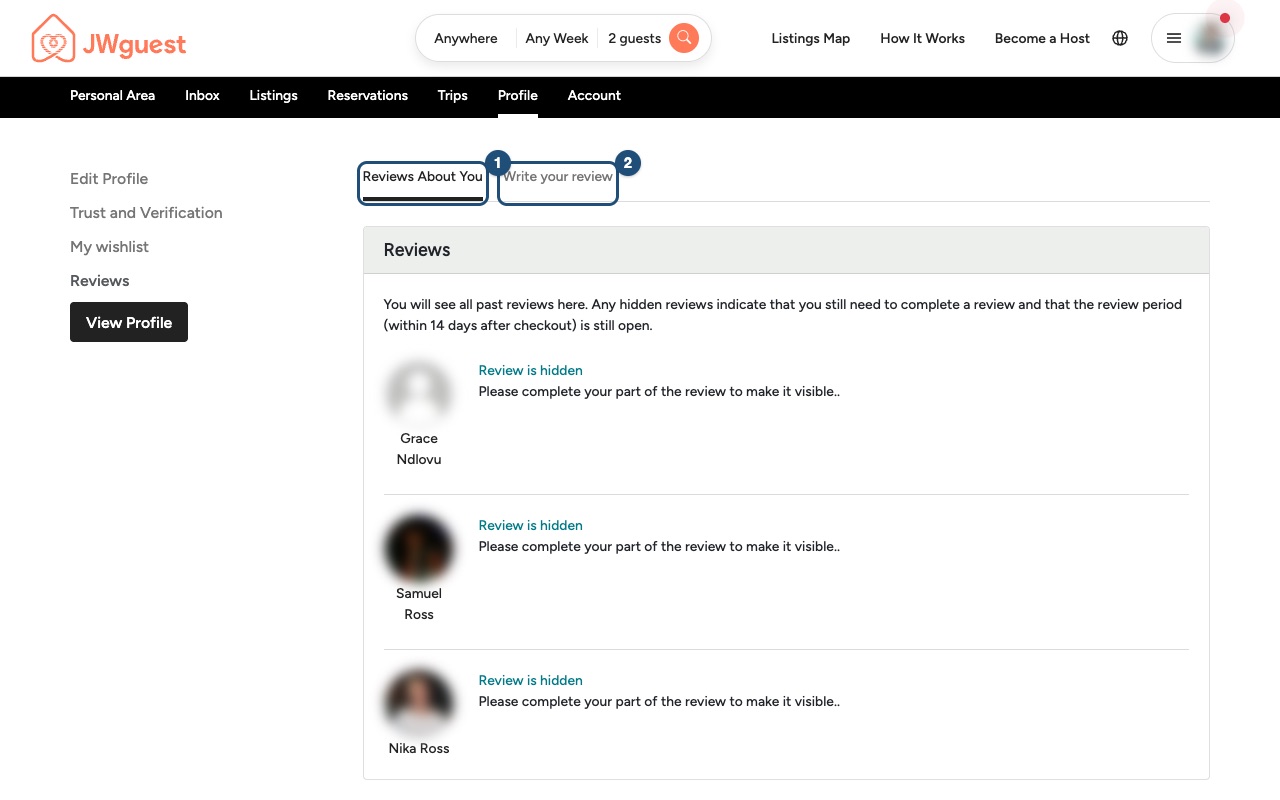
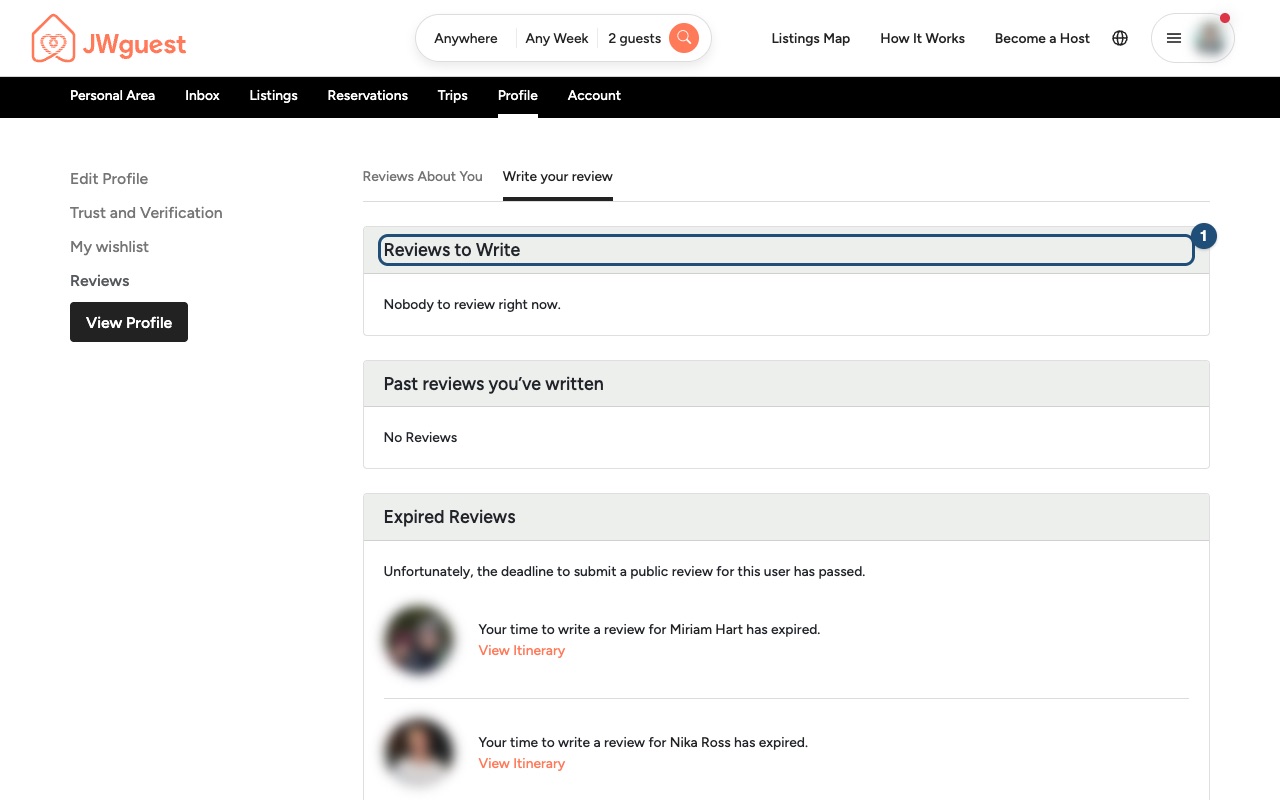
Choose the stay: Click Write your review. Under Reviews to Write (1) you will find the stays you can still review. Click the stay and fill in the form.
Important: a review is not the place to report a problem that needs action. If something went wrong during your stay, write to us within 12 hours of check-in: see Report a problem during your stay.
Tips for a helpful review
- Describe what you found: cleanliness, communication, check-in, location, value.
- Be specific and kind, as you would like others to be with you.
- Do not include personal details such as phone numbers, addresses or door codes.
Mobile browser
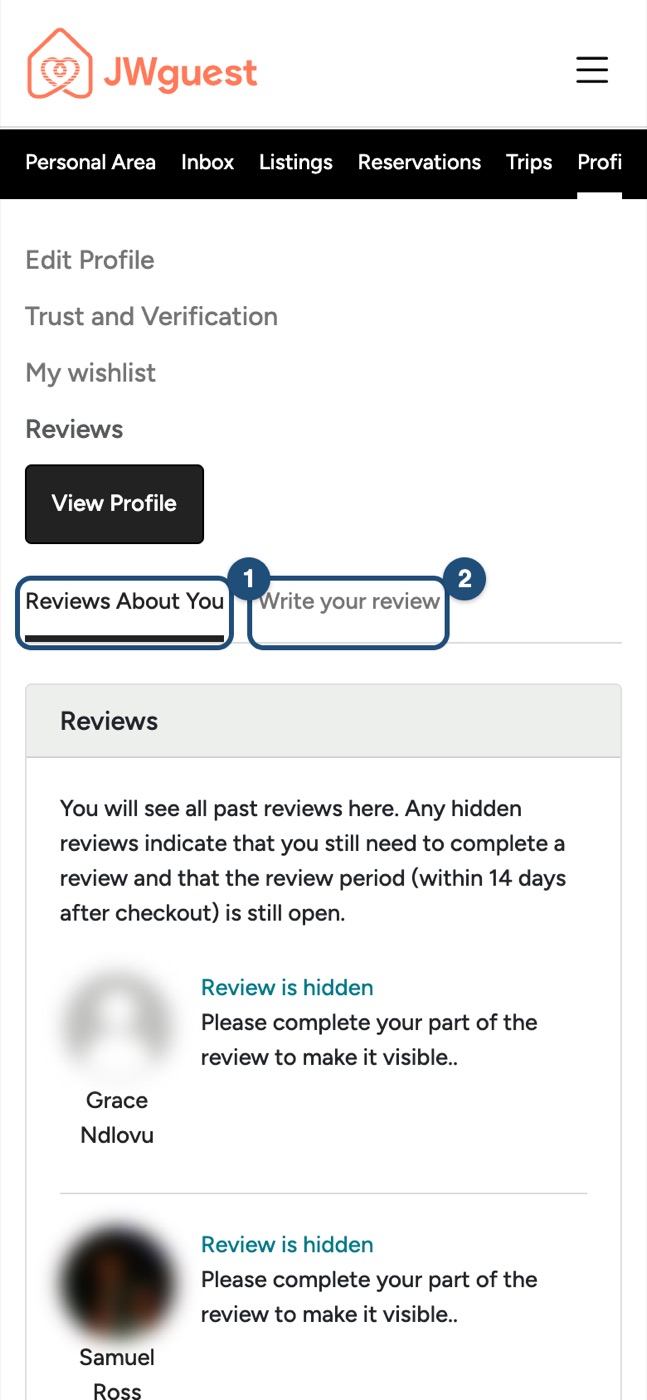
Go to your reviews: Tap the menu, then Profile. In the black bar the item may be off-screen: swipe the bar to the left. Tap Reviews, then Write your review (2).
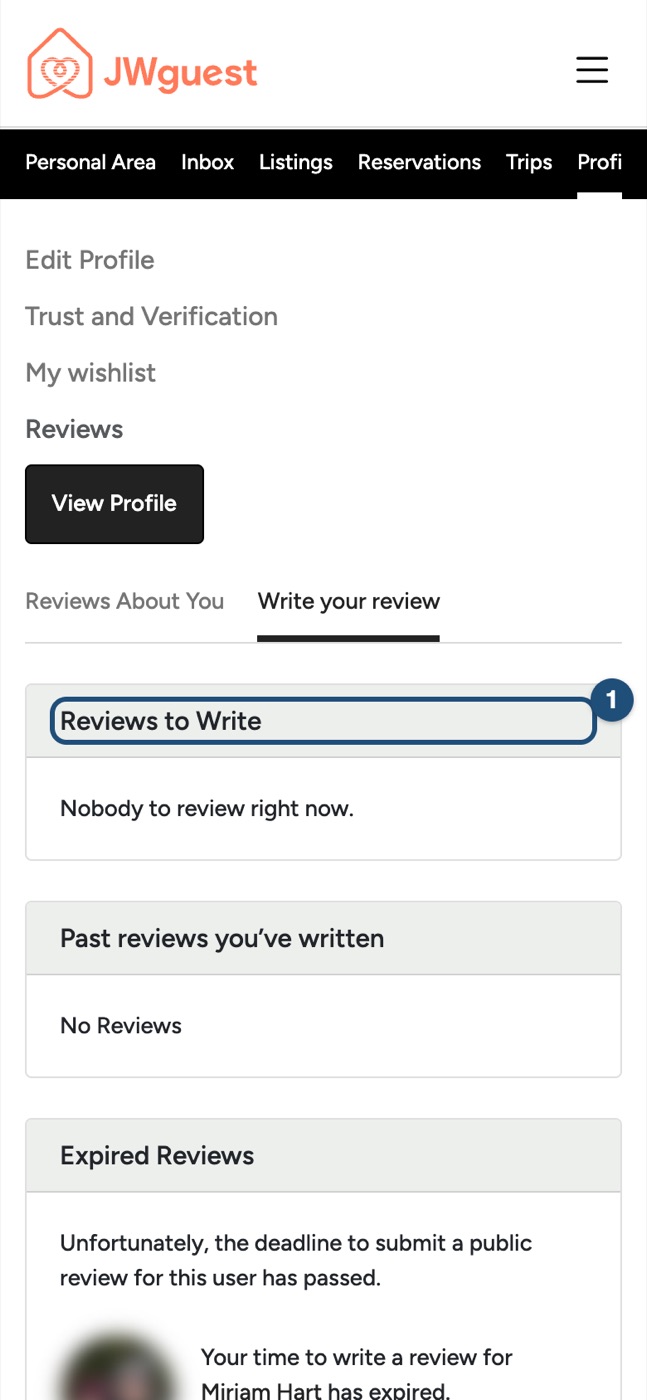
Choose the stay: Under Reviews to Write (1), tap the stay and fill in the form.
How reviews work
- You can write your review within 14 days after check-out.
- Your review stays hidden until the other person has written theirs (or until the 14 days are over). This way nobody writes in reaction to the other.
- Reviews must be truthful and based on your own experience. JWguest may remove reviews that are misleading, offensive or unrelated to the stay. See our Terms of Service.