
Cancel a not-confirmed reservation
If your reservation has not been confirmed and has not yet been paid, you can cancel or change it by going to Trips to cancel or change your reservation.
Cancel a confirmed reservation
If your reservation has been confirmed and paid, and you wish to cancel before your check-in:
- Go under your Upcoming trips (Link),
- Click on Cancel
- Complete the Cancellation form
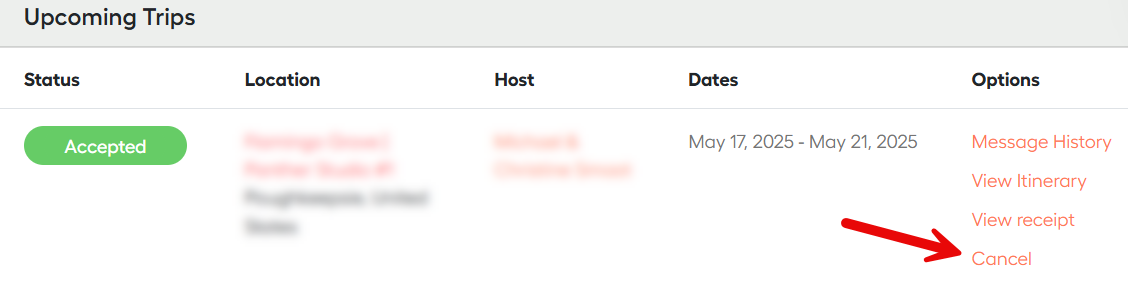
Additionally, please email [email protected] with a written request to cancel. This will generate a support ticket, and our team will review your request within 24 working hours.
Your cancellation is only valid once you receive our written confirmation email.
Request a refund for a confirmed reservation
- Flexible
- Moderate
- Strict
Request a cancellation or a refund during your stay
If you encounter an issue or a cancellation during your stay, follow these steps to request a partial refund:
- Contact your host: Discuss the issue directly with your host to find a resolution. They can often resolve the problem or offer a reasonable and pacific solution.
- Document the issue: If the problem persists, take photos or videos to support your claim: this will support your refund request.
- Contact JWguest Support: If the issue remains unresolved or no agreement is reached, contact JWguest Support within 24 hours of discovering the issue. Provide documentation and a clear explanation.
- Follow guidance: Our support team will review your case, potentially requesting more information or suggesting steps to resolve the issue.
Refund eligibility will depend on the specific circumstances and JWguest policies.
Always review the host's cancellation policy and JWguest's Terms to understand the terms and conditions that apply to your reservation.